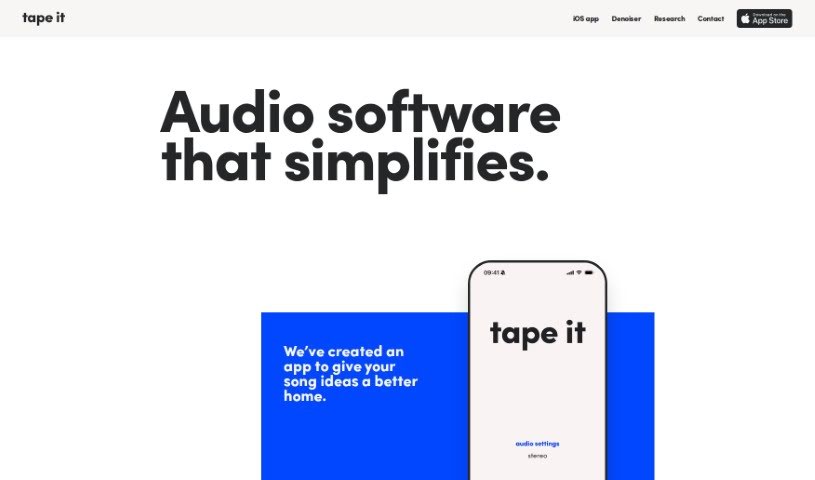
Screenshot of tape it

tape it

Discover what Tape It is and how to use it effectively in 2025. We'll explore its features, compare it to other audio tools, and show you how to get that professional studio sound.

Screenshot

What is Tape It?

The Denoiser tool from Tapeit is a really handy iOS app built to make your audio sound much better. It’s designed to cut down on annoying background noise, like those persistent hums and hisses you often get in recordings. It is your personal audio engineer! It uses smart AI algorithms to help you achieve that crisp, professional studio sound, whether you’re recording podcasts, interviews, or anything else. You can easily tweak how much denoising you want, and the simple drag-and-drop feature makes the whole process feel super smooth and straightforward.

Who created Tape It?

The Denoiser Tool was developed by the team at Tapeit. They launched this innovative iOS app on October 18, 2023, with a clear goal: to make improving audio quality in recordings as simple as possible. The app relies on AI algorithms to automatically reduce background noise, giving users a seamless way to get that polished, professional sound. The Tapeit team is actively exploring new AI methods and really values user feedback, which helps them make the tool even better.

What is Tape It used for?

Here’s a breakdown of what you can do with Tape It:

  • Clean up your recordings: It’s great for reducing static background noise, like hums and hisses, so your audio sounds much clearer.
  • Get that pro sound: You can achieve studio-quality noise reduction, giving your recordings a really professional feel.
  • Easy file handling: The app lets you upload your audio files directly or browse for them right within the app.
  • Smart AI enhancement: It uses AI algorithms to boost your recordings, and you have the flexibility to adjust the denoising level just how you like it.
  • Simple workflow: The drag-and-drop functionality makes the whole audio improvement process really smooth and easy.
  • Seamless experience: While the AI works its magic to enhance your audio, you get a smooth, uninterrupted experience.
  • Remove unwanted noise: Whether it’s from podcasts, interviews, or other audio types, Tapeit helps deliver clean, professional studio sound.
  • Improve audio quality: It’s all about reducing static background noise like hums and hisses to make your recordings sound better.
  • Professional sound: You get studio-quality noise reduction capabilities for that polished, professional sound.
  • AI-powered enhancement: Once you upload your audio, the AI algorithms get to work enhancing it.
  • Customizable denoising: You can easily adjust the denoising level to suit your specific needs and preferences.
  • Streamlined process: The simple drag-and-drop feature really streamlines how you improve your audio.
  • Better audio output: The AI algorithms are designed to create a noticeably better audio output.
  • Clean up various audio: It’s effective at removing unwanted noise from podcasts, interviews, and many other kinds of audio.
  • Deliver studio sound: The goal is to deliver that clean, professional studio sound you’re looking for.
  • Share your feedback: The Tapeit team loves hearing from users, so feel free to share your thoughts and feedback.
  • Reduce static noise: It’s particularly good at reducing static background noise like hums and hisses in your recordings.
  • Studio quality: You can achieve studio-quality noise reduction for a truly professional sound.
  • Easy audio improvement: The simple drag-and-drop functionality makes improving your audio a breeze.
  • AI enhancement: The app uses AI algorithms to enhance recordings, letting you adjust the denoising level.
  • User feedback welcome: They encourage users to share their feedback to help improve the tool.
  • Clean up audio content: It’s great for removing unwanted noise from podcasts, interviews, and other audio content.
  • Professional sound delivery: Tapeit delivers a clean and professional studio sound for all sorts of recordings.
  • Reduce background noise: It’s effective at improving audio quality by reducing static background noise like hums and hisses.
  • Professional sound capabilities: You get studio-quality noise reduction capabilities for professional sound.
  • Enhance and streamline: AI algorithms enhance recordings, letting you adjust denoising levels and streamline the improvement process.
  • Seamless drag and drop: The simple drag-and-drop functionality offers a seamless experience while the AI algorithms work their magic.
  • Clean studio sound: It removes unwanted noise from podcasts, interviews, and other audio, delivering a clean and professional studio sound.
  • Improve recording quality: Tapeit enhances audio quality by reducing static background noise like hums and hisses.
  • Studio quality reduction: It provides studio-quality noise reduction capabilities for a professional sound.
  • AI adjustment: The app uses AI algorithms to enhance recordings and lets you adjust denoising levels to your liking.
  • Seamless AI experience: It creates a seamless experience with AI algorithms for better audio output.
  • Cleaner studio sound: Tapeit removes unwanted noise from podcasts, interviews, or other audio types for a cleaner studio sound.
  • Team feedback: Don’t forget to share your feedback with the Tapeit team!
  • Practical audio solution: It offers a practical way for anyone to enhance the sound quality of their recordings.

Who is Tape It for?

  • Musicians
  • Podcasters
  • Audio Engineers

How to use Tape It?

Using the Denoiser Tool by Tapeit is pretty straightforward. It’s an iOS app designed to make your audio sound much better by cutting out background noise like hums and hisses. Here’s how you can get started:

  1. Open the app: First, launch the app on your iOS device. You can either upload an audio file you already have or browse for one directly within the app.
  2. Adjust the denoising: Once your audio is loaded, you can choose the denoising level. This lets you fine-tune the effect to get the best possible sound quality for your recording.
  3. Use drag and drop: For a really smooth process, take advantage of the drag-and-drop feature. It makes managing your audio files simple.
  4. Let the AI work: After you’ve made your selections, the AI algorithms will get to work enhancing the audio output. This process is designed to be seamless, delivering that professional studio sound you’re aiming for.
  5. Explore the tech (optional): If you’re curious about the technical side of things, there’s a research paper available that you can dive into for more details.
  6. Share your feedback: The Tapeit team is always looking to improve the tool, so please share your thoughts and feedback with them!

Basically, the Denoiser Tool is a really practical solution for anyone who wants to improve the sound quality of their recordings. It’s perfect for podcasts, interviews, or any audio that just needs a little cleanup to sound more professional and clean.

Related AI Tools

Discover more tools in similar categories that might interest you

Stay Updated with AI Tools

Get weekly updates on the latest AI tools, trends, and insights delivered to your inbox

Join 25,000+ AI enthusiasts. No spam, unsubscribe anytime.