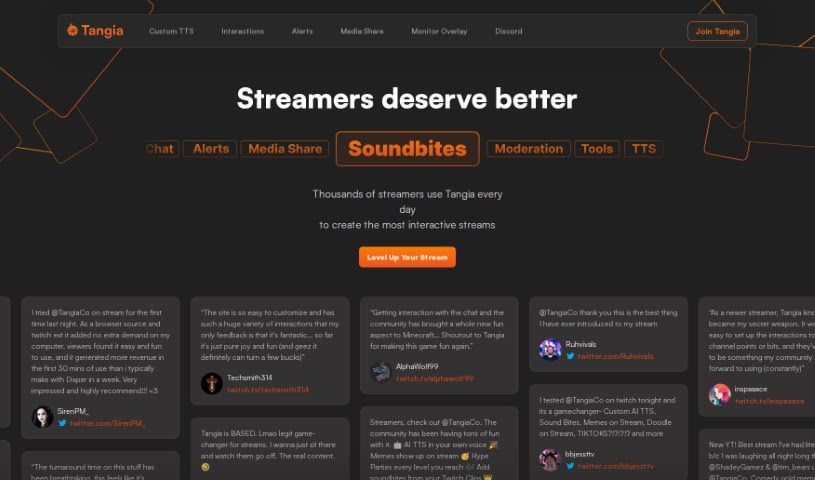
Screenshot of Tangia

Tangia

Discover what Tangia is and how to use it effectively in 2025. We'll explore its features and see how it stacks up against other content creator tools.

Screenshot

What is Tangia?

Tangia is a really interactive tool that lots of streamers use to make their streams more engaging for viewers. It lets streamers create their own text-to-speech (TTS) messages using their own voice, put memes on screen live, and even generate AI images for chat to play with. Viewers can get involved too! They can grab sound bites from Twitch clips to use as sound alerts, leave notes for the streamer, send messages through something called Plankton TTS, create “bluescreens” (like visual effects), and even draw directly on the stream. Tangia works smoothly with popular streaming software, offering both web-based options and browser extensions, which makes it super flexible for anyone looking to spice up their Twitch or YouTube content.

Who created Tangia?

Tangia was actually built by a team that’s really passionate about changing how streamers connect with their audiences. Their whole focus is on creating new, innovative tools that help streamers interact with their viewers in fresh and exciting ways. With Tangia, streamers can whip up custom text-to-speech messages using their own voice, pop memes onto the screen in real-time, and generate AI images that the chat can use. Plus, viewers have plenty of ways to join in the fun, like leaving notes, setting up sound alerts from clips, and even drawing right on the stream. Tangia integrates really well with the streaming software most people use, and you can access it either through a website or a browser extension, giving you a lot of flexibility for a more dynamic streaming experience.

How to use Tangia?

Want to make your streams way more engaging with Tangia? Here’s a simple rundown of how to get started:

  1. Get Tangia Set Up: First, you’ll want to connect Tangia to your streaming software. You can usually do this by adding it as a browser source, which makes sure everything works together smoothly.
  2. Make Your Own TTS: Use Tangia to create custom text-to-speech messages. The cool part is you can use your own voice, which really adds a personal touch for your viewers.
  3. Add Visuals On the Fly: You can overlay memes and AI-generated images right as they happen during your stream. It’s a great way to keep viewers visually entertained.
  4. Sound Bites for Alerts: Let your viewers submit sound bites from Twitch clips. Once you approve them, they can be used as sound alerts, making the stream feel more interactive and responsive.
  5. Get Viewers Involved: Encourage your audience to participate! Offer fun activities like letting them leave notes, shout messages using Plankton TTS, create “bluescreens,” or even draw directly on your stream.
  6. Use the Extension and Web Options: Tangia offers both a browser extension and web integration. This flexibility means you can use it in a way that best suits your streaming setup, whether you’re on Twitch, YouTube, or another platform.

Following these steps should help you really make the most of Tangia’s features. You’ll be able to boost your viewer engagement and make your streams stand out!

Related AI Tools

Discover more tools in similar categories that might interest you

Stay Updated with AI Tools

Get weekly updates on the latest AI tools, trends, and insights delivered to your inbox

Join 25,000+ AI enthusiasts. No spam, unsubscribe anytime.