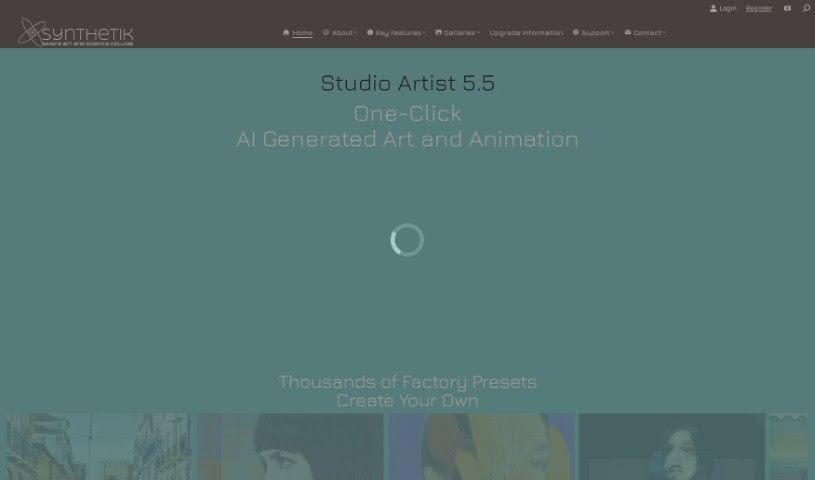
Screenshot of Synthetik's Studio Artist

Synthetik's Studio Artist

Discover what Synthetik's Studio Artist is and how to use it effectively in 2025. We'll dive into its features and see how it stacks up against other art generators.

Screenshot

What is Synthetik’s Studio Artist?

Synthetik’s Studio Artist is a really interesting piece of software for creating art and animations. It is an AI-powered digital canvas that can automatically paint and draw for you, helping you create unique visuals. It’s packed with features designed to spark your creativity. You can automatically sketch, create abstract effects that animate themselves, turn video into rotoscoped animations, make photo mosaics, instantly transform photos into vector art, generate cool spiro art, apply all sorts of image effects, create generative art with MSG, and even do interactive warping. Plus, it offers ways to paint and draw both manually and with assistance, along with automatic animations and a whole lot more to help you express your artistic ideas.

What makes Studio Artist by Synthetik’s Studio Artist stand out is its use of artificial intelligence to generate distinctive art. It’s not just about applying filters; it actually uses an embedded model of the human visual cortex. This helps it create truly unique artistic pieces. You’ve got options for automatic, assisted, and manual painting and drawing. It can also create automatic photo mosaics and transform your photos into various painting styles – whether you’re aiming for an oil painting look, watercolors, abstract art, or simple sketches.

Beyond that, Synthetik’s Studio Artist offers a bunch of tools for creating all sorts of artworks. The Vectorizer tool is particularly handy for turning regular raster images into scalable vector art. There’s also a comprehensive suite of effects for images, videos, and photos, giving you extensive control over your artistic creations. If animation is your thing, Studio Artist has you covered too. You can create animations, do rotoscoping, apply video effects, and even generate interactive computer-generated art.

Who created Synthetik’s Studio Artist?

Synthetik Software is the company behind Studio Artist, and it was founded by John Dalton. Studio Artist itself was first introduced to the world at MacWorld NYC on December 20, 2023. John Dalton, who also has a background in digital audio multi-tracking with OSC, leads Synthetik. Their focus is on blending neuroscience, AI, computer graphics, and digital video to build innovative software that really helps people explore their creative potential.

What is Synthetik’s Studio Artist used for?

Here’s a quick rundown of what you can do with Synthetik’s Studio Artist:

  • Create art and drawings automatically
  • Generate automatic sketches
  • Make abstract effects that animate on their own
  • Turn video into rotoscoped animations
  • Produce automatic photo mosaics
  • Instantly convert photos to vector art
  • Create abstract art instantly
  • Use an interactive Spiro Art generator
  • Apply a range of built-in image effects
  • Add time-based effects to your work

How to use Synthetik’s Studio Artist?

Ready to start creating art and animations with Synthetik’s Studio Artist? Here’s a simple guide to get you going:

  1. Painting and Drawing: Dive into the Paint Synthesizer. You can choose to paint and draw completely automatically, get some assistance, or go fully manual. You can adjust how much automation you want to fit your style.
  2. Automatic Features: Give Automatic Sketching and Drawing a try for quick sketches, or use Automatic Photo Mosaics to turn your photos into interesting mosaic artwork.
  3. Animation Abilities: Explore the various animation presets available. You can do rotoscoping, apply video effects, and make good use of the Animation Video Auto-Rotoscoping feature.
  4. AI Integration: Take advantage of the AI built right into Synthetik’s Studio Artist. Features like Automatic Painting, which uses a model of the human visual cortex, are particularly powerful.
  5. Special Effects: Don’t miss out on the self-animating Kaleidoscopic and Abstract Effects. The Vectorizer is great for converting photos to vector art, and you can also create Instant Abstract Art and Interactive Spiro Art.
  6. Image Enhancement: Use the image effects, time-based effects, and MSG Generative Art to add unique styles and polish to your creations.
  7. Vector Art Conversion: Need scalable vector art? The Vectorizer feature makes converting photos to this format really easy.
  8. Advanced Editing: For more precise control, play around with Interactive Warping and Adjusting tools.
  9. Training and Support: If you need a hand, Synthetik’s Studio Artist offers a user guide, training videos, and a knowledge base blog to help you out.
  10. Trial and Discount: You can try out trial versions for both MacOS and Windows. Plus, there’s a current 50% discount available if you use the coupon code: SA50NY. It’s a great way to explore the software!

Related AI Tools

Discover more tools in similar categories that might interest you

123RF AI Image Generator

Creative Image Generation
Learn More

Stay Updated with AI Tools

Get weekly updates on the latest AI tools, trends, and insights delivered to your inbox

Join 25,000+ AI enthusiasts. No spam, unsubscribe anytime.