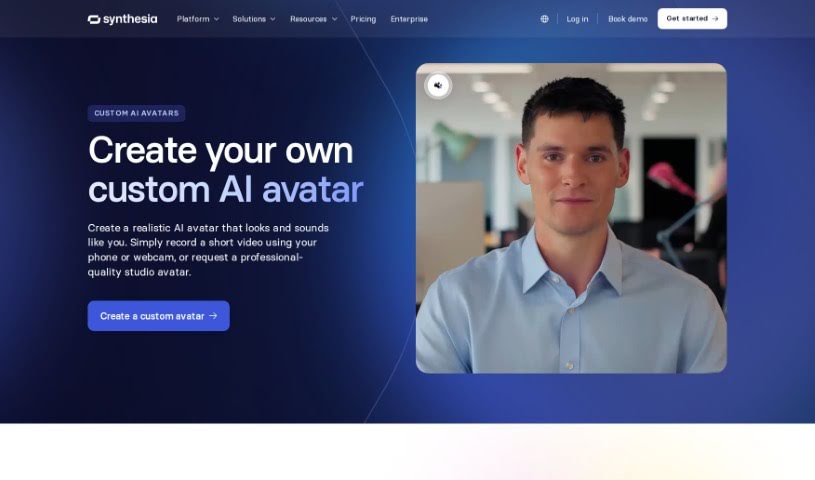
Curious about Synthesia Custom Avatars? This 2025 guide explains what they are, how to create your own personalized digital likeness, and tips for using them effectively. We'll also touch on how they stack up against other avatar makers.
![]()
custom avatars is your own digital twin, but with a bit of a polish. They’re personalized digital representations of real people, created to look like you, similar to how stock avatars are designed. The really neat part? You can use these unique likenesses in personalized videos, and they work across more than 140 languages. If you want to make one, just head over to the “Avatars” tab. There, you’ll find the Avatar Builder, where you can tweak your avatar’s look. You can pick out clothing colors and even add your own logos. Once you’re happy with how it looks, you just hit “Generate Avatar.” It might take about 20 minutes for your personalized avatar to be all set and ready to go.
Synthesia Custom Avatars comes from Synthesia, a company that’s really into making AI video creation platforms. Their custom avatar maker gives you a couple of options: you can go for a webcam AI avatar that you build right in your browser, or you can opt for a more professional, studio-quality avatar. Either way, you can use them for personalized videos in over 140 languages. Synthesia also helps businesses create their own branded content by letting them personalize AI avatars – you can change the outfit colors and add company logos, for instance.
This tool is a real game-changer for a variety of professionals:
Getting the most out of Custom Avatars is pretty straightforward. Just follow these steps:
By following these steps, you’ll be able to create and customize your very own custom avatars. They’re great for all sorts of things, like making videos or giving presentations.
Discover more tools in similar categories that might interest you
Get weekly updates on the latest AI tools, trends, and insights delivered to your inbox
Join 25,000+ AI enthusiasts. No spam, unsubscribe anytime.