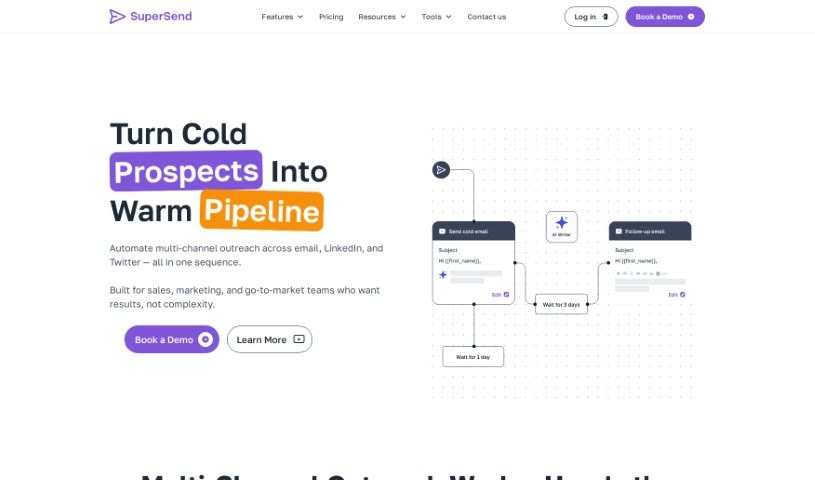
What is Super Send?
Super Send is an outbound automation tool built specifically for founders who are looking to land their first 100 customers. It helps you automate your cold outreach efforts across Email, LinkedIn, and Twitter. It is your all-in-one command center for reaching out to new people. It comes packed with features like email warmup to make sure your emails land in the inbox, email validation to keep your lists clean, a unified inbox to manage all your conversations, and inbox rotation to spread out your sending. Plus, it has an AI writer to help craft your messages, lets you automate emails using your real Gmail address, handles Twitter automation, supports A/B testing for better results, offers detailed reporting, can create personalized images, sends Slack notifications when you get replies, and even includes GPT-3 AI writing assistance. You also get lead enrichment to learn more about your prospects, personalized cold email experiences, Spintax support for message variations, a handy Chrome extension, advanced filtering and querying to find the right people, and personalized intro lines. People who use Super Send often say it’s really effective for getting intro meetings through cold outreach, and it’s quite affordable compared to many other tools out there.
Who created Super Send?
William Carvell, who you might know from his Twitter handle @3Pack_William, is the creator behind Super Send. His focus with this tool is to help founders automate their cold outreach campaigns across email, LinkedIn, and Twitter. It offers a suite of features designed to make this process smoother, including email warmup, email validation, a unified inbox, inbox rotation, and an AI writer. Essentially, Super Send is built to help founders efficiently connect with their first 100 customers by providing tools for personalized and effective outreach.
What is Super Send used for?
Super Send is your go-to for a variety of outreach tasks:
- AI Writer: Get help crafting compelling messages.
- Inbox rotation: Manage multiple inboxes smoothly.
- Email validation: Keep your email lists accurate and effective.
- Automate Cold Outreach: Reach out effectively across Email and LinkedIn.
- Enhance Outreach: Boost your efforts with seamless automation, insightful analytics, and personalized engagement tools.
- Create Complex Sequences: Build intricate outreach flows that combine Twitter and email messages.
- Conditional Sequences: Set up sequences with specific conditions, wait steps, and multi-channel messages all within one flow.
- Cost Efficiency: Get the most out of your outreach budget with high-quality campaigns at a much lower cost.
- Advanced Integration: Connect easily using APIs, webhooks, and native CRM integrations.
- Email Automation: Send emails from your real email address and automate follow-ups based on how prospects respond.
- LinkedIn Automation: Scale your LinkedIn prospecting by automating profile visits and connection requests.
- Unrivaled Benefits: Enjoy features like email warmup, email validation, a unified inbox, inbox rotation, and an AI writer.
- Effective Outbound Campaigns: Run highly effective outbound campaigns with added polish.
- Automate Cold Outreach: Reach out efficiently across Email, LinkedIn, and Twitter.
- Email Warmup: Prepare your email accounts for consistent sending.
- Twitter Automation: Automate your Twitter outreach.
- Email A/B Testing: Test different email versions to see what works best.
- Robust Reporting: Track your campaign performance with detailed analytics.
- One-Off Emails: Send individual emails as needed.
- Advanced Filtering And Querying: Find and target specific prospects with precision.
Who is Super Send for?
Super Send is a great tool for:
- Founders
- Sales professionals
- Business owners
- Marketers
- Entrepreneurs
- Marketing professionals
- Business Development Professionals
How to use Super Send?
To get the most out of Super Send, here’s a simple step-by-step guide:
- Sign Up and Log In: First, create your account on the Super Send platform and then log in to start exploring all the features.
- Set Up Your Campaign: Begin by setting up your outbound campaign. You can use features like email automation, Twitter automation, inbox rotation, and email A/B testing to really tailor your outreach strategy to your specific goals.
- Personalize Your Messages: Take advantage of advanced options like liquid syntax support. This lets you easily include dynamic variables in your messages, making them feel much more personal to each recipient.
- Utilize the Tools: Make sure you’re using all the helpful tools Super Send offers. This includes the Chrome extension, advanced filtering and querying for finding the right people, personalized images to make your messages stand out, spintax support for message variations, and Slack notifications so you know right away when someone replies.
- Monitor Your Progress: Keep an eye on how your campaign is doing with the robust reporting feature. You can track new contacts sent daily, delivery rates, bounces, open rates, and click rates to see what’s working and what could be improved.
- Engage Your Prospects: Connect with prospects using personalized intro lines that Super Send can help generate. You can also use lead enrichment to gather more details about your prospects, which helps you tailor your approach even further.
- Optimize Your Performance: Keep refining your outreach by using the platform’s features like conditional sequences, its cost-effective approach, advanced integration options, and seamless API support.
- Explore Resources: Check out Super Send’s blog for helpful tips and tricks on how to speed up your sales process. You might also consider working with their experienced team for a complete solution, often available at a fixed monthly fee.
By following these steps, you’ll be able to use Super Send’s features effectively to make your outbound campaigns run more smoothly and achieve better results.