What is Suno Prompt?
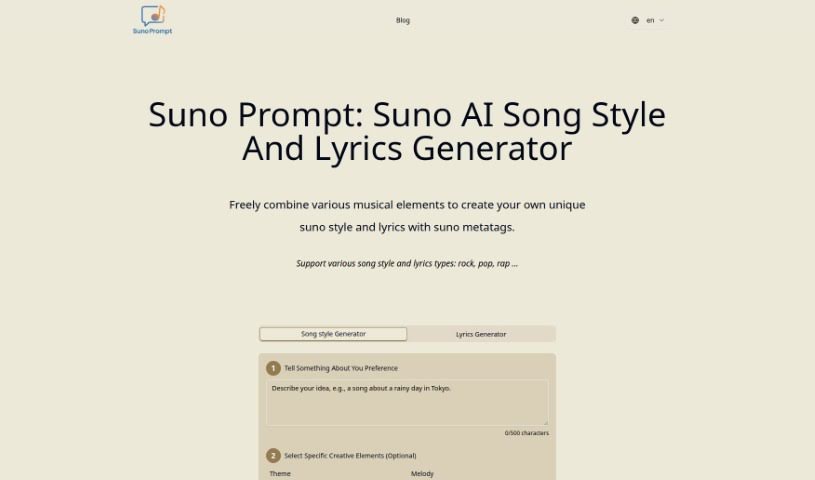
The Suno Prompt is a clever AI tool designed specifically for generating music and lyrics. It gives you a ton of control, letting you customize all sorts of musical elements. Think theme, melody, harmony, rhythm, song structure, the instruments you want, the overall style, the mood, how loud or soft it gets (dynamics), the production quality, and even the vocal style. You can really dial in the specifics of a song, using special ‘metatags’ for detailed prompts. Whether you’re aiming for a gentle acoustic ballad or a grand orchestral piece, this generator has you covered.
It’s super versatile, too. You could use it to create movie scores, add some flair to game development, or even help produce pieces for performances. Basically, it’s a handy resource that offers inspiration whenever you need it, saving you time in the music creation process. It also makes generating personalized lyrics a breeze by incorporating your own preferences and styles. Plus, you can set your preferred harmonies, get your creative juices flowing with generated prompts, and it’s useful even if you’re just a music lover. It really shows how broadly appealing and useful the Suno AI Music Prompt Generator is.
Who created Suno Prompt?
Suno Prompt comes from Suno AI, an AI-powered venture founded by people who are really passionate about both music and technology. They launched the platform on March 26, 2024, with the goal of shaking up music generation by offering custom prompts for musicians, composers, producers, and anyone who enjoys music. Suno Prompt provides extensive customization options, a Song Style Generator, a Lyrics Generator, and acts as a sophisticated tool for creating music for all sorts of things, like film scores, songwriting, game development, and performance pieces.
What is Suno Prompt used for?
Here’s a look at what you can do with Suno Prompt:
- Movie Scores: Create soundtracks for films.
- Creative Process: Boost your creative workflow.
- Game Development: Enhance the audio for games.
- Melody Complexity: Define how intricate your melodies are.
- Harmonic Preferences: Set your desired harmonic structures.
- Creative Kick-start: Get your creative process going.
- Music Enthusiasts: Help out those who just love music.
- Time Efficiency: Speed up music creation.
- Personalized Lyrics: Generate lyrics tailored to you.
- Song Dynamics: Set the volume and intensity levels.
- Rhythmic Patterns: Create specific rhythmic patterns.
- Compositional Elements: Define various compositional options.
- Metatags: Use metatags in your music prompts.
- Acoustic Ballads: Craft serene, acoustic ballads.
- Orchestral Masterpieces: Produce powerful orchestral pieces.
- AI Music Generation: Revolutionize music creation with AI.
- Game Development Assistance: Help with game development tasks.
- Song Generation: Aid in the song generation process.
- Personalized Prompts: Generate custom music prompts.
- Film Scoring: Be useful for film scoring projects.
- Game Development Aid: Help with game development.
- Performance Pieces: Assist in producing performance pieces.
- Composer Resource: Serve as a resource for composers.
- Musician Inspiration: Provide inspiration for musicians.
- On-the-Fly Tailoring: Customize music content as needed.
- Versatile Projects: Be useful in many different musical projects.
- Elevated Creativity: Boost musical creativity.
- Rhythmic Patterns: Generate rhythmic patterns.
- Song Dynamics: Define the dynamics of a song.
- Acoustic Ballad Creation: Create serene, acoustic ballads.
- Orchestral Piece Creation: Produce powerful, orchestral masterpieces.
- Creative Improvement: Improve music generation creatively.
- Efficiency Enhancement: Make the music creation process more efficient.
- Movie Score Creation: Create movie scores.
- Game Development Enhancement: Enhance game development processes.
- Melody Definition: Define the complexity of melodies.
- Harmonic Definition: Define harmonic preferences.
- Creative Process Enhancement: Enhance the creative process.
- Songwriting Aid: Act as a songwriting aid.
- Inspiration: Provide inspiration on demand.
- Time Efficiency: Offer improved time efficiency.
- Creative Automation: Facilitate creative automation.
- Element Definition: Help define music elements.
Who is Suno Prompt for?
This tool is great for:
- Musicians
- Composers
- Producers
- Music Enthusiasts
- Game developers
How to use Suno Prompt?
Here’s how you can get the most out of the Suno Prompt tool:
- Access Suno Prompt: First, head over to the Suno Prompt website to get started.
- Customize Your Music: You can really tailor your music by specifying preferences for things like the theme, melody, harmony, rhythm, and much more.
- Define Dynamics: Use the tool to set the dynamics of your music – this means controlling how loud or soft it gets and managing the intensity levels.
- Use Metatags: Metatags are super helpful for shaping specific parts of your prompts and defining the overall tone of the music you’re creating.
- Generate a Serene Acoustic Ballad: If you’re going for a mellow vibe, choose softer dynamics, a slower rhythm, a gentler melody, and instruments like an acoustic guitar or piano.
- Create a Powerful Orchestral Piece: For something grand, opt for big dynamics, complex harmonies, rich orchestral instruments, and an intense mood to craft a powerful orchestral masterpiece.
- AI Music Generation: Take advantage of AI-powered music generation that lets you customize, be efficient, and control all the fine details.
- Lyrics Generation: Use the Lyrics Generator to personalize and fine-tune lyrics according to your preferences.
- Boost Your Creativity: Let the prompts give your creative process a jump-start by offering cues and inspiration exactly when you need them.
- Explore Wide Applications: You can use the Suno Prompt tool for all sorts of things, like creating film scores, developing games, and producing performance pieces.
By following these steps, you’ll be able to use the Suno Prompt tool effectively to create your own unique music compositions efficiently and creatively.