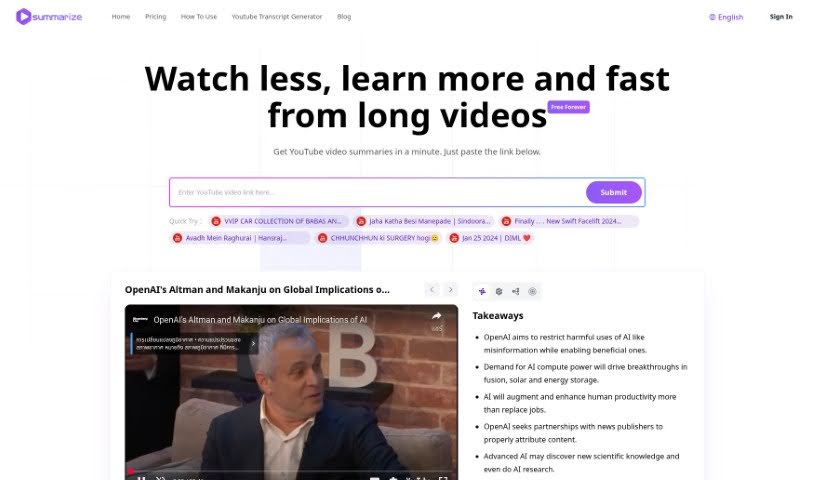
Screenshot of Summarize

Summarize

Discover what Summarize is and learn how to use it effectively in 2025. We'll explore its features and see how it stacks up against other YouTube summarizers.

Screenshot

What is Summarize?

Summarize is a handy tool that uses AI to create summaries of YouTube videos. It’s designed to help you quickly get the main points from long videos without having to watch them all. You get detailed summaries, key highlights, and even mind maps. It also breaks down content into segments, extracts important concepts and keywords, and can even generate common questions and answers. The core AI technology behind it is pretty advanced, making content summarization a breeze. The basic service is free, but there are premium options if you need more in-depth analysis or extra features.

Who created Summarize?

Overview:

Founder: Fred

Company Details: Fred founded the Summarize-Youtube Video Summarizer back in December 2023. This company is really at the forefront of artificial intelligence, specifically using AI tools to make video summarization super efficient. They’re all about innovation, and their main goal is to boost how effectively people learn and gather information using AI. They launched their services in January 2024 with a strong focus on user satisfaction and innovation. Their ambitious aim is to help over a million users by summarizing more than ten million videos.

What is Summarize used for?

  • Get detailed summaries: You can get thorough, AI-driven summaries of any YouTube video, whether it’s a complex lecture or a quick tutorial. This can save you hours by giving you the content in a concise way.
  • Enhance understanding: Receive detailed highlights and mind maps. These are great for really digging into complex topics and serve as a handy reference later.
  • Digest content easily: Access summaries broken down into segments. This is perfect for understanding specific parts of tutorials, guides, or educational videos.
  • Grasp key ideas: Extract and explain the main concepts and keywords from videos. This helps you get a handle on the central themes and terms, especially in videos that are packed with information or are quite technical.
  • Quick review: Generate about 8-10 key questions and answers based on the video. It’s a fast way to understand, review, and really lock in the core content.
  • Superior summarization: The tool uses advanced Claude2 AI technology. This means you get a really high-quality, precise experience when summarizing videos.
  • Versatile support: It can summarize all sorts of YouTube videos, including educational material, how-to guides, and much more.
  • Share and save: You can save and share the summaries. This is useful for learning together with others or for your own records.

Who is Summarize for?

  • AI chatbots
  • Writing assistants
  • Video hosting platforms
  • Online learning environments

How to use Summarize?

Using the Summarize-Youtube Video Summarizer tool is pretty straightforward. Just follow these steps:

  1. Head to the tool: First, visit the Summarize-Youtube Video Summarizer website or platform.
  2. Grab the video link: Find the YouTube video you want summarized and copy its URL.
  3. Paste it in: Paste that copied video URL into the designated spot on the tool’s interface.
  4. Pick your summary length: Decide how long you want the summary to be. You can usually choose by minutes or as a percentage of the original video’s length.
  5. Start summarizing: Click the “Summarize” button (or whatever it’s called) to get the tool working on your video.
  6. Check out the summary: Once the tool finishes, take a look at the summary it generated.
  7. Tweak if needed: If the summary isn’t quite right, feel free to edit it to make sure it perfectly captures the video’s main points.
  8. Save or use it: Save the summary for later or use it however you need – maybe to share with friends or for your own notes.
  9. Download or share: Depending on the tool’s features, you might be able to download the summary or share it directly on social media or other platforms.
  10. Enjoy your condensed video: Great! You’ve got a condensed version of the video with all the key highlights and important info, so you don’t have to watch the whole thing.

Related AI Tools

Discover more tools in similar categories that might interest you

Academic Help Free Essay Generator

Education Academic Writing
Learn More

Stay Updated with AI Tools

Get weekly updates on the latest AI tools, trends, and insights delivered to your inbox

Join 25,000+ AI enthusiasts. No spam, unsubscribe anytime.