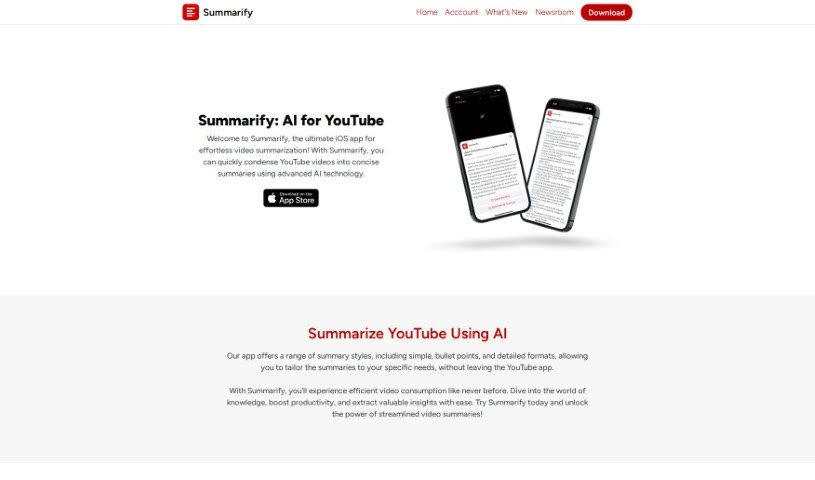
Screenshot of Summarify

Summarify

Discover Summarify in 2025! Learn how this AI-powered tool, using ChatGPT and OpenAI, summarizes YouTube videos. We'll cover its features, how it saves you time, and how it stacks up against other student tools.

Screenshot

What is Summarify?

Summarify is an iOS app that’s changing how we consume video content, all thanks to ChatGPT and OpenAI. It uses smart AI to create really accurate and easy-to-understand summaries of YouTube videos. You can pick different summary styles, get timestamps so you can jump right to important parts, see chapter summaries, get summaries tailored just for you, and even track how much time you’re saving. Plus, you can export your summaries as PDFs, Markdown files, or plain text. It also lets you search directly within YouTube videos and download their transcripts. Summarify even keeps a running tally of the time you save by summarizing instead of watching videos all the way through, offering tips on how to best use that extra time.

Who created Summarify?

Summarify was developed by a company that harnesses the power of ChatGPT and OpenAI to create a truly new way to engage with video content. They’ve built an app that delivers accurate and coherent summaries of YouTube videos. While the founders and specific company details weren’t shared, the app launched on June 18, 2024. It’s powered by advanced language models and the latest artificial intelligence. You’ll find it offers various summary styles, helpful timestamps for easy navigation, and a Time Savings Tracker that tallies up your saved time. People have really appreciated how efficient Summarify is for summarizing YouTube content, noting how much time it saves and the valuable insights it provides.

What is Summarify used for?

  • Condense lengthy videos: Get the main points without watching the whole thing.
  • Various summary styles: Choose how you want your summary presented.
  • Timestamps in summary: Easily jump to specific moments in the video.
  • Chapter summaries: Get a breakdown of each section.
  • Custom video parts summary: Summarize only the parts you’re interested in.
  • Search within YouTube videos: Find key moments or information quickly.
  • Time Savings Tracker: See exactly how much time you’re saving.
  • Transcript Download: Get the full text of the video.
  • Summary Export Options: Save your summaries in PDF, Markdown, or plain text.
  • Instant Summarization: Get summaries right away.
  • Save time by summarizing videos: A core benefit, making your viewing more efficient.
  • Enhance video consumption experience: Make watching videos more productive and enjoyable.

Who is Summarify for?

  • Content creators: Quickly grasp key points from research or competitor videos.
  • Students: Save time on lectures and educational content.
  • Researchers: Efficiently review video sources and gather information.
  • Professionals in various fields: Stay updated without lengthy viewing times.
  • Knowledge Seekers: Absorb information more effectively.
  • Professionals: (This seems to be a repeat, but keeping it as requested) Anyone who needs to process video information efficiently.

How to use Summarify?

Using Summarify to get the gist of YouTube videos is pretty straightforward. Here’s how you do it:

  1. Select a Video: First, just pick the YouTube video you’re interested in summarizing.
  2. Choose Summary Style: Next, tell Summarify how you’d like the summary. You can go for a simple overview, a more detailed breakdown, or a bullet-point list.
  3. Get Summary: Summarify will then generate the summary for you, complete with timestamps so you can easily jump to the parts you want to revisit.
  4. Custom Summaries: Want just a specific section? No problem! You can select particular parts of the video to get personalized summaries.
  5. Export Summaries: Once you have your summary, you can export it in formats like PDF, Markdown, or plain text for easy saving or sharing.
  6. Search within Videos: Need to find something specific? Use the built-in video search to pinpoint key moments.
  7. Time Savings Tracker: Keep an eye on how much time you’re saving by using Summarify instead of watching videos in full. It’s a great way to see the efficiency boost.
  8. Download Transcripts: If you prefer text, you can download the video’s full transcript in various formats.

Enjoy how Summarify makes video summarization efficient and effective, giving you accurate, coherent summaries to really improve how you watch videos.

Related AI Tools

Discover more tools in similar categories that might interest you

Academic Help Free Essay Generator

Education Academic Writing
Learn More

Stay Updated with AI Tools

Get weekly updates on the latest AI tools, trends, and insights delivered to your inbox

Join 25,000+ AI enthusiasts. No spam, unsubscribe anytime.