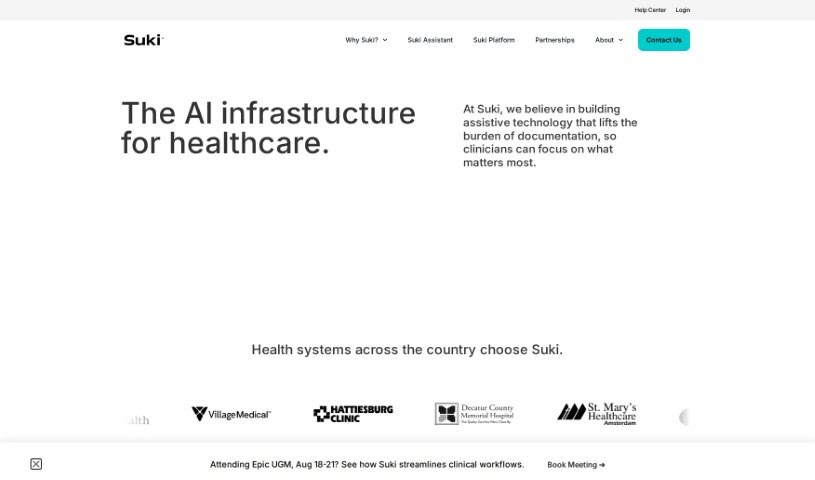
Screenshot of Suki AI

Suki AI

Discover what Suki AI is and how doctors can use it in 2025. We'll explore its features, compare it to other doctor tools, and show you how to get the most out of it.

Screenshot

What is Suki AI?

Suki AI is essentially a voice assistant built specifically for doctors and other healthcare professionals. It is a smart helper designed to cut down on all the administrative busywork that takes up so much time in healthcare settings. It uses clever technology to handle things like paperwork, scheduling appointments, and writing up patient notes. This frees up doctors to spend more time actually with their patients, which is what really matters. You can talk to Suki, and it’ll update electronic health records (EHRs), automatically write clinical notes, and generally make your workday run more smoothly. What’s neat is that Suki’s AI learns what you prefer and gets better over time, offering smarter suggestions and becoming more accurate. Using Suki can really help doctors save precious time, feel less stressed and burned out, and ultimately provide a better experience for everyone involved – both patients and the medical team.

Who created Suki AI?

Suki was actually started by Frank Rad, who used to be the CEO of a company called IMO. The company itself, Suki AI, Inc., is all about creating AI tools for healthcare that businesses can rely on. They offer assistants like Suki Assistant and Suki Compose, which are designed to help clinicians manage their administrative tasks more efficiently. The main goal for Suki is to lighten the load of administrative work for doctors and nurses, so they can concentrate on patient care. They aim to make healthcare technology feel almost invisible, just there to help when you need it.

What is Suki AI used for?

  • Dictation: You can simply speak your notes.
  • Answering Questions: Suki can help find information quickly.
  • Ambient Documentation: It can listen in during patient visits and automatically create notes.
  • ICD-10 and HCC Coding: It helps with the specific codes needed for billing and records.

Who is Suki AI for?

  • Doctors in all specialties can benefit from using Suki.

How to use Suki AI?

Here’s a straightforward guide to getting the most out of Suki:

  1. Understand What Suki Does:

    • Remember, Suki is an AI voice assistant made for clinicians to simplify administrative tasks in healthcare.
    • It offers features like listening in to create notes automatically (ambient documentation), letting you dictate notes, suggesting medical codes (like ICD-10 and HCC), and finishing notes as you type or speak.
  2. Creating and Updating Electronic Health Records (EHRs):

    • You can create and update your patient records just by speaking. Suki works with major EHR systems you might already be using, such as Epic, Cerner, Athena, and Meditech, making the process smooth.
  3. Using Suki’s Smart AI Technology:

    • Suki’s AI is designed to learn from your habits and preferences. It will start offering suggestions, creating shortcuts, and even predicting phrases you use often, all to make your work faster and more efficient.
  4. Improving the Healthcare Experience:

    • By using Suki, doctors can save valuable time, reduce the stress that leads to burnout, and ultimately provide higher quality patient care. The AI is good at transcribing conversations accurately, pulling out important details, and then putting together detailed medical notes.
  5. Managing Your Workflow Efficiently:

    • Suki helps automate the process of writing clinical notes. It can insert your custom phrases or templates and even suggest the right ICD-10 codes. Plus, it supports over 80 languages and works across different devices – your phone, the web, or your desktop computer.
  6. Seamless EHR Integration (Two-Way):

    • Suki offers integration that works both ways with leading EHR systems. This means you can start a note in Suki and then finish it in your EHR, and it can access patient data in real-time. This makes documentation much more convenient and flexible.
  7. Ensuring Safety and Reliability:

    • The AI technology in Suki is built to reduce the chances of mistakes, bias, or incorrect information (sometimes called hallucinations). Importantly, clinicians always review the content before it’s sent to the EHR, ensuring everything is accurate and safe.
  8. Getting Continuous Support:

    • Suki makes implementation easy and offers support around the clock, every day of the year, so you always have help if you need it. Many clients have found that Suki pays for itself and provides a positive return on investment in as little as two months.

By following these steps, clinicians can really make the most of Suki to improve how efficiently they work, cut down on administrative tasks, and boost the overall quality of patient care.

Related AI Tools

Discover more tools in similar categories that might interest you

Stay Updated with AI Tools

Get weekly updates on the latest AI tools, trends, and insights delivered to your inbox

Join 25,000+ AI enthusiasts. No spam, unsubscribe anytime.