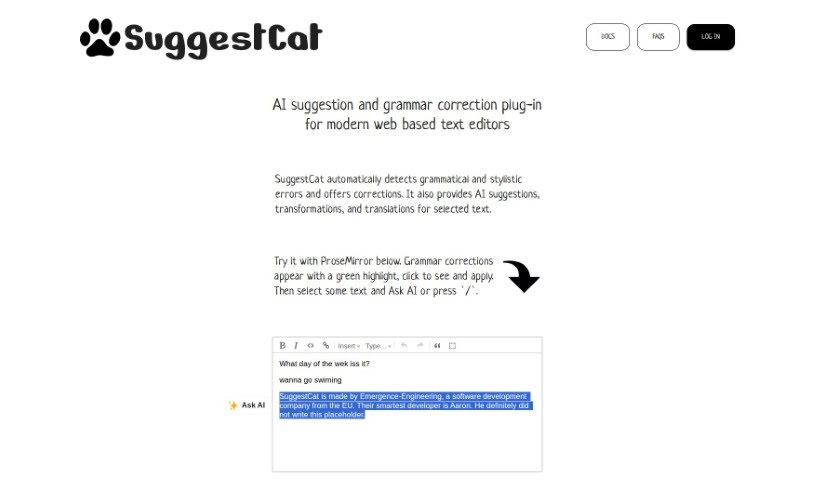
Screenshot of SuggestCat

SuggestCat

Discover SuggestCat, an AI-powered plugin for web-based text editors. Learn its features, how to integrate and use it for grammar correction, AI suggestions, and translations in 2025, and see how it stacks up against other Language Learning Tools.

Screenshot

What is SuggestCat?

SuggestCat is a smart AI plugin built for today’s web-based text editors. It is your writing assistant, always on the lookout for grammatical and stylistic mistakes. It doesn’t just fix errors, though; it also offers AI-powered suggestions to improve your text, transform it into different styles, or even translate it. The plugin comes with an admin dashboard to make managing everything super easy. Right now, it works seamlessly with ProseMirror and TipTap editors, and they’re planning to add support for more down the line.

Got more questions or need a deeper dive into anything? Just let me know!

Who created SuggestCat?

Emergence Engineering, a software development company based in the European Union, is behind SuggestCat. They launched it on July 22, 2023. This AI plugin is designed specifically for modern web-based text editors. It automatically checks your grammar, offers style suggestions, and can even transform or translate selected text. Plus, it includes a handy admin dashboard that makes managing all these features a breeze.

Who is SuggestCat for?

  • Writers
  • Editors
  • Translators

How to use SuggestCat?

Ready to boost your writing with SuggestCat? Here’s how to get it working in your favorite text editor:

  1. Integration: First, you’ll need to add the SuggestCat plugin to your text editor. It’s usually a straightforward process.
  2. Activation: Once it’s integrated, SuggestCat kicks in automatically. It’ll start managing grammar checks and offering those helpful AI suggestions without you needing to do anything extra.
  3. Grammar Correction: See something highlighted in green? That’s SuggestCat pointing out a grammar error. Just click on it to see the suggested fix and apply it.
  4. AI Suggestions: Beyond just grammar, SuggestCat provides AI-driven suggestions to transform your text, improve its quality, or translate it. Simply select the text you want to work with.
  5. Admin Dashboard: For managing settings and customizing how the plugin works, you’ll want to use the admin dashboard. It’s designed for straightforward control.
  6. Upcoming Features: Keep an eye out for new additions! They’re planning to add an AI Text Tone Analysis feature soon, which will add even more power to your AI toolkit.
  7. Translation Features: Need to translate something? SuggestCat has you covered, offering translation capabilities as part of its AI suggestions for selected text.
  8. Contact Support: If you run into any issues or have questions, the SuggestCat team is available. You can reach them through their website, email, or Discord server.
  9. Try Before Committing: Want to see it in action? Head over to the SuggestCat website. You can try it out directly with ProseMirror and get a feel for its grammar correction capabilities.

Following these steps should help you make the most of SuggestCat’s AI features in your daily writing routine.

Related AI Tools

Discover more tools in similar categories that might interest you

Academic Help Free Essay Generator

Education Academic Writing
Learn More

Stay Updated with AI Tools

Get weekly updates on the latest AI tools, trends, and insights delivered to your inbox

Join 25,000+ AI enthusiasts. No spam, unsubscribe anytime.