What is StudyNinja?
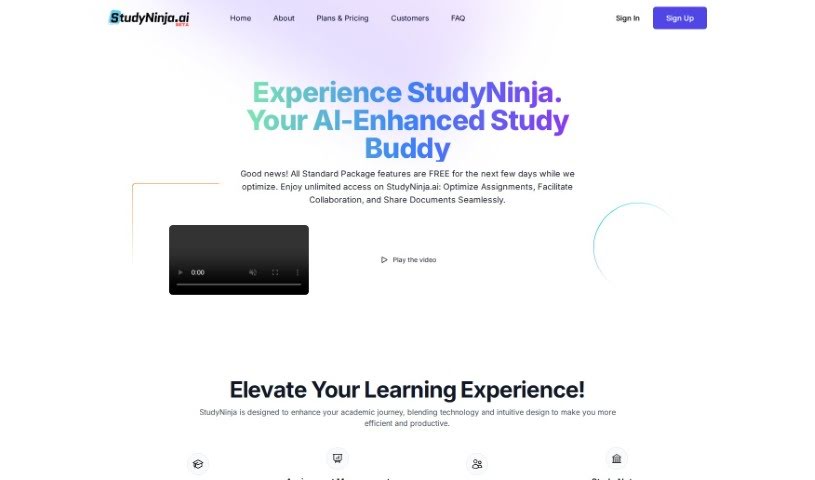
StudyNinja is a really comprehensive productivity tool designed specifically for students. It brings together smart task management, interactive study aids, and even an AI Tutor, all aimed at making your study routines better. It is your all-in-one academic assistant, helping you learn more actively, stay organized, and manage your time like a pro. It’s all about giving you personalized tools to help you succeed.
One of StudyNinja’s standout features is its AI Tutor. This AI assistant can answer your questions across a bunch of different subjects. Plus, it keeps a history of your chats, which is super handy for reviewing topics or picking up where you left off. It’s a great way to get quick help and boost your learning.
StudyNinja also includes tools for managing your assignments, working with others on projects, and keeping track of all your tasks. It really encourages interactive learning with features like digital note-taking, active study methods, and general productivity tools. Since it’s cloud-based, you can use it on pretty much any device, and they offer flexible membership plans to fit different needs.
If you’re just starting out, the free Starter plan is a great option. It gives you unlimited tasks, note-taking, and digital flashcards. You also get some AI text and image tokens and 1GB of storage. If you need more, upgrading to their paid plans unlocks team collaboration, more storage, and extra AI tokens, often at a nice discount.
Who created StudyNinja?
StudyNinja was actually created by people who wanted to make learning easier for students. They aimed to build a complete productivity solution that combined smart task management, interactive study tools, and an AI Tutor for personalized help. The platform officially launched on October 16, 2023, with the goal of helping students improve their study habits effectively.
What is StudyNinja used for?
StudyNinja is pretty versatile, but here’s a breakdown of what it’s mainly used for:
- Task Management: Keeping track of all your assignments, deadlines, and to-do lists.
- Enhancing Your Learning: It’s designed to make the whole learning process more engaging and effective.
- AI-Powered Education: It’s an AI tool built to boost how you learn.
- Streamlining and Optimizing: It helps you manage tasks more smoothly, improve your study habits, and encourages active learning.
- Assignment Management: Great for group projects, managing individual tasks, and getting academic help from the AI tutor.
- Digital Note-Taking: You can take notes, share them, and even export them as PDFs or Word documents.
- Active Learning Tools: Things like digital flashcards, setting personal study goals, and tracking your progress are all built-in.
- Cross-Platform Access: Use it on your PC, tablet, or mobile device – wherever you are.
- Flexible Plans: Choose from a free Starter plan, or upgrade to Standard or Ultimate for more features.
- Free vs. Paid: You can get a feel for it with the free Starter plan, or get more advanced features with the paid versions.
- Building Good Habits: It helps you create effective study routines with its smart task management and interactive tools.
- Cloud-Based Convenience: Access your work from any device, anytime.
- Time Management: Helps you use your time more wisely.
- Teamwork: Makes group projects and collaboration much easier.
- Interactive Learning: Tools that actively involve you in the learning process.
- Personalized Goals: Set and track your own study objectives.
- AI Tutor: Get personalized academic support and answers to your questions.
- Collaboration: Work on assignments with classmates and share notes.
- Organization: Keeps your academic life well-organized.
Who is StudyNinja for?
StudyNinja is primarily designed for:
- Students (of all levels)
- Teachers
- Professors
- Educators
- Academic Professionals
- Researchers
- Professionals looking to organize their work and learning.
How to use StudyNinja?
Getting started with StudyNinja is pretty straightforward. Here’s a quick guide:
-
Access StudyNinja
- Since it’s cloud-based, you can use StudyNinja from anywhere as long as you have an internet connection. It works on PCs, tablets, and mobile devices.
- If you’re on your phone or tablet, just head to the StudyNinja website using your mobile browser.
-
Choose Your Plan
- StudyNinja offers three membership options: Starter, Standard, and Ultimate.
- The Starter Plan is free and gives you access to the basics, like unlimited tasks, note-taking, and digital flashcards.
- The Standard Plan is a paid option that adds team collaboration features and more storage space.
- The Ultimate Plan offers even more storage and AI tokens, usually at a better price.
-
Explore the Features
- Dive into features like task management, digital note-taking, digital flashcards, and the helpful AI tutor.
- You can also work on assignments with classmates, share your notes, and export them in PDF or Word formats.
-
Embrace Active Learning
- StudyNinja really encourages active learning. Use the interactive tools like digital flashcards, work together on assignments, and get personalized help from the AI tutor.
-
Enjoy Cross-Platform Support
- Switch between your PC, tablet, and phone without missing a beat. It’s designed for a smooth studying experience across all your devices.
-
Try the Free Version
- The Starter Plan is a great way to test out StudyNinja and see if it fits your needs before committing to a paid plan.
-
Consider Paid Features
- If you need more storage, extra AI tokens for text and images, or team collaboration, the paid plans offer these additional benefits.
By following these steps, you should be able to use StudyNinja effectively to organize your tasks, improve how you study, and make your learning experience much better.