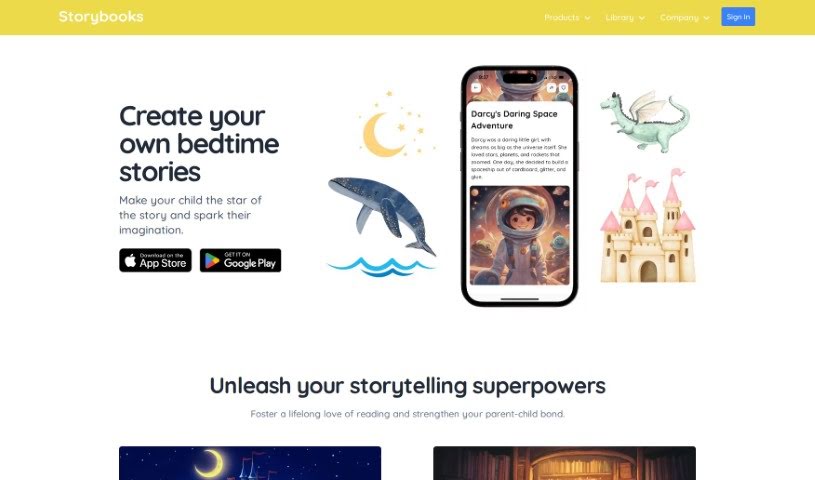
Screenshot of Storybooks

Storybooks

Discover what Storybooks is and how to use it effectively in 2025. We'll explore its features and see how it stacks up against other educational tools.

Screenshot

What is Storybooks?

Storybooks is a really neat platform designed to help kids fall in love with reading and get better at it. It makes it super easy for parents, teachers, and anyone looking after kids to create custom stories. These stories are great for boosting literacy, sparking creativity, and helping children understand their emotions and social skills. You can tweak the stories, pick unique illustrations, and it even supports multiple languages. Plus, it covers all sorts of educational topics, from math and science to reading comprehension. The goal is to be fun while also teaching important life lessons like confidence, empathy, and how to make good choices. You can try it out for free for 7 days to see just how much of a positive difference it can make for young readers.

Who created Storybooks?

A dad started Storybooks. As a new father himself, he really wanted to connect with his son through stories. His combined passion for education, technology, and making a positive social impact led him to create Storybooks. It’s a platform all about making young minds brighter and more inspired through the wonderful world of storytelling. The company’s focus is on crafting personalized, illustrated stories that really ignite a child’s imagination and help their creativity grow.

Who is Storybooks for?

  • Parents
  • Educators
  • Caregivers

How to use Storybooks?

Here’s a simple guide to using Storybooks effectively:

  1. Sign Up and Log In: First, create your account on Storybooks and then log in to get started.
  2. Explore Features: Take a little time to look around and see what the platform offers. This includes how to create your own stories, the different languages available, the educational themes, and the variety of illustrations you can choose from.
  3. Create Personalized Stories:
    • Use the story templates and illustrations to make stories that perfectly match what your child likes and their current learning level.
    • You can even include family members and pets to make the stories extra special and relatable for your child.
  4. Enhance Learning:
    • Add in educational bits like math puzzles, interesting science facts, or quizzes to check reading comprehension. This makes stories both fun and educational.
    • Use these stories to help kids build important social-emotional skills, like feeling more confident, understanding others’ feelings (empathy), and learning how to make decisions.
  5. Trial Period:
    • Don’t forget to use the free 7-day trial! It’s a great way to explore everything Storybooks can do and create some wonderful personalized stories for your child.
  6. Sharing Stories:
    • Once you’ve created a story, you can easily share it with family and friends. Just export it as a PDF or EPUB and send it via email or share it on social media.
  7. Accessibility:
    • You can access Storybooks on pretty much any device – desktops, laptops, tablets, and smartphones. All you need is a web browser.
  8. Cancel Subscription:
    • If you ever need to, you can cancel your subscription easily at any time through your account settings.

By following these steps, you’ll be able to use Storybooks to create stories that are not only engaging and educational but also deeply personal for your child. This really helps foster a love for reading and makes their learning experience so much richer.

Related AI Tools

Discover more tools in similar categories that might interest you

Academic Help Free Essay Generator

Education Academic Writing
Learn More

Stay Updated with AI Tools

Get weekly updates on the latest AI tools, trends, and insights delivered to your inbox

Join 25,000+ AI enthusiasts. No spam, unsubscribe anytime.