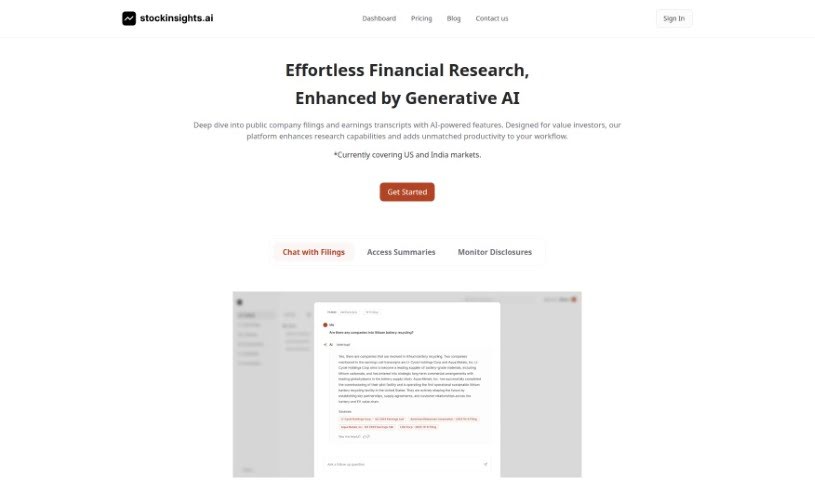
Screenshot of StockInsights AI

StockInsights AI

Discover what StockInsights AI is and how to use it effectively in 2025. We'll explore its features and see how it stacks up against other investing tools.

Screenshot

What is StockInsights AI?

StockInsights AI is a really smart tool designed to help investors make better choices in the stock market. It is your AI assistant for investing. This advanced platform uses AI algorithms to sift through tons of financial data, market trends, and news. It then gives you insightful predictions and recommendations. You can monitor the market in real-time, get personalized stock suggestions, assess risks, and even optimize your investment portfolio. Essentially, StockInsights AI uses artificial intelligence to give you the valuable insights you need to handle the stock market’s complexities and improve your investment strategies.

Who created StockInsights AI?

StockInsights AI first came out on March 28, 2023. The person behind it is Ganesh. You can find more details about the company and their stock market analysis tools on their website.

Who is StockInsights AI for?

  • Financial Analysts
  • Investment Advisors
  • Portfolio Managers
  • Day Traders
  • Financial Consultants
  • Risk Managers
  • Stockbrokers
  • Wealth Managers
  • Research Analysts
  • Market Strategists

How to use StockInsights AI?

Using StockInsights AI is pretty straightforward. Just follow these steps:

  1. Sign Up: First, create an account on the StockInsights AI platform. You’ll need your email address and to set up a secure password.
  2. Log In: Once you’ve registered, log back into your account using the email and password you just created.
  3. Your Dashboard: After logging in, you’ll arrive at the dashboard. This is where you’ll find all the different options and tools for analyzing stocks.
  4. Find a Stock: Need to check out a specific stock? Just type its name or symbol into the search bar on the dashboard.
  5. Pick Your Stock: From the search results, select the stock you’re interested in to see its detailed insights and analysis.
  6. Use the Analysis Tools: Dive into the various tools available, like technical indicators, historical price charts, and performance metrics, to really get a feel for how the stock is doing.
  7. Get AI Tips: Make the most of the AI’s recommendations. It’ll suggest whether to buy, sell, or hold a stock based on its analysis.
  8. Compare Stocks: Use the comparison feature to look at several stocks side-by-side. This really helps when you’re trying to make smart investment choices.
  9. Save and Watch: Found stocks you like? Save them to your portfolio so you can easily keep an eye on how they’re performing over time.
  10. Set Up Alerts: Want to stay on top of things? Set alerts for price changes, important news, or anything else relevant to the stocks you’re tracking.

By following these simple steps, you can really make StockInsights AI work for you, improving how you analyze stocks and make investment decisions.

Related AI Tools

Discover more tools in similar categories that might interest you

Stay Updated with AI Tools

Get weekly updates on the latest AI tools, trends, and insights delivered to your inbox

Join 25,000+ AI enthusiasts. No spam, unsubscribe anytime.