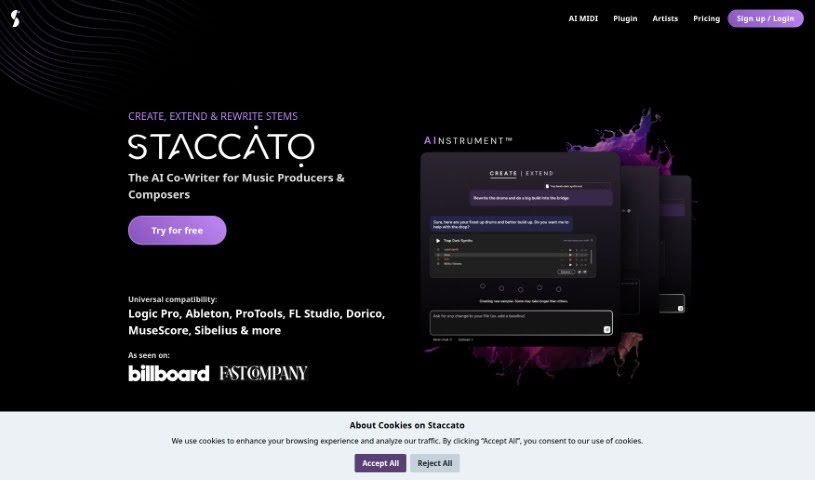
What is Staccato AI?
Staccato AI is a really neat tool designed to help out musicians and lyricists. It’s got a couple of key features: an AI lyrics generator and an AI MIDI generator, which they call the AI Instrument™. The whole idea behind it is to help you get past that dreaded writer’s block, try out new ways of composing music, and generally just be a source of fresh inspiration when you’re creating music. Staccato AI offers a few different pricing plans, and you can even try out its main features for free. Professional songwriters have actually said some really great things about it, pointing out how much it helps them with their songwriting process and boosts their creativity. Plus, Staccato AI helps you create, expand, and even analyze music, all thanks to its AI-powered MIDI creation and lyric generation capabilities.
Who created Staccato AI?
Staccato was actually created by someone whose name isn’t widely known, but the company itself has definitely made a name for itself in the music tech industry. They were nominated for “Best New Tech in 2023” and even snagged “Startup of the Year in 2023.” This innovative tool, as we’ve mentioned, features both an AI lyrics generator and an AI MIDI generator (the AI Instrument TM). It’s all about helping musicians and lyricists break through writer’s block and find new sparks of inspiration. Staccato has also been featured in some pretty big publications, like Billboard.com, Fast Company, and MusicAlly, which really speaks to its impact.
What is Staccato AI used for?
Here’s a quick rundown of what you can do with Staccato AI:
- Generate lyrics using AI
- Create MIDI files with AI
- Help musicians and lyricists with their work
- Overcome writer’s block
- Discover new ways to compose music
- Find inspiration for your songs
- Use AI to create music loops, samples, and drum tracks
- Continue or finish songs while keeping the same key, style, and mood
- Analyze and improve your existing lyrics
- Spark new ideas for songwriting
Who is Staccato AI for?
Staccato AI is a great tool for:
- Musicians
- Songwriters
- Producers
- Educators
How to use Staccato AI?
To get the most out of Staccato, here’s a simple step-by-step guide:
- Installation: First things first, you’ll want to download and install Staccato on your computer. Just head over to the official Staccato website for the download and any specific instructions.
- Launching the Tool: Once it’s installed, go ahead and open the Staccato application. You’ll see a really clean and easy-to-use interface with all sorts of features and options ready for you.
- Creating a Project: When you’re ready to start working, create a new project inside Staccato. This are your personal workspace where you can keep track of everything you’re analyzing.
- Importing Data: Staccato makes it easy to bring in data from different places – like CSV files, databases, or even cloud storage. Just import the dataset you want to work with into your project.
- Data Exploration: Now, dive into your data using Staccato’s tools. You can look at different charts, see key statistics, and get summaries to really understand what you’re working with.
- Data Cleaning and Preprocessing: Before you get too deep, it’s a good idea to clean up your data. Staccato helps with this, whether it’s removing duplicate entries, dealing with missing information, or changing variables as needed.
- Analysis and Modeling: With Staccato’s built-in tools, you can run statistical analyses, build machine learning models, and do other kinds of data exploration to find those important insights.
- Visualization: Make your data easier to understand by creating visual representations. Staccato offers various visualization options to help you spot patterns and trends.
- Interpretation and Reporting: Once you’ve analyzed everything, interpret your findings and create reports or presentations using Staccato’s reporting features. This helps you share what you’ve discovered effectively.
- Saving and Exporting: Don’t forget to save your project in Staccato so you can come back to it later. You can also export your results, charts, and reports in different formats if you need to share them or do more with them elsewhere.
By following these steps, you’ll be able to use Staccato really well to analyze your data and get meaningful insights from it.