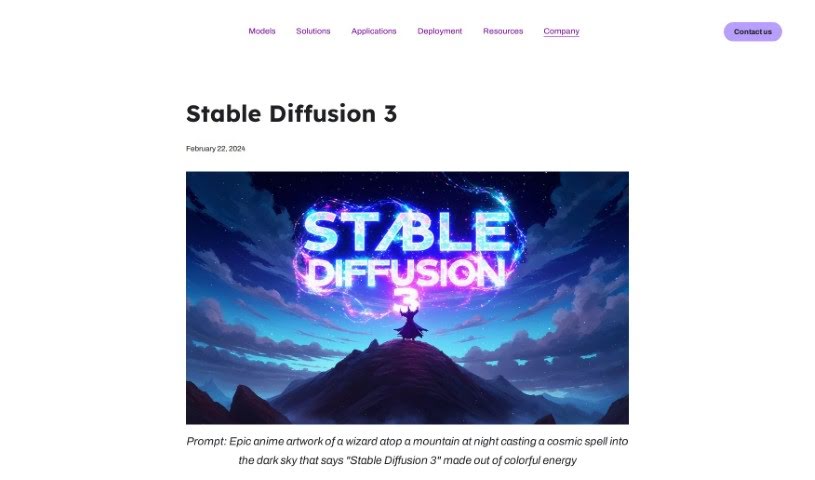
Screenshot of Stability AI Stable Diffusion 3

Stability AI Stable Diffusion 3

Discover Stability AI's Stable Diffusion 3 in 2025! We'll walk you through its features, how to use it, and how it stacks up against other AI art generators.

Screenshot

What is Stability AI Stable Diffusion 3?

Stable Diffusion 3 is a cutting-edge text-to-image model that’s just been released in an early preview. It’s a pretty big leap forward, especially when you’re working with prompts that have multiple subjects, need high-quality images, or require accurate spelling. What makes it special is its diffusion transformer architecture combined with flow matching. You can choose from different versions, with model sizes ranging from 800 million to 8 billion parameters. This gives you flexibility, letting you pick the right balance of scalability and quality for whatever creative project you have in mind. Stability AI’s goal here is really to make generative AI something everyone can use – open, safe, and accessible. They’re all about empowering individuals, developers, and businesses to really let their creativity shine and reach their full potential.

Who created Stability AI Stable Diffusion 3?

Stability AI is the company behind Stable Diffusion 3. They’re focused on building generative AI models, like this new text-to-image tool, and they aim to create adaptable solutions that help everyone – individuals, developers, and businesses alike – express their creativity. Stability AI is really committed to the idea that generative AI should be open, safe, and available to everyone. It’s all part of their mission to help unlock humanity’s creative potential.

How to use Stability AI Stable Diffusion 3?

Ready to dive in? Here’s a simple guide to getting started with Stable Diffusion 3:

  1. Pick Your Model: First, you’ll want to choose a model from the Stable Diffusion 3 lineup. They offer options from 800M all the way up to 8B parameters. Think about what you need – do you need something that scales easily, or is top-tier quality your main focus? Your choice here will depend on your specific creative goals.
  2. Understand the Tech: It’s helpful to know that Stable Diffusion 3 uses a combination of a diffusion transformer architecture and flow matching. These are advanced techniques that work together to really boost its performance.
  3. Dive Deeper with the Tech Report: For those who love the nitty-gritty details, Stability AI will be releasing a more in-depth technical report soon. It’ll give you a much more comprehensive look at how Stable Diffusion 3 works under the hood.

By following these steps, you’ll be well on your way to using Stable Diffusion 3 effectively for all sorts of creative projects and applications.

Related AI Tools

Discover more tools in similar categories that might interest you

123RF AI Image Generator

Creative Image Generation
Learn More

Stay Updated with AI Tools

Get weekly updates on the latest AI tools, trends, and insights delivered to your inbox

Join 25,000+ AI enthusiasts. No spam, unsubscribe anytime.