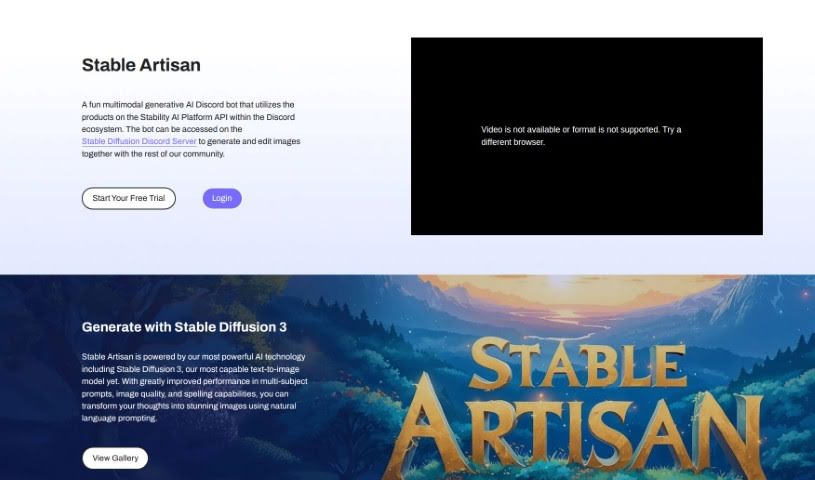
Screenshot of Stability AI Stable Artisan

Stability AI Stable Artisan

Discover Stability AI Stable Artisan in 2025! Learn its features, how to use it effectively, and how it stacks up against other image generators.

Screenshot

What is Stability AI Stable Artisan?

Stable Artisan is a platform that uses really advanced AI, including Stable Diffusion 3. Stable Diffusion 3 is a super-smart tool that turns text into images, and it’s especially good when you have multiple subjects in your prompt. This means you get high-quality images, and it’s much better at getting spelling right, too. Basically, Stable Artisan makes it easy for you to take your ideas, describe them in plain language, and turn them into amazing pictures. It’s a really smooth and creative way to bring your thoughts to life visually.

Who created Stability AI Stable Artisan?

The team behind Stability AI developed Stable Artisan. They’ve packed it with their powerful AI tech, like Stable Diffusion 3, specifically for turning text into images. Stability AI actually offers a bunch of different AI models for all sorts of things – making images, videos, audio, 3D stuff, and even language processing. You can find these through tools like Stable Artisan and Stable Assistant. There’s also a Discord bot connected to Stable Artisan. This bot lets people work together on creating and editing images right within the Stability AI Platform API, all integrated into Discord.

How to use Stability AI Stable Artisan?

Getting started with Stable Artisan is pretty straightforward. Here’s how you can jump in:

  1. Hop into Stable Artisan: You’ll want to join the Stable Diffusion Discord Server. That’s where you can use Stable Artisan to create and edit images with others in the community.
  2. Try Our Free Trial: To get going, you can start with a 3-Day Free Trial. Just pick a subscription plan that fits what you need – they start at $9 a month. Once you’re signed up, you can dive right into creating images.
  3. Tap into the AI Power: Stable Artisan runs on Stable Diffusion 3, which is their latest AI technology. It’s known for being really good with prompts that have multiple subjects, producing great image quality, and getting the spelling right. It’s your tool for turning your ideas into awesome images just by describing them.

Follow these simple steps, and you’ll be creating eye-catching images with Stable Artisan in no time, all thanks to the powerful AI available on the Stable Diffusion Discord Server.

Related AI Tools

Discover more tools in similar categories that might interest you

123RF AI Image Generator

Creative Image Generation
Learn More

Stay Updated with AI Tools

Get weekly updates on the latest AI tools, trends, and insights delivered to your inbox

Join 25,000+ AI enthusiasts. No spam, unsubscribe anytime.