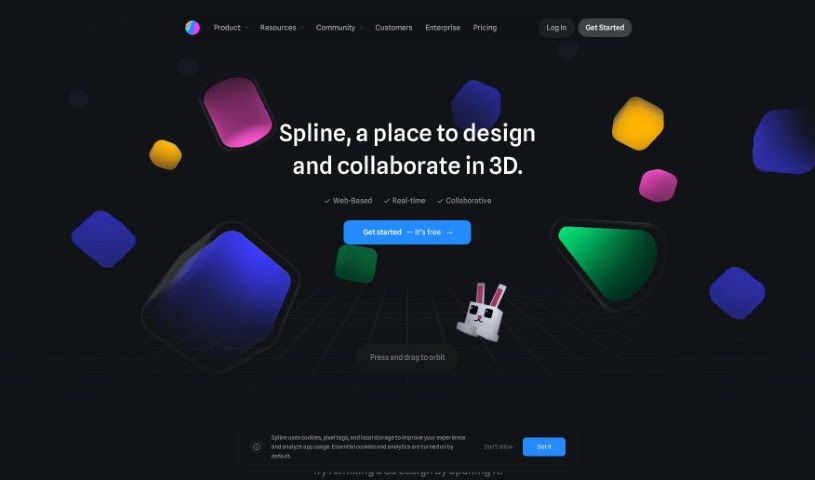
Screenshot of Spline AI

Spline AI

Discover what Spline AI is and learn how to use it effectively in 2025. We'll explore its features, compare it to other design generators, and guide you through its capabilities.

Screenshot

What is Spline AI?

Spline AI is a really advanced platform that uses artificial intelligence to completely change how we create 3D designs. It is a powerful assistant that helps you build complex 3D objects, create lively animations, and design detailed textures, all guided by simple text prompts. This means you can speed up your design process significantly and bring your ideas to life much faster. Plus, your whole team can work together in real-time, making sure everyone’s on the same page and designs are precise and efficient. With Spline AI ALPHA, you get to explore the exciting third dimension of AI innovation. You can easily edit scenes, tweak the lighting, add different materials, and really fine-tune the overall look and feel of your work. The texture generation feature alone opens up so many creative avenues for styling your creations, making Spline AI a truly promising tool for the future of 3D design.

Who created Spline AI?

Spline AI was developed by a forward-thinking founder who wanted to transform 3D design by integrating artificial intelligence. The company provides a platform where users can easily generate intricate 3D objects, dynamic animations, and detailed textures simply by using guided prompts. Spline AI focuses on creating a smooth design experience that balances ease of use with sophisticated capabilities. It allows for real-time collaboration and offers endless ways to customize your designs.

What is Spline AI used for?

Here’s a look at what you can do with Spline AI:

  • Create 3D objects and entire scenes just by typing in prompts.
  • Add materials and lighting to fine-tune how your creations look.
  • Work alongside your teammates in real-time for better collaborative design.
  • Generate unique textures for objects using simple text descriptions.
  • Collaborate with your team in real-time on your 3D projects.
  • Sign up for the ALPHA waitlist to help shape and improve Spline AI.
  • Learn how to create 3D toggle micro-interactions using Spline’s tutorials.
  • Team up remotely with colleagues within a shared 3D space.
  • Build interactive 3D spatial content with Spline and bring it into Vision Pro using Spline Mirror.
  • Model virtually any kind of object using a variety of 3D tools.
  • Take control of your 3D design outcomes with features like parametric objects and polygonal editing.

Who is Spline AI for?

  • Designers
  • Developers

How to use Spline AI?

Ready to dive into Spline AI? Here’s a straightforward guide to get you started:

  1. Visit Spline AI: Head over to the official Spline AI website at spline.design/ai.
  2. Join the Waitlist: Sign up to join the waitlist for “Spline AI ALPHA.” This gives you early access to the latest features and innovations.
  3. Prompt Your 3D Creations: Use the intuitive prompts Spline AI provides to generate your 3D objects and scenes.
  4. Edit and Personalize: Apply different materials, adjust the lighting, and use the precision editing tools to perfect the atmosphere of your scenes.
  5. Collaborate in Real-Time: Work seamlessly with your teammates, refining and enhancing your designs together instantly.
  6. Generate AI Textures: Easily create textures for your objects by typing simple prompts, like “blue mosaic,” “water,” “bricks,” or “concrete.”
  7. Discover Endless Possibilities: Spline AI offers so many ways to style your creations, helping you bring your ideas to life faster than ever before.
  8. Boost Your Design Workflow: Speed up your design process by using the power of artificial intelligence within Spline AI.

By following these steps, you can really tap into the powerful capabilities of artificial intelligence for your 3D design work with Spline AI.

Related AI Tools

Discover more tools in similar categories that might interest you

123RF AI Image Generator

Creative Image Generation
Learn More

Stay Updated with AI Tools

Get weekly updates on the latest AI tools, trends, and insights delivered to your inbox

Join 25,000+ AI enthusiasts. No spam, unsubscribe anytime.