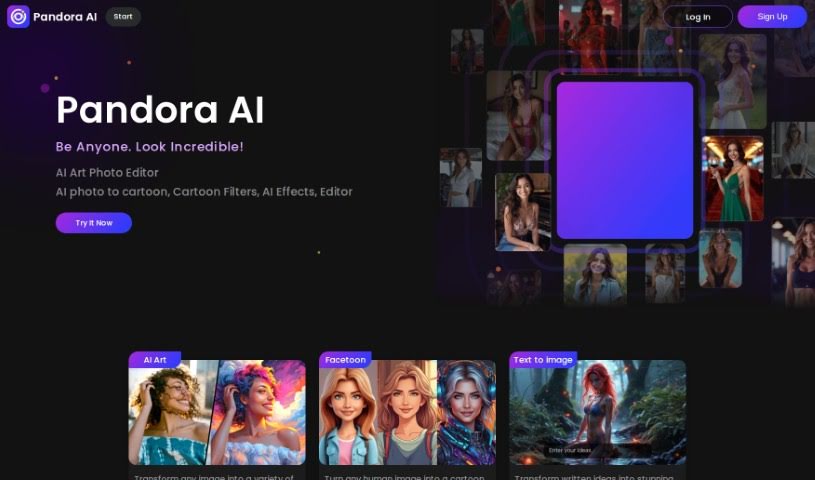
Screenshot of SocialBook Photo To Cartoon

SocialBook Photo To Cartoon

Curious about SocialBook Photo To Cartoon? We'll walk you through exactly what it is and how to use it in 2025. Discover its features, compare it to other photo editors, and see how easy it is to add a creative, cartoonish flair to your pictures.

Screenshot

What is SocialBook Photo To Cartoon?

Photo To Cartoon is your go-to tool for easily transforming everyday photos into really captivating cartoons. It’s super simple – just a few clicks and you’re done! What’s neat is that it uses AI to add a bit of magic and creativity, turning your pictures into fun, eye-catching artwork. The process is straightforward: you upload your photo, pick from different cartoon effects, and voilà – your image is cartoonified instantly. If you want to take it a step further, you can even remove watermarks, get high-resolution images, and enjoy faster processing by making a purchase. All in all, Photo To Cartoon is a really user-friendly way to create cartoon versions of your photos, offering a variety of filters and features that anyone can use.

Who created SocialBook Photo To Cartoon?

The specific individual behind Photo To Cartoon isn’t mentioned in the information we have. However, the tool itself comes from Socialbook, which is a platform that offers a range of AI tools you can use for free. They do offer upgrades if you’d like extra perks like removing watermarks, getting higher-resolution images, or speeding up the processing. Unfortunately, we don’t have any specific details about the founder of Photo To Cartoon itself.

Who is SocialBook Photo To Cartoon for?

This tool is fantastic for a variety of creative professionals and hobbyists:

  • Graphic Designers: Quickly create unique cartoon elements for projects.
  • Marketing Specialists: Generate eye-catching visuals for campaigns.
  • Social Media Managers: Produce engaging content that stands out.
  • Animators: Experiment with different cartoon styles.
  • Illustrators: Find inspiration or create base elements.
  • Photographers: Offer clients fun, stylized portraits.
  • Content Creators: Add a creative twist to your visuals.
  • Gift Designers: Personalize gifts with custom cartoon portraits.
  • Event Planners: Create unique invitations or promotional materials.
  • Fashion Designers: Visualize concepts or create unique prints.

How to use SocialBook Photo To Cartoon?

Ready to give it a try? It’s pretty straightforward:

  1. First, head over to the Socialbook Cartoon Pet Filters website.
  2. Look for and click the “Cartoonize your photo” button.
  3. Upload the picture you’d like to transform right into the editor.
  4. Browse through the available cartoon filters and pick your absolute favorite.
  5. Just wait a moment while the tool works its magic, processing your image and applying the filter.
  6. Once it’s done, you can preview your newly cartoonized photo.
  7. If you’re happy with how it looks, you can download your cartoonized image.
  8. Remember, if you want a version without any watermarks and in higher resolution, you might want to consider upgrading your account.

Basically, using Socialbook’s AI tools to cartoon yourself is a really simple process. It’s a great way to transform your photos into delightful cartoon versions with hardly any effort at all.

Related AI Tools

Discover more tools in similar categories that might interest you

123RF AI Image Generator

Creative Image Generation
Learn More

Stay Updated with AI Tools

Get weekly updates on the latest AI tools, trends, and insights delivered to your inbox

Join 25,000+ AI enthusiasts. No spam, unsubscribe anytime.