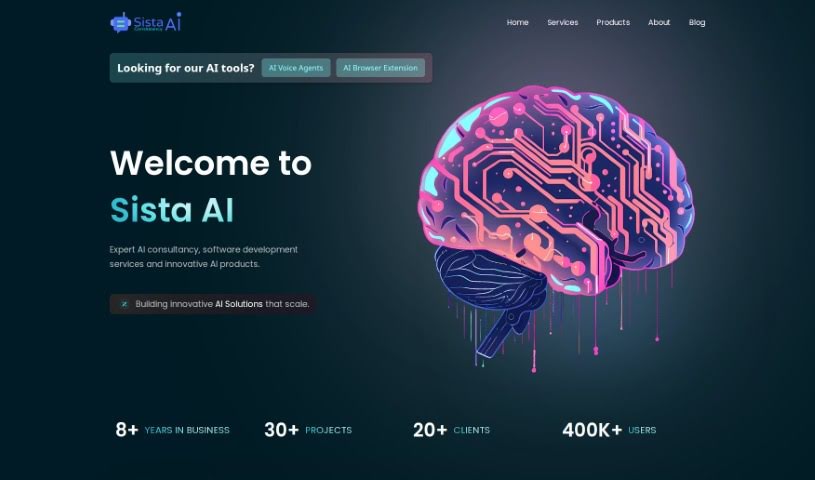
What is Sista AI?
Sista AI is a really neat AI-powered coaching platform. It is your personal AI coach, ready to help you unlock your full potential. You can pick the AI Coach that best suits you, integrate a Voice User Interface into your own apps to make them super smart, or even build your very own AI Assistant from scratch. Essentially, Sista AI offers AI-driven coaching designed to help you grow and develop as much as possible. If you want to dive deeper, you can check out their websites at http://coach.sista.ai/ or http://smart.sista.ai/.
Who created Sista AI?
Sista AI was developed by a company named Smart Digital Solutions. They launched this AI chatbot on June 14, 2024. While the founder’s name and specific company details weren’t shared in the information I have, you can find out more about the AI chatbot itself by visiting http://smart.sista.ai/.
What is Sista AI used for?
Sista AI is incredibly versatile, especially for fitness and personal development. Here’s a breakdown of what it can do:
- User Experience: It boasts an intuitive user interface, making it easy to navigate.
- Fitness Guidance: You get custom workout guidance, personal fitness coaching, and adaptive exercise regimens tailored to you.
- Performance Tracking: It helps evaluate your fitness level, offers specialized training plans, and provides integrated nutrition advice.
- Progress Monitoring: Detailed progress tracking is a key feature, along with real-time workout adjustments to keep you on track.
- Motivation: It includes built-in motivation strategies to keep you going.
- AI Development: Beyond fitness, you can use it for building AI assistants, offering AI-powered coaching, and integrating a Voice User Interface into your apps to make them smart. This includes Voice User Interface integration for smart apps and building your own AI Assistant.
Who is Sista AI for?
Sista AI is a fantastic tool for a wide range of professionals and individuals looking to enhance their services or personal growth:
- Fitness & Wellness Professionals: This includes Fitness Coaches, Personal Trainers, Nutritionists, Wellness Advisors, and Physical Therapists.
- Coaches & Mentors: Personal coaches, Fitness Instructors, Coaches, Therapists, Mentors, and Career Advisors will find it invaluable.
- App Developers & Builders: Anyone looking to integrate smart features into apps, especially those building AI assistants or incorporating Voice User Interface technology, will benefit greatly.
It’s also great for individuals seeking:
- Personal fitness coaching and integrated nutrition advice.
- Detailed progress tracking and motivation strategies.
- Guidance for all abilities, making it ideal for home workouts.
- Features like safety tips, regular software updates, and a holistic health focus.
- Preventive health considerations and injury precaution measures.
- Tools that use scientifically validated algorithms and integrated wellness advice.
- Support for wearables.
How to use Sista AI?
Getting started with Sista AI is straightforward. Just follow these simple steps:
- First, head over to the official Sista AI website, which you can find at http://smart.sista.ai/.
- Next, choose the AI Coach that feels right for you. This is your first step to unlocking your potential with their AI-powered coaching.
- You can also build your own AI Assistant. This involves turning your app smart by integrating a Voice User Interface.
- To easily find your way back later, bookmark the site. You can usually do this by pressing Ctrl + D.
- Need to jump to the very top or bottom of a page? Try using Ctrl + ↑ or Ctrl + ↓.
- If you want to organize content, you can sort it chronologically or alphabetically using Ctrl + ← or Ctrl + →.
- Navigating through content is simple with the arrow keys: ↑↓←→.
- Want to open something you’ve selected in a new tab? Just press Enter, or hold Shift and press Enter.
- You can expand or collapse lists of items by holding Shift and using the ↑ or ↓ arrow keys.
- To quickly focus on the search bar, press the / key. To get out of search mode, just press Esc.
- Looking for something specific? Use the A-Z navigation to jump directly to a particular letter.
- Ready to add something new? You can submit new entries by pressing the + key.
- If you ever need a hand, you can access the help menu by toggling the ? key for additional assistance.
By following these steps, you’ll be able to effectively use Sista AI for personalized AI-powered coaching and for building your own AI Assistant, really boosting your app’s functionality and user experience.