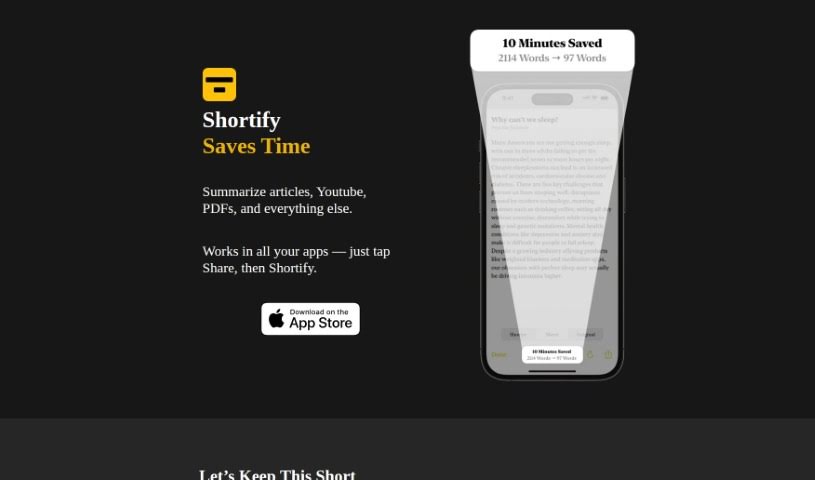
Screenshot of Shortify

Shortify

Discover what Shortify is and how to use it effectively in 2025. We'll explore its features, compare it to other summarizers, and show you how it can save you time.

Screenshot

What is Shortify?

Shortify is a really neat tool designed to help you save time by summarizing content from all sorts of places – think articles, videos, and even PDFs. It boils down information into short, easy-to-digest summaries. This makes it perfect for when you’re dealing with long videos, trying to clear out a ton of browser tabs, skimming through lengthy blog posts, or just want to get a quick idea of something before you dive in. You can easily add Shortify to your smartphone or tablet. Then, when you’re in your favorite apps, just tap the ‘Share’ button and select ‘Shortify’ to get a summary. What’s great is that Shortify really cares about your privacy. They don’t collect any personal data, use third-party trackers, show ads, or make you sign up for an account. You get to try out the tool with 100 free summaries, and if you like it, you can switch to the paid version. It’s a pretty good deal, honestly, saving you a lot of time for about the price of a couple of coffees.

Here are some of the cool things Shortify can do:

  1. Summarize Content Everywhere: You can summarize articles, videos, PDFs, and more, right from the apps you’re already using.
  2. Save You Time: It’s a handy utility that helps free up your valuable time and makes consuming content much more efficient.
  3. Super Easy to Use: It comes with a simple sharing extension for iOS devices, so you can use it seamlessly within your apps.
  4. Track and Share Your Savings: You can keep an eye on how much time you’ve saved and share your summaries with others easily.
  5. Privacy First: The tool is built with privacy in mind – no personal data collection, no trackers, no ads, and no mandatory sign-ups.

Want to learn more? You can check out the Shortify Website.

Who created Shortify?

Johnny is the person behind Shortify. We know this because the Shortify website lists his email as “[email protected]”. Essentially, Shortify is a tool built to save you time by condensing content from articles, videos, and PDFs into quick summaries. They’re really focused on privacy, meaning they don’t collect your personal data, use trackers, or bombard you with ads. Plus, you don’t need to create an account to use it. You get 100 free summaries to start, and then you pay as you go. It’s designed to fit right into your daily routine, especially with its simple sharing extensions for iOS devices.

What is Shortify used for?

  • Summarizing those 15-minute YouTube videos your friends send.
  • Finally clearing out that backlog of 500 browser tabs.
  • Condensing blog posts or thinkpieces that have way too much backstory.
  • Making websites and apps less cluttered by letting you skip ads and plugins.
  • Getting the main idea of an article before you decide to read it all the way through.
  • Summarizing content no matter the format or platform.
  • Quickly processing long videos.
  • Skimming through lengthy blog posts.
  • Getting a preview of content before you commit to a deeper read.
  • Saving time by summarizing content.
  • Summarizing those 15-minute YouTube videos from friends.
  • Clearing out your browser tab backlog.
  • Summarizing blog posts or articles that include a lot of historical detail.
  • Streamlining cluttered websites and apps.
  • Getting the gist of an article before reading it fully.
  • Clearing out that backlog of 500 tabs.
  • Summarizing blog posts and thinkpieces that have excessive history.
  • Summarizing cluttered sites and apps to skip ads and plugins.
  • Getting the main idea of an article before reading it completely.
  • Decluttering your browser tabs.
  • Previewing content before reading it fully.
  • Reclaiming hours of your life, all for the price of a couple of coffees.

Who is Shortify for?

  • People who create content.
  • Students.
  • Researchers.
  • Professionals who have very busy schedules.
  • Busy Professionals.
  • Professionals working in industries where time is critical.

How to use Shortify?

Shortify is a really versatile tool that’s all about saving you time by summarizing content from various sources like articles, videos, and PDFs. To get started with Shortify, just follow these simple steps:

  1. First, open up your favorite app or website on your smartphone or tablet.
  2. Next, tap the Share button that you’ll find within the app or site.
  3. Then, look for the Shortify option in the sharing menu and give it a tap.
  4. Shortify will then give you a concise summary of whatever content you were looking at.
  5. Finally, enjoy the benefits of quickly understanding the main points of articles, videos, and more, without needing to spend a lot of time on them.

Shortify gives you 100 free summaries when you start. After that, you’ll be billed based on how much you use it. The tool really prioritizes your privacy, making sure they don’t collect any personal data, use third-party trackers, show ads, or require you to sign up for an account. With Shortify, you can manage your time effectively, summarize content with ease, and integrate the tool smoothly into your everyday routine. Go ahead and start using Shortify today to get your valuable time back and make your content consumption experience much better.

Related AI Tools

Discover more tools in similar categories that might interest you

Academic Help Free Essay Generator

Education Academic Writing
Learn More

Stay Updated with AI Tools

Get weekly updates on the latest AI tools, trends, and insights delivered to your inbox

Join 25,000+ AI enthusiasts. No spam, unsubscribe anytime.