What is Shopia AI?
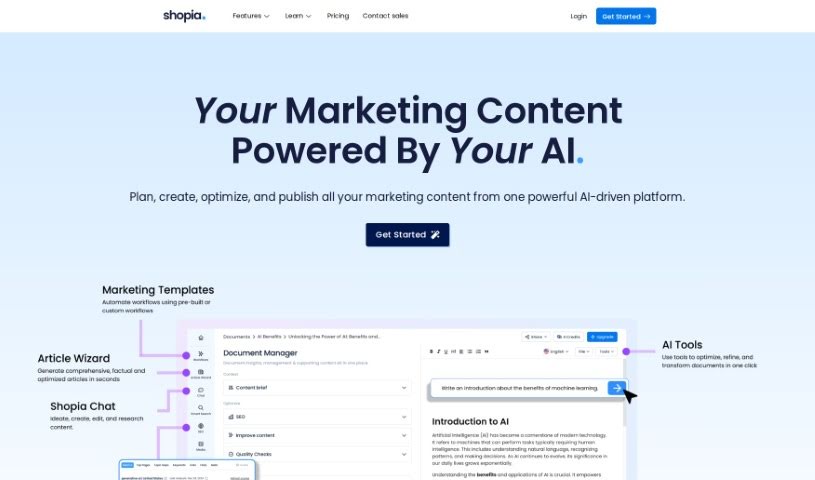
Shopia AI is a smart assistant designed to help with copywriting and SEO. It’s built to make content creation and optimization much easier. It is a tool that can edit your text using AI, automate tasks with AI workflows, and even create content in different languages. People who use Shopia AI often mention how simple it is to get started, how quickly it generates content, and how good the final output is. Essentially, it’s made to speed up how individuals and teams create content, making it a really helpful resource for anyone in marketing, writing, or content creation.
Who created Shopia AI?
Shopia was actually started by a team based in London, UK. They have a diverse group of people working remotely from all over Europe. Their AI copywriting and SEO assistant has been getting a lot of positive feedback for helping content teams work faster and spend less money. What’s great is that they really focus on developing the product based on what their clients need, making sure things are valued fairly and that they’re accountable for their work. They also have a community of writers and SEO pros, which means Shopia is always getting better because they listen to what users are asking for and what they’re experiencing.
What is Shopia AI used for?
Shopia AI can help you with a bunch of things:
- AI-Powered Research: Get help with your research using AI.
- AI-powered text editor: Write and research more effectively with an AI-enhanced editor.
- Building advanced workflows: Create complex, multi-step processes.
- Full control of prompts and inputs: You can really fine-tune how the AI works.
- Information retrieval: Build your own knowledge base by gathering information.
- Autonomous web browsing: Let the AI browse the web and summarize information for you.
- SEO insights: Get tips to make your content rank better.
- Collaboration, integration, and scaling: Work with your team, connect with other apps, and handle larger tasks.
- API access: Developers can use this to automate tasks.
- Bulk generation: Create many articles or run workflows all at once.
Who is Shopia AI for?
Shopia AI is a great tool for:
- Copywriters
- Writers
- Content Writers
- Marketing Consultants
How to use Shopia AI?
Here’s a straightforward way to get the most out of Shopia:
- First off, head over to Shopia’s website. Look for the “Getting Started” section – it’s designed to show you how to use the tool in about 40 minutes, which is pretty handy.
- If you want a broader picture or need more detailed instructions, the help center is your friend. It’s packed with guides to help you use Shopia really well.
- To keep up with what’s new, definitely check out the Roadmap section regularly. It’s where they share the latest features and what’s coming next.
- Don’t forget to join the Shopia Community! It’s a great place to connect with other content creators and marketers, share ideas, and pick up AI tips.
- You’ll want to use Shopia’s AI-powered text editor. It’s a lot like Google Docs, but it also has ChatGPT built-in, which makes writing, researching, and automating tasks much smoother.
- Feel free to customize the AI templates they provide, or even build your own multi-step workflows to perfectly match what you need to do.
- Make sure you’re using Shopia’s autonomous web browsing, SEO insights, and advanced research features. They can really boost your content creation process.
- When it comes to working together, think about collaborating with your team, linking up your favorite apps, and handling tasks in bulk to scale your efforts.
- When you’re looking at pricing, consider what fits your business best. The Standard plan gives you access to AI templates and a content planner. If you’re a small business with a team, the Pro plan might be a better fit.
- For bigger teams or if you need custom integrations, check out the Enterprise plan. It offers custom AI tailored to your brand’s voice, API access, detailed reports, and much more.
By following these steps, you’ll be able to really use Shopia’s AI capabilities to make your content creation smoother and boost your productivity.