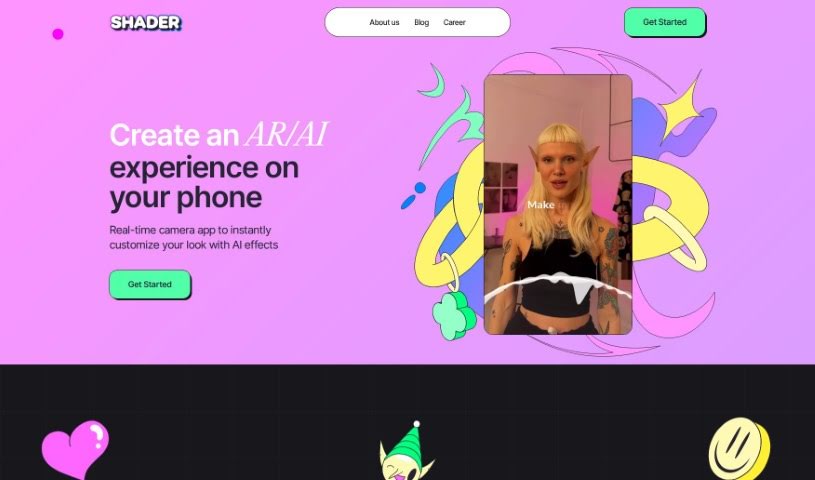
Screenshot of Shader App

Shader App

Discover what Shader App is and how to use it effectively in 2025. We'll explore its features and see how it stacks up against other art generators.

Screenshot

What is Shader App?

Shader App is a really cool tool for making augmented reality (AR) content, and the best part? You don’t need to know any coding to use it! It lets you instantly change how you look, all thanks to artificial intelligence (AI). You can type, swipe, or even talk to the app, and it’ll create a personalized look just for you. Plus, you can record videos with these custom AR effects built right in, which is a great way to make your content more engaging for your audience. Want to create AR effects with your friends? Shader App supports that too! You can even get early access to new features by joining their beta testing program on Discord. It’s backed by some pretty well-known investors like Betaworks, On Deck, Mozilla Ventures, Greysoft, and Differential Ventures, and they really focus on supporting their users, keeping your privacy safe, and making sure their terms of service are clear.

Who created Shader App?

The team behind Shader App has some serious experience, having worked on social products for giants like Snapchat and Meta, and even on gaming projects at Blizzard. They launched the app on June 25, 2024, with a clear goal: to make creating filters and effects for real-time cameras super simple. Now, you can actually generate these cool filters and effects right on your phone, just by typing in what you want. They also make it easy to collaborate with others on creating these effects, and they’ve got support from investors like Betaworks and Mozilla Ventures, which really speaks to their potential.

How to use Shader App?

Ready to dive into creating your own augmented reality content with Shader App? It’s pretty straightforward. Here’s a quick rundown:

  1. Get Started: First things first, you’ll want to download Shader App. It’s available for your iOS device, on the web, or for Android. Once it’s installed, just launch it up – you’ll see a really user-friendly interface right away.
  2. Make It Yours: This is where the magic happens! Shader App uses AI to help you personalize your look. You can simply type what you want, swipe through options, or even use voice commands to instantly change your appearance.
  3. Record and Share Your Creations: Once you’ve got your look just right, you can capture videos directly within the app. These videos come with your custom AR effects already integrated, which is a fantastic way to boost engagement and create really interactive content.
  4. Team Up with Friends: Feeling collaborative? Shader App lets you team up with friends to build AR effects together. It’s a great way to spark creativity and share the experience.
  5. Try New Features Early: Want to get a sneak peek at what’s coming next? You can join the Shader App community on Discord. There, you can participate in beta testing, give your feedback, and be among the first to try out new features.
  6. See Who’s Backing It: It’s always good to know who supports a project. Shader App has backing from prominent investors like Betaworks, On Deck, Mozilla Ventures, Greysoft, and Differential Ventures. This really shows the app’s credibility and its promising potential.
  7. Support and Privacy You Can Trust: The app also makes it easy to access customer support, review their privacy policies, and understand the terms of service. This ensures you have a secure and transparent experience.

By following these simple steps, you can really tap into Shader App’s power to create innovative augmented reality content without any hassle. This guide was put together using information from the official Shader App user guide.

Related AI Tools

Discover more tools in similar categories that might interest you

123RF AI Image Generator

Creative Image Generation
Learn More

Stay Updated with AI Tools

Get weekly updates on the latest AI tools, trends, and insights delivered to your inbox

Join 25,000+ AI enthusiasts. No spam, unsubscribe anytime.