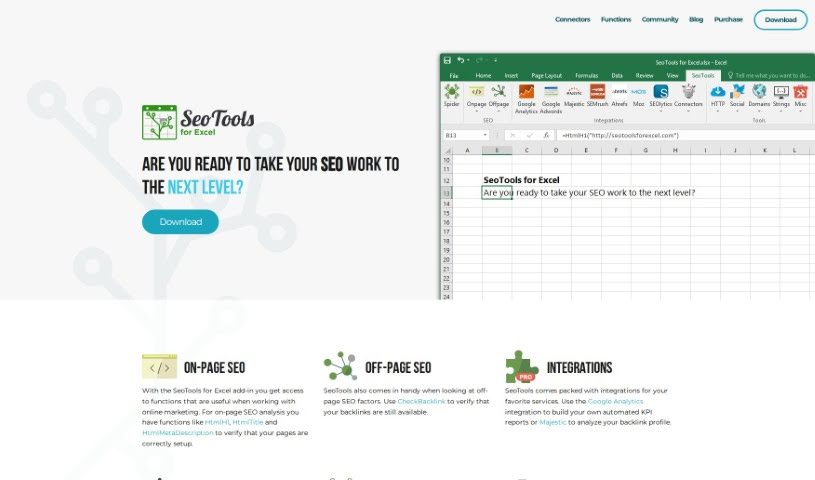
Screenshot of SeoTools for Excel

SeoTools for Excel

Discover what SeoTools for Excel is and learn how to use it effectively in 2025. We'll explore its features and see how it stacks up against other Digital Marketing Tools.

Screenshot

What is SeoTools for Excel?

SeoTools for Excel is a really handy add-in that gives Excel over 100 extra functions specifically designed for online marketers. It’s fantastic for doing on-page SEO checks right within Excel, using functions like HtmlH1, HtmlTitle, and HtmlMetaDescription. You can also dive into off-page SEO by checking backlinks, for instance. Plus, it connects with popular services like Google Analytics and Majestic. This means you can automate reports for key performance indicators (KPIs) and really dig into your backlink profile. What’s neat is that you can even build your own custom Connectors using a simple XML format to link up with other APIs. All in all, people love SeoTools for Excel because it’s so comprehensive; it’s a genuine lifesaver for diagnosing SEO issues and quickly building marketing tools.

Who created SeoTools for Excel?

Niels Bosma, a Swedish entrepreneur and developer, is the creative mind behind “SeoTools for Excel.” He’s well-known in the SEO world for his contributions, especially this tool. It brilliantly connects Excel with various online marketing platforms, feeding users valuable data. Niels Bosma also founded Niels Bosma Consulting, the company that developed SeoTools for Excel. Marketers and SEO pros have really taken to it because it makes data analysis and reporting so much more efficient and convenient.

How to use SeoTools for Excel?

SeoTools for Excel is a powerful tool for SEO analysis and integrating data. To get the most out of it, here’s a straightforward guide:

  1. Download and Install: First, head over to the SeoTools for Excel website to download the tool. Just follow the simple on-screen instructions to install it.
  2. Access Functions: You’ll find over 100 useful functions, like XPathOnUrl, RegexpFind, DomainAge, SpinText, and UrlProperty. These are incredibly helpful for anyone in online marketing.
  3. On-Page SEO Analysis: Use functions such as HtmlH1, HtmlTitle, and HtmlMetaDescription to make sure your web pages are perfectly tuned for search engines.
  4. Off-Page SEO: Use CheckBacklink to see if your backlinks are working correctly and to analyze other off-page SEO factors.
  5. Connectors: Want to link SeoTools with external APIs or services? You can easily build your own Connector using the straightforward XML format they provide.
  6. Spider Tool: Make the most of SeoTools Connectors by using the Spider tool. It can crawl pages if you give it a list of URLs or a starting URL.
  7. Integrations: SeoTools already includes integrations for services like Google Analytics and Majestic. This lets you automate your KPI reports and analyze your backlink profiles right there in Excel.
  8. Stay Updated: Keep an eye out for SeoTools updates. The Auto-Updater feature makes it easy to get the latest version automatically.

By following these steps, you can really tap into everything SeoTools for Excel has to offer, boosting your SEO efforts and making your data analysis much smoother.

Related AI Tools

Discover more tools in similar categories that might interest you

Stay Updated with AI Tools

Get weekly updates on the latest AI tools, trends, and insights delivered to your inbox

Join 25,000+ AI enthusiasts. No spam, unsubscribe anytime.