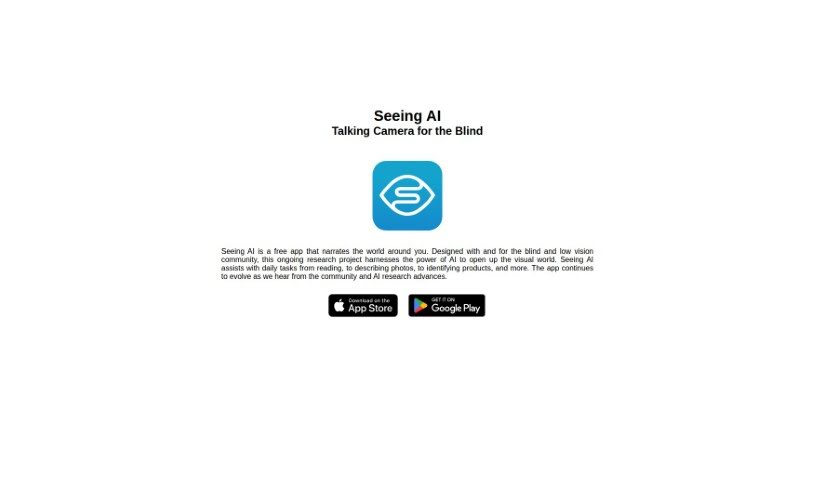
Screenshot of Seeing AI

Seeing AI

Discover what Seeing AI is and how to use it effectively in 2025. We'll explore its features and see how it stacks up against other Text-to-Speech tools.

Screenshot

What is Seeing AI?

Seeing AI is a fantastic tool that acts like a visual narrator. It uses image recognition and computer vision to help people who are visually impaired. It is a smart assistant that can ‘see’ for you. It takes in information from your camera in real-time, and its clever computer vision algorithms figure out what’s going on in the image. Then, it tells you all about it! This technology includes a bunch of cool features like recognizing objects, detecting faces, reading text (that’s Optical Character Recognition, or OCR), using augmented reality, scanning barcodes, and even analyzing whole scenes. It’s really designed to make life easier for those with visual impairments.

Seeing AI is specifically built to help with visual impairment. It’s super user-friendly, offering speech synthesis so you can hear descriptions, and its advanced image recognition is perfect for visually impaired users. By breaking down accessibility barriers, it really helps with digital inclusion, letting people with visual impairments explore and understand their world more easily. It’s like having a real-time guide; it looks at your surroundings and gives you instant audio feedback based on what it recognizes.

This assistive technology can spot all sorts of things – objects, faces, text, and products. It uses really strong image recognition and computer vision to do this. When it comes to reading text, Seeing AI uses Optical Character Recognition (OCR). This means it scans printed words and turns them into speech you can hear. Plus, it adds augmented reality, barcode scanning, and facial recognition to make the whole experience even richer.

Who created Seeing AI?

Microsoft created Seeing AI, that visual narration tool for people with visual impairments. It first came out on December 7, 2023. The app was developed with input from the blind and low vision community, aiming to help with everyday tasks using AI technologies like image recognition and computer vision. It’s an ongoing research project, and Microsoft’s goal is to make things more accessible and improve the quality of life for visually impaired individuals through smart digital solutions.

What is Seeing AI used for?

  • Recognizing faces
  • Detecting objects
  • Assisting with visual impairments
  • Processing information in real-time
  • Recognizing text
  • Analyzing scenes
  • Scanning barcodes
  • Providing an excellent user interface
  • Acting as a digital inclusion tool
  • Offering augmented reality features
  • Using OCR capabilities
  • Applications in healthcare technology
  • Helping visually impaired individuals explore, interact with, and understand their surroundings
  • Aiding the blind in real-time by using image recognition technology to give immediate audio feedback
  • Detecting various objects, faces, text, and products with image recognition and computer vision
  • Using Optical Character Recognition (OCR) to scan and convert printed text into speech
  • Incorporating augmented reality for a more engaging experience
  • Scanning barcodes by identifying them with the camera and providing relevant information
  • Facilitating facial recognition by recognizing, remembering, and sharing information about people it identifies
  • Performing scene analysis to interpret and understand entire environments, offering auditory feedback
  • Boosting digital inclusion by lowering accessibility barriers for visually impaired individuals
  • Improving healthcare tech by assisting visually impaired individuals with daily tasks
  • Providing healthcare tech support

Who is Seeing AI for?

  • Healthcare professionals
  • Specialists in visual impairment
  • Tech professionals focused on accessibility and assistive technologies
  • Individuals with visual impairments
  • Assistive technology specialists

How to use Seeing AI?

Here’s how you can get the most out of Seeing AI:

  1. Download the App: First, grab the SeeingAI app from the App Store or Google Play Store.
  2. Launch the App: Once it’s installed, open up the SeeingAI app on your device.
  3. Explore the Features:
    • Image Recognition: Use this to understand and get descriptions of your surroundings.
    • Text Recognition: Take advantage of Optical Character Recognition (OCR) to have printed text read aloud to you.
    • Barcode Scanning: Point your camera at barcodes to get product information.
    • Facial Recognition: Identify people and learn more about those you recognize.
    • Scene Analysis: Get a feel for your environment through the app’s scene analysis.
  4. User Interface: You’ll find the interface is really easy to use, with voice narration guiding you so you can access information without any trouble.
  5. Real-Time Assistance: You’ll get instant audio feedback as SeeingAI works to analyze and interpret what’s around you.
  6. Accessibility: Make sure to use features like speech synthesis and advanced image recognition, which are specifically designed for visually impaired users.
  7. Stay Updated: It’s a good idea to check for app updates regularly. That way, you’ll always have the latest features and improvements.

Seeing AI is a truly valuable tool for anyone with visual impairments. It helps with everyday tasks like reading, identifying objects, and so much more. By using its advanced technology and user-friendly design, people can really improve their daily experiences.

Related AI Tools

Discover more tools in similar categories that might interest you

Stay Updated with AI Tools

Get weekly updates on the latest AI tools, trends, and insights delivered to your inbox

Join 25,000+ AI enthusiasts. No spam, unsubscribe anytime.