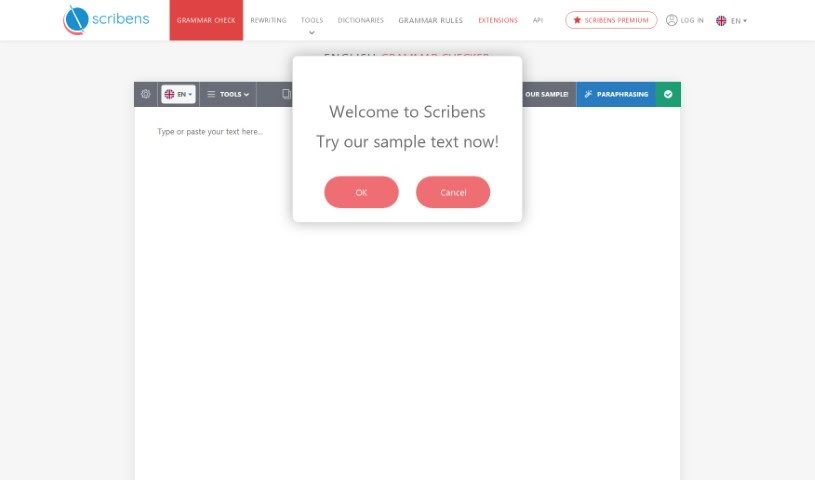
What is Scribens?
Scribens is an online grammar checker designed to help you polish your writing. It spots and fixes grammar mistakes, typos, and even stylistic issues, making sure your text is clear, concise, and error-free. Just paste your writing into the tool, and it’ll analyze everything, offering suggestions for improvements. Scribens really aims to help writers produce top-notch content by boosting the accuracy and readability of their work.
Who created Scribens?
Scribens, this handy online tool for English grammar and spelling, was developed by a company focused on creating a user-friendly platform. They built it to fix over 250 different kinds of errors. What’s neat about Scribens is that it explains why it’s suggesting a change, which really helps you improve your English writing skills over time. It uses a smart algorithm for recognizing sentence structure and works smoothly with essential applications. Plus, premium users get an ad-free experience. The documents don’t share specific details about the founder or the company itself.
What is Scribens used for?
- Improving Your Writing: It’s a fantastic tool for making your writing better overall.
- Checking Text Grammar: You can easily check the grammar of any text you’ve written.
- Finding Spelling Mistakes: It’s great at catching those pesky spelling errors.
- Seamless Integration: It connects with essential apps you likely already use.
- Preserving Formatting: Avoids the hassle of copy-pasting and helps keep your original text formatting intact.
- Correcting Across Platforms: Use it for emails on Gmail, posts on Facebook, tweets on Twitter, and more.
- Office Suite Extension: It works as a handy extension for Microsoft Word, Outlook, PowerPoint, Excel, OpenOffice, or LibreOffice.
- Style Detection: It spots stylistic issues like word repetitions, sentences that run on too long, and unnecessary redundancies.
- Synonym Suggestions: Need a better word? Scribens can suggest synonyms.
- Text Statistics: Get detailed insights into your text, like word, sentence, and paragraph counts.
- Dictionary & Thesaurus Access: It provides definitions, conjugations, and synonyms right within the tool.
- Comprehensive English Grammar Checking: It’s a robust tool for all your grammar needs.
- Spelling Mistake Correction: Reliably catches and corrects spelling errors.
- In-depth Style Analysis: Goes beyond basic checks to analyze your writing style.
- Advanced Syntax Recognition: Understands sentence structure to offer better corrections.
- Correction of Over 250 Errors: It tackles a huge range of common grammar and spelling mistakes.
- Superior Error Detection: It actually catches more errors than standard word processors.
- Style and Writing Tools: Helps identify stylistic problems and offers word alternatives.
- Broad Integrations: Works with popular email services and office suites.
- Versatile Use: Perfect for emails, social media, professional documents, and schoolwork.
- Explanations for Skill Improvement: It doesn’t just fix errors; it explains them, helping you learn and improve your English writing skills.
Who is Scribens for?
- Writers: Anyone who writes regularly will find it useful.
- Students: Great for essays, assignments, and research papers.
- Educators: Helps teachers ensure student work is polished.
- Social Media Managers: Keeps social media content professional and error-free.
- Professionals: Whether you’re writing emails, reports, or presentations, it helps.
- Anyone Communicating Online: If you write emails, post on social media, or work in business, Scribens is a valuable tool.
- Professional Writers: For those whose career depends on clear, accurate writing.
- Professionals in Various Fields: It’s beneficial for anyone in social media, education, business, or other areas where clear communication is key.
How to use Scribens?
Scribens is a really versatile online tool that makes checking and correcting English grammar and spelling both efficient and user-friendly. Here’s a straightforward guide to using it effectively:
- Get Started: Just head over to Scribens.com in your web browser. That’s your first step!
- Add Your Text: You can either copy and paste the text you want to check directly into the Scribens editor, or you can just start typing it right there.
- Run the Check: Once your text is in, hit the “Check” button. This kicks off the grammar and spelling analysis.
- Review Corrections: Scribens will highlight any grammar or spelling mistakes it finds. Simply click on the suggestions to apply the corrections to your text.
- Analyze Your Style: Scribens also looks at your writing style. It can spot things like repeated words, sentences that go on too long, or unnecessary repetition. Take a look at the suggestions it offers for these.
- Check Text Statistics: You can get useful stats about your text, such as the total word count, sentence count, and paragraph count. It even gives you a readability score.
- Look Up Words: Need a definition or a different word? Scribens has a built-in dictionary and thesaurus to help you find synonyms, definitions, and conjugations.
- Use Integrations: Scribens connects smoothly with apps like Gmail, Yahoo, and major office suites including Microsoft Word, Outlook, PowerPoint, Excel, OpenOffice, and LibreOffice. You can also use browser extensions for even easier access.
- Boost Your Skills: Scribens does more than just fix errors; it explains why a change is needed. This is a great way to learn and improve your English writing skills over time.
- Consider Premium: If you want an ad-free experience and access to more advanced features, you might want to look into upgrading to the premium version.
By following these steps, you’ll be able to use Scribens effectively to make your written content much better, ensuring your grammar, spelling, and style are all spot on.