777ccc.com
Education Summarizers
Learn more
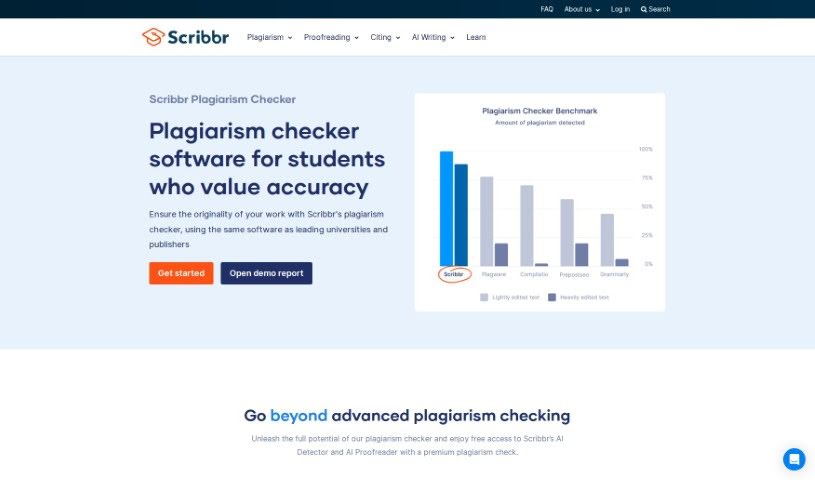
Scribbr's Plagiarism Checker compares your writing against a large source library to catch accidental plagiarism before submission.
Scribbr’s Plagiarism Checker catches accidental plagiarism using software similar to what many universities use. It compares your document against a large library of sources to identify matches and similarities, giving you the chance to fix issues before submission and confirm that your work is properly your own.
Bas Albers founded Scribbr to help students with their academic writing. Beyond the Plagiarism Checker, the company offers proofreading and editing services and has grown into a major academic support provider serving students around the world.
The tool suits students, researchers, academics, writers, journalists, content creators, teachers, editors, publishers, and scientists — anyone who needs to verify that their writing is original and correctly attributed before publishing or submitting.
Upload your document in the Plagiarism Checker section of the Scribbr website. The tool analyzes it against the source library and returns a detailed plagiarism report with highlighted passages marking potential matches. Use those insights to cite and reference any sources you included without attribution, revise the document as needed, then save or download the updated version along with the report for your records or submission.
Scribbr’s Plagiarism Checker is a straightforward way to verify the originality of academic or professional writing. By flagging unattributed matches and guiding proper citation, it helps you submit work with confidence in its integrity.
Related
Discover more tools in similar categories
Weekly picks of the best AI tools we've researched and added — no spam, unsubscribe anytime.
Join 25,000+ AI enthusiasts. No spam, unsubscribe anytime.