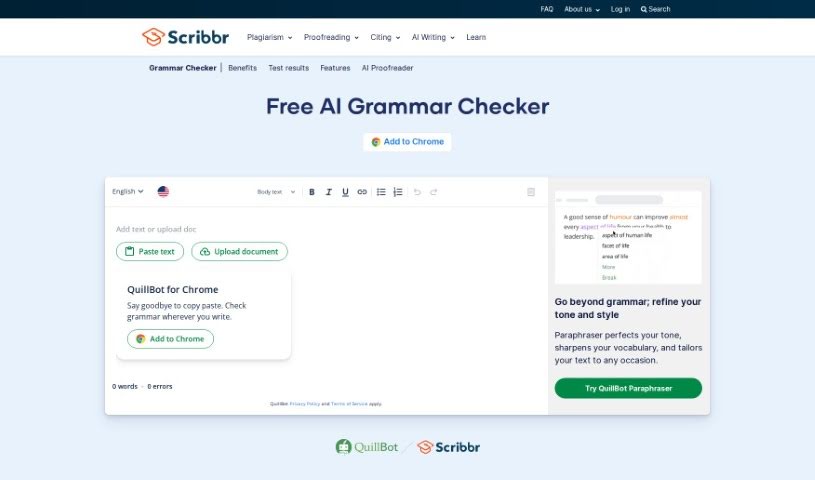
Screenshot of Scribbr Grammar Checker

Scribbr Grammar Checker

Discover Scribbr's Grammar Checker, a highly accurate and user-friendly tool. Learn how to use it effectively in 2025, compare its features, and see how it stacks up against other grammar checkers.

Screenshot

What is Scribbr Grammar Checker?

Scribbr’s Grammar Checker is really well-regarded for being both accurate and easy to use. In fact, when put to the test against other tools, it actually found 19 out of 20 errors, which put it right at the top! What’s particularly great is that you can use it without signing up for anything, and there’s no limit to how much text you can check – whether it’s a few words or many pages. Plus, it’s completely ad-free, so you can proofread without any annoying distractions. If you’re looking for a dependable way to polish your writing, Scribbr’s Grammar Checker offers a complete package with excellent error detection and super convenient usage.

Who created Scribbr Grammar Checker?

The Scribbr Grammar Checker was developed by a company named Scribbr. While the specific details about the founder aren’t available in the provided documents, Scribbr offers this tool as a way to help people improve their writing and editing, with a strong focus on grammar accuracy. The company also provides other helpful services, like assistance with paraphrasing. If you’re curious for more information about Scribbr itself or its founder, checking out their official website or other relevant sources would be the next step.

Who is Scribbr Grammar Checker for?

  • Students
  • Teachers
  • Editors
  • Writers
  • Marketers
  • Researchers
  • Business professionals
  • Journalists
  • Bloggers
  • Content creators

How to use Scribbr Grammar Checker?

Using the Scribbr Grammar Checker is pretty straightforward. Here’s a quick rundown:

  1. First, head over to the Scribbr website and find the Grammar Checker tool.
  2. Next, just copy the text you want to check and paste it right into the text box on the tool’s page.
  3. Then, click the button that says something like “Check Grammar” to get things started.
  4. Give it a moment to analyze your text for any mistakes in grammar, spelling, punctuation, or word choice.
  5. Once it’s done, you’ll see all the errors it found, along with suggestions for how to fix them.
  6. You can then make those changes directly in the tool – either by accepting the suggestions or tweaking them yourself.
  7. After you’ve gone through and edited everything, you can save or download your corrected text.
  8. It’s a good idea to run your text through the checker one more time after you’ve made revisions, just to be sure everything is perfect.
  9. Also, don’t forget to explore any other features or options Scribbr offers that might help you improve your writing even further.

Remember, the best part is that Scribbr’s Grammar Checker is completely free to use, and you don’t need to sign up or pay anything. It’s a really handy tool for making your writing shine without any hassle.

Related AI Tools

Discover more tools in similar categories that might interest you

Academic Help Free Essay Generator

Education Academic Writing
Learn More

Stay Updated with AI Tools

Get weekly updates on the latest AI tools, trends, and insights delivered to your inbox

Join 25,000+ AI enthusiasts. No spam, unsubscribe anytime.