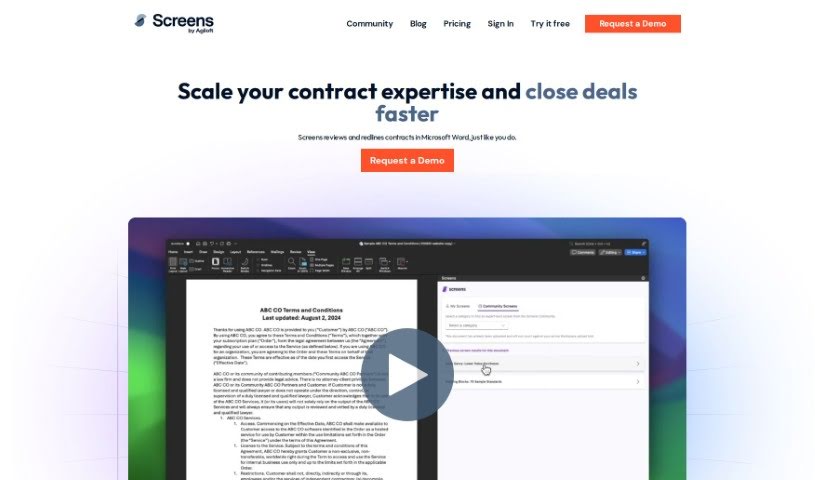
Screenshot of Screens

Screens

Discover what Screens is and how to use it effectively in 2025. We'll explore its features and see how it stacks up against other legal tools.

Screenshot

What is Screens?

Screens is a smart AI platform designed to help you review contracts. It uses AI that’s been carefully built by legal experts to make understanding and analyzing legal documents much faster and more efficient. You can either use AI reviews that are already set up, or you can customize them to fit exactly what you need for your specific contracts. Screens focuses on being affordable, accurate, and something you can really count on for all sorts of contract review tasks. Plus, it offers solid ways to store your documents, with great search tools and strong security to keep your information private and confidential.

Who created Screens?

Screens was actually developed by the same team behind TermScout, which is a well-respected company known for its contract AI. Essentially, Screens is a piece of legal AI software built to make reviewing contracts a smoother, quicker process. It comes with AI contract playbooks, created by experts, that ensure accurate analysis. The platform also offers playbooks that are shaped by the community and can be customized, all aimed at simplifying the review process for legal professionals and businesses alike. Screens really emphasizes being affordable, accurate, and trustworthy, and they make a point of highlighting their strong data security and privacy practices. What really makes it stand out are its reliable AI solutions, all tailored to meet a wide range of contract review needs.

What is Screens used for?

  • Making it easier to understand and analyze legal documents quickly.
  • Pinpointing important details and potential problems in contracts.
  • Speeding up the contract review process for lawyers and businesses.
  • Giving you the choice between using ready-made AI reviews or creating your own.
  • Accessing community-made review templates from top legal experts.
  • Storing your documents securely and finding what you need with powerful search tools.
  • Sticking to strict data security and privacy policies to protect your information.
  • Reviewing a single contract or managing a whole collection of documents.
  • Acting as a reliable, accurate, and budget-friendly AI assistant for contract review.

Who is Screens for?

  • Lawyers
  • Commercial real estate professionals
  • Privacy experts
  • Fintech specialists
  • SaaS professionals
  • Healthcare providers
  • Consumer law professionals

How to use Screens?

If you want to get the most out of Screens for reviewing contracts, here’s a simple step-by-step guide:

  1. Get Started with Screens: Head over to Screens.ai and sign up for an account. It’s your first step to making contract review easier.
  2. Pick How You Want to Review:
    • You can choose from AI playbooks that legal experts have already created for different industries. They’re ready to go!
    • Or, if you prefer, you can create your own custom review screens that match your specific contract standards.
  3. Upload Your Documents:
    • You can upload the contracts you need to review one by one in Microsoft Word, or you can upload them in groups using the Screens app.
  4. Review Your Contracts:
    • Run the screens, and you’ll get instant suggestions for changes right within Microsoft Word, like a redline.
    • Let the AI help you quickly spot the key parts and any potential issues in your contracts.
  5. Build Your Own Custom Screens:
    • Make your screens exactly how you want them, based on the specific contract rules that are important to you and your clients.
  6. Manage Your Data:
    • Keep all your contracts in one place. The powerful search function makes it super easy to find what you need later.
  7. Check the Accuracy:
    • Use the feature that monitors accuracy. This helps you see where a human touch is still really important, even with AI doing the heavy lifting.
  8. Trust the Data Security:
    • Screens really cares about your data privacy and security. They make sure your information is protected all the time.
  9. Use the Audit Features:
    • You can double-check the results Screens gives you using the auditing feature. This builds even more trust in the platform.
  10. Look at the Pricing:
    • Screens has different pricing plans. There’s a free workspace to start with, and a Pro Workspace if you need more advanced features.

By following these steps, you can really make Screens work for you, ensuring your contract review process is both efficient and trustworthy. You’ll benefit from AI playbooks made by experts and strong data security measures.

Related AI Tools

Discover more tools in similar categories that might interest you

Stay Updated with AI Tools

Get weekly updates on the latest AI tools, trends, and insights delivered to your inbox

Join 25,000+ AI enthusiasts. No spam, unsubscribe anytime.