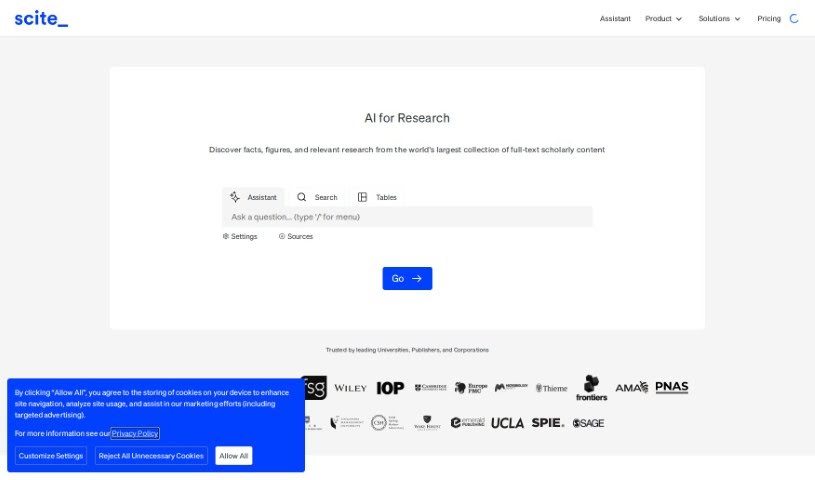
Screenshot of Scite

Scite

Discover what Scite is and how to use its powerful features in 2025. We'll explore how it helps researchers, students, and academics, and how it stacks up against other student tools.

Screenshot

What is Scite?

Scite is an organization based in Brooklyn that offers a really helpful tool called Scite Assistant. It is your research sidekick! It’s designed to help researchers discover and understand research articles more easily, all thanks to something called Smart Citations. These aren’t just regular citations; they actually give you context, telling you whether the articles being cited support or contrast the main point. Lots of students and researchers around the world use Scite Assistant, and it’s even backed by grants from important places like the National Science Foundation and the National Institute on Drug Abuse. Beyond the Smart Citations, you can also use Scite for things like checking references, searching for citations, and setting up your own dashboards. It’s a genuinely valuable resource if you want to speed up your research and make your literature searches and papers much stronger.

If you’re working on essays or grants, Scite Assistant can be a real game-changer. It pulls reliable information and insights from tons of research articles based on what you’re looking for, making it much easier to create well-researched drafts. Plus, Scite Assistant can even find conflicting evidence or summaries from similar sources. This really helps you broaden your research and get a more complete picture of the evidence out there.

Who created Scite?

Scite was actually created by Mark Mikkelsen, Ph.D. It first launched on June 17, 2024. This Brooklyn-based company is all about helping researchers get a better handle on research articles through its Smart Citations. Scite is used globally and receives support from organizations like the National Science Foundation and the National Institute on Drug Abuse.

What is Scite used for?

Scite is incredibly versatile for anyone involved in research. Here’s a rundown of what you can do with it:

  • Drafting Support: It helps you draft essays or grants by providing solid information and insights drawn directly from research articles.
  • Finding Contrasting Views: You can easily find competing evidence or summaries from related sources, which is crucial for a balanced perspective.
  • AI-Powered Answers: It uses advanced large language models (LLMs) to generate responses to your specific queries.
  • Reference Management: Keep your references organized and in check.
  • Focused Research: Work with specific collections of papers or journals to narrow your focus.
  • Targeted Searches: Use customizable search filters to pinpoint exactly the information you need.
  • Research-Backed Answers: Get answers directly from millions of research articles.
  • Collaboration: Work on written materials with confidence, knowing you have research-backed information to support your points.
  • Evidence Analysis: It’s great for finding supporting and contrasting evidence for your research.
  • Journal-Specific Info: Easily find information from particular journal names.
  • Control Your Output: You have control over the responses generated by the tool.

Who is Scite for?

Scite is a fantastic tool for a wide range of people involved in academic and professional research:

  • Researchers: Whether you’re in academia or industry, Scite helps you navigate the vast landscape of research.
  • PhD Students: For those deep dives into specific subjects, Scite provides essential context and evidence.
  • Academics: Keep up-to-date with the latest findings and ensure your work is well-supported.
  • Students: From undergraduate essays to graduate theses, Scite can significantly improve your research process.
  • Industry Experts: Stay informed about the latest developments and research in your field.

How to use Scite?

To really get the most out of Scite, here’s a simple, step-by-step guide:

  1. Create Your Account: First things first, head over to the Scite website and sign up using your email address. It’s a quick process.
  2. Upload Your Document: Once you’re logged in, you can upload the document you want Scite to analyze. After you upload it, Scite will create a citation report specifically for your document.
  3. See the Citations: Take a look at the citations Scite provides for your paper. You’ll see both references that support your points and those that might offer a different perspective.
  4. Analyze the Citations: Really dig into the details of each citation. Understanding how they connect to your document is key. Pay close attention to the context and whether each citation is relevant.
  5. Explore References: Don’t miss the feature that lets you explore the references within the citations. This is a great way to go deeper into the content and find even more useful information.
  6. Compare Citations: Use the tool to compare different citations. Seeing how they relate to each other can really help you build a comprehensive understanding of your topic.
  7. Save and Export: Make sure to save your citation report so you can refer back to it later. You can also export it if you need to share it with others or do further analysis.
  8. Use the Filters: Scite has filters that are super helpful for refining your search results. Use them to focus on specific types of citations or references that matter most to you.
  9. Stay Updated: Keep an eye on Scite’s latest features and updates. This way, you’ll always be using the tool to its full potential for all your research and analysis needs.

By following these steps, you’ll be able to use Scite effectively to analyze citations, get a clear picture of the research surrounding any document, and generally make your research process much smoother and more insightful.

Related AI Tools

Discover more tools in similar categories that might interest you

Academic Help Free Essay Generator

Education Academic Writing
Learn More

Stay Updated with AI Tools

Get weekly updates on the latest AI tools, trends, and insights delivered to your inbox

Join 25,000+ AI enthusiasts. No spam, unsubscribe anytime.