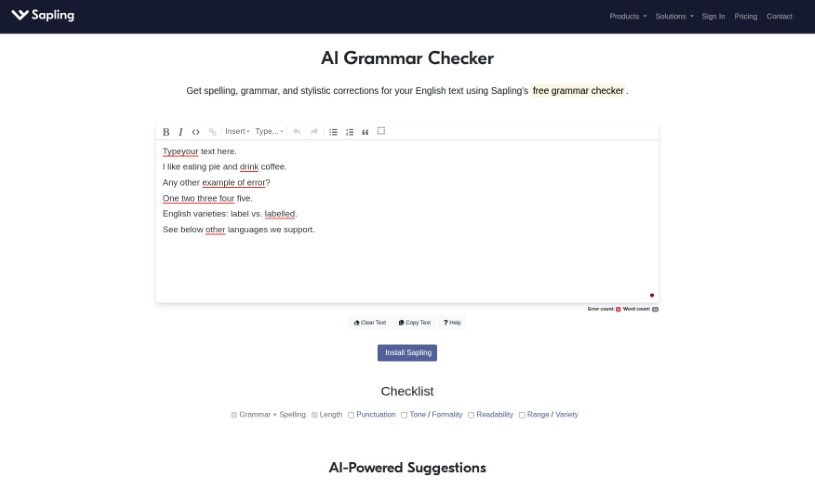
Screenshot of Sapling AI Grammar Checker

Sapling AI Grammar Checker

Discover Sapling AI Grammar Checker, a powerful tool for improving your writing. Learn its features, how it works, and how to use it effectively in 2025, comparing it with other grammar checkers along the way.

Screenshot

What is Sapling AI Grammar Checker?

An AI grammar checker, like Sapling, is your personal writing assistant. It’s designed to help you polish your writing by spotting and fixing mistakes in grammar, punctuation, and spelling. It works as you type, offering suggestions in real-time to make your text clearer and better. Unlike older grammar checkers that just followed basic rules, AI tools like Sapling use advanced language models, similar to how a human brain learns, to give you much more accurate and helpful advice. You can count on these tools to quickly proofread your work, saving you the time you’d normally spend on manual editing. This way, you can be sure your emails, presentations, and even instant messages are error-free and sound professional.

Who created Sapling AI Grammar Checker?

Sapling’s AI Grammar Checker was actually built by researchers from some pretty impressive places – think the University of California, Berkeley, Stanford University, and Google. They’ve used sophisticated language models, the kind that learn from vast amounts of text, to make sure the grammar suggestions are spot-on. The company behind Sapling also really cares about keeping your data safe. They promise not to sell your information to anyone else and follow strict security rules like HIPAA, SOC 2 Type II, PCI, GDPR, and CCPA. It’s good to know they’re serious about privacy.

How to use Sapling AI Grammar Checker?

Using an AI grammar checker like Sapling is pretty straightforward. Here’s a simple guide:

  1. Head to the Tool: First, just visit the website or platform where the AI Grammar Checker is available, like Sapling.
  2. Paste Your Text: Copy the text you want to check – maybe an email draft or a document – and paste it into the provided space.
  3. See Suggestions as You Go: The magic happens as you type! The checker will offer suggestions and corrections right away, helping you improve your writing on the fly.
  4. Instant Proofreading: It acts like a real-time proofreader, catching things like missing commas or awkward phrasing, making your text flow much better.
  5. Save Time on Editing: You can write great content faster because the tool catches mistakes for you. Plus, it actually learns from your writing over time, so its suggestions get even more relevant!
  6. Accuracy You Can Trust: These AI checkers are trained on millions of examples, so they’re much smarter than older, rule-based systems. They offer genuinely accurate advice.
  7. Review and Accept: Take a moment to look at the suggestions. You can accept them to fix your text, making it clearer and more professional.
  8. Works Everywhere: Many of these tools can connect with platforms you already use, like Gmail, LinkedIn, Salesforce, and Zendesk. This means you have your writing assistant handy no matter where you’re typing.
  9. Extra Checks: Some tools offer more than just grammar. You might find a dedicated punctuation checker to ensure everything is correctly placed for clarity, or an online tense checker to keep your verb tenses consistent.
  10. Final Polish: Once you’ve gone through the suggestions and made your edits, you can be confident that your writing is accurate and polished.

By following these steps, you can easily use an AI Grammar Checker to make your written content shine with correct grammar, spelling, and punctuation.

Related AI Tools

Discover more tools in similar categories that might interest you

Academic Help Free Essay Generator

Education Academic Writing
Learn More

Stay Updated with AI Tools

Get weekly updates on the latest AI tools, trends, and insights delivered to your inbox

Join 25,000+ AI enthusiasts. No spam, unsubscribe anytime.