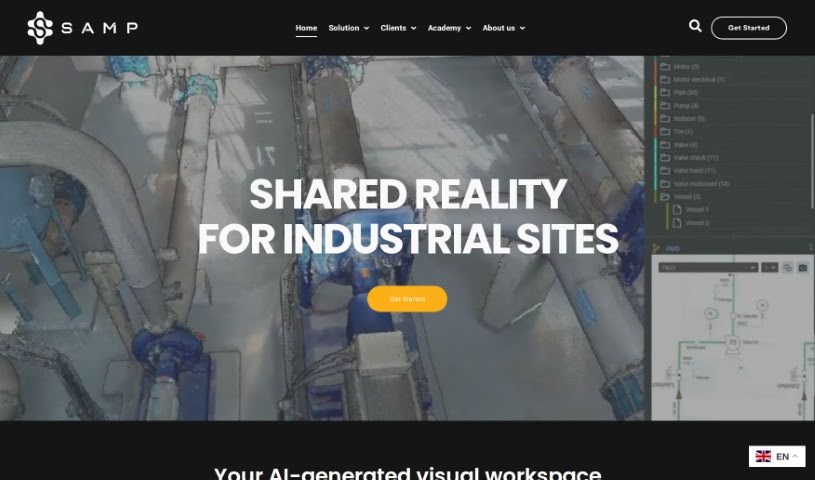
Screenshot of Samp

Samp

Discover what Samp is and how to use it effectively in 2025. We'll explore its features and see how it stacks up against other Architect Tools.

Screenshot

What Exactly is Samp?

Samp is an AI tool built to make modernizing industrial systems and managing service contracts much smoother and faster. It is a bridge, connecting older technical drawings with the latest 3D scans of facilities. This helps you quickly create inventories, scan your sites, update old layouts to match new 3D scans, and make sure your records are up-to-date. Plus, it’s a big help with managing risks, cutting down on the need for pre-site visits, boosting safety, making audits easier, and giving you a clearer picture of your finances in industrial settings.

Who’s Behind Samp?

Samp was developed by a talented team, including Thomas, who has deep experience in the process and energy industries; Guillaume, who previously co-founded and served as CTO for HomeByMe; and Stéphane, who was a co-founder and COO at Stanley Robotics. The company, Samp SAS, got its start in 2023 and has since been nurtured through various tech and business incubators in Paris. At its core, Samp is an AI tool designed to help with modernization projects and service contracts for industrial systems. It does this by matching old technical illustrations with current 3D scans of facilities, which really helps teams work together better and makes workflows more efficient.

What Can You Do with Samp?

Samp is incredibly versatile for industrial operations. Here’s a breakdown of its key uses:

  • Modernization: It really helps push forward industrial modernization efforts.
  • Service Contracts: It speeds up the process for long-term service agreements.
  • Bridging Data: It connects old schematics with modern 3D representations, making data easier to work with.
  • Lifecycle Applications: Its uses span the entire asset lifecycle.
  • Orphan Equipment: It helps pinpoint equipment that might not be properly documented or tracked.
  • Information Updates: It allows for quick updates to technical information.
  • Workflow Improvement: It generally makes industrial workflows more efficient.
  • Facility Scans: It assists directly with scanning and documenting facilities.
  • Inventory Generation: It’s great for creating equipment inventories.
  • Diagram Updates: It helps keep technical diagrams current.
  • Rapid Inventory: It improves industry workflow by making inventory generation fast.
  • Orphan Equipment Identification: It’s useful for finding that hard-to-track equipment.
  • Swift Data Updates: It updates technical information quickly and reliably.
  • Maintenance Support: It supports both industrial modernization and ongoing maintenance.
  • Visual Workspace: It acts as a visual hub where teams can collaborate effectively.
  • Risk Mitigation: It helps with longer-term business planning by reducing potential risks.
  • Safety Promotion: It promotes facility safety by making equipment identification and technical updates easier.
  • Audit & Predictability: It offers benefits for auditability and makes financial outcomes more predictable.
  • Hardware Upgrades: It indirectly supports hardware upgrades by speeding up inventory creation and data updates.
  • Data Management: It uses various techniques for managing your data inventory.

Who Should Use Samp?

Samp is designed for a wide range of professionals in the industrial sector. If you’re involved in any of these roles, Samp could be a valuable tool for you:

  • Engineers
  • Industrial System Designers
  • Industrial Maintenance Professionals
  • Risk Managers
  • Facility Managers
  • Contract Managers
  • Facility Management Professionals
  • Industrial Engineers
  • Maintenance Planners
  • Safety Inspectors
  • Audit Professionals
  • Surveyors
  • Engineering Professionals
  • Maintenance Technicians
  • Pipeline Operators
  • Service Providers

How Do I Use Samp?

Here’s a straightforward guide to get you started with Samp:

  1. Sign Up: First, create your account with Samp.
  2. Upload Scan: Upload your 3D scan data to the platform.
  3. Processing Time: The upload might take a little while, depending on the file size.
  4. Access Data: You can easily access and work with your 3D data through streaming.
  5. Generate Inventory: Within about an hour, you can generate your equipment inventory and take a look.
  6. Add Drawings: If you have P&ID, PFD, or isometric drawings, upload them as needed.
  7. Update Documents: You can revalidate and update your technical documents, usually within hours to a couple of days, depending on how complex they are.
  8. Keep Data Current: Make sure to continuously update your data to reflect any changes on-site or in the information you have.
  9. Connect Systems: You can connect Samp to your existing IT/OT systems anytime using APIs.

To sum it up, Samp really helps with modernizing industrial facilities and makes long-term service contracts much quicker. It bridges the gap between old schematics and new 3D views, and it’s useful throughout an asset’s entire life. It’s great for finding equipment that might be missing from records, updating technical diagrams, improving safety, making workflows run more smoothly, and handling things like inventory management and audits.

Related AI Tools

Discover more tools in similar categories that might interest you

Stay Updated with AI Tools

Get weekly updates on the latest AI tools, trends, and insights delivered to your inbox

Join 25,000+ AI enthusiasts. No spam, unsubscribe anytime.