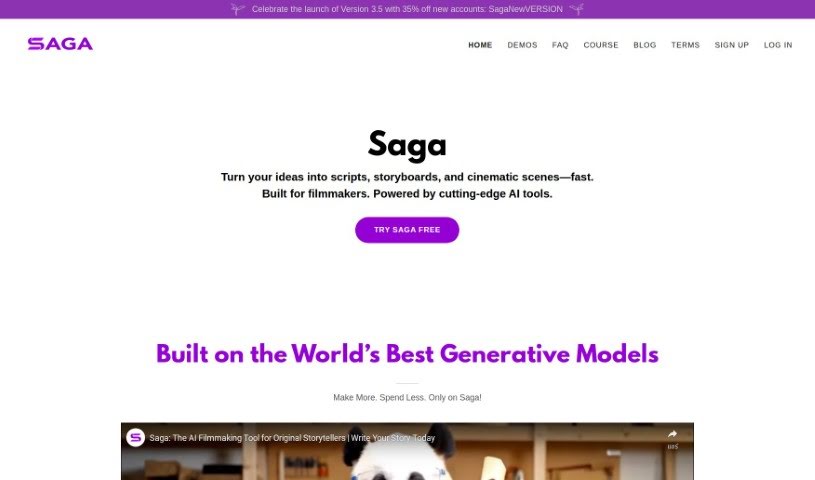
What is Saga?
Saga is a platform built for aspiring creative artists, especially those dreaming of breaking into Hollywood as Directors by making indie films. It provides tools designed to help you create stories, characters, scripts, and storyboards faster and better. Soon, it’ll even help you make films to get discovered. Saga’s main goal is to empower the next wave of creative talent, helping them achieve their filmmaking dreams efficiently and effectively.
Who created Saga?
Russell Palmer created Saga. The company is dedicated to building tools for the next generation of creative artists, with a special focus on aspiring directors who want to make their mark in Hollywood through independent movies. Saga helps you craft stories, characters, scripts, and storyboards more quickly and with better results. It’s also working on tools to help aspiring artists get noticed in the film industry.
What is Saga used for?
- Plotting Your Next Blockbuster: Get ideas for your big movie.
- Crafting Unforgettable Characters: Develop memorable characters.
- Seamless Story Development: Build your story smoothly.
- Effortless Scriptwriting: Write scripts with ease.
- Storyboard Wizard: Create storyboards simply.
- Mastering Camera Techniques: Learn how to use cameras effectively.
- Dynamic Pre-visualization: Plan out shots visually.
- Enhancing work with dynamic twists and dialogue: Add exciting plot turns and sharp dialogue to your scripts.
- Creating storyboards with cutting-edge Generative AI models: Use advanced AI to generate your storyboards.
- Guiding users through the storytelling process: Get help navigating the journey of creating a story.
- Accelerating progress with helpful guides: Speed up your work with useful instructions.
- Generating up to approximately 250 images per month: Create a good number of visual aids each month.
- Pre-visualizing object and camera movement per shot: Plan exactly how objects and cameras will move in each scene.
- Assisting in scriptwriting with generative AI: Use AI to help write your scripts.
- Empowering writers to refine work with dynamic twists and dialogue: Help writers improve their scripts with engaging plot twists and dialogue.
- Guiding Writers through the Scriptwriting Process: Offer support and direction for writing scripts.
- Powerful Storyboard Application with Generative AI Models: Use strong AI tools for creating storyboards.
- Enhancing work with dynamic twists and dialogue in scriptwriting: Make scripts more interesting with plot twists and dialogue.
- Using storyboard wizard for composing shots and organizing scenes: Plan and arrange your shots and scenes easily.
- Mastering camera techniques with guides and image generation: Learn camera skills with help and visual tools.
- Plotting blockbuster ideas with archetypes and storytelling patterns: Develop big movie ideas using common story structures.
- Generating fresh plot elements and character ideas for inspiration: Get new ideas for plots and characters.
- Crafting personalized character recommendations aligned with the narrative: Suggest characters that fit your story.
- Seamless story development with customizable beat structures and integration of plot twists: Build your story smoothly, adjusting its pace and adding twists.
- Effortless scriptwriting with generative AI support for action descriptions and dialogue: Write scripts easily, with AI helping with action and dialogue.
- Guidance through the storytelling process and helpful resources for writers: Get support and useful materials for your writing journey.
Who is Saga for?
- Director
- Screenwriter
- Producer
- Storyboard Artist
- Film Editor
- Cinematographer
- Casting director
- Production Designer
- Visual Effects Artist
- Costume designer
How to use Saga?
To get the most out of Saga, just follow these simple steps:
- Access Saga Platform: First, log in to the Saga platform using your account details.
- Dashboard Navigation: Take a moment to get familiar with the Saga dashboard. You’ll find different sections for scriptwriting, storyboards, character development, and more. Explore them to see what’s available.
- Create a New Project: When you’re ready, start a new project. Give it a title that clearly represents what your project is about.
- Scriptwriting: Jump into the scriptwriting feature. Saga makes it easy to write your story, and it helps ensure your script follows industry standards.
- Character Development: Next, head over to character development. Here, you can create detailed and engaging characters, defining their personalities, backgrounds, and how they fit into your story.
- Storyboard Creation: Now, use the storyboard wizard. This tool helps you visualize your script by creating a series of panels, planning out the visual look of your project.
- Collaboration: If you’re working with others, check out Saga’s collaboration tools. You can invite team members to review, edit, and share feedback on your work.
- Export and Share: Once your project is finished, use the export feature to save it in different formats. Then, share it with others for feedback or to move it forward.
By following these steps, you can really make the most of Saga’s tools to create compelling and professional storytelling projects. Don’t hesitate to explore all the different features to boost your creative process and storytelling skills.
Remember, the more you practice and experiment with Saga, the better you’ll become at using it to bring your creative ideas to life efficiently.