What is RunComfy?
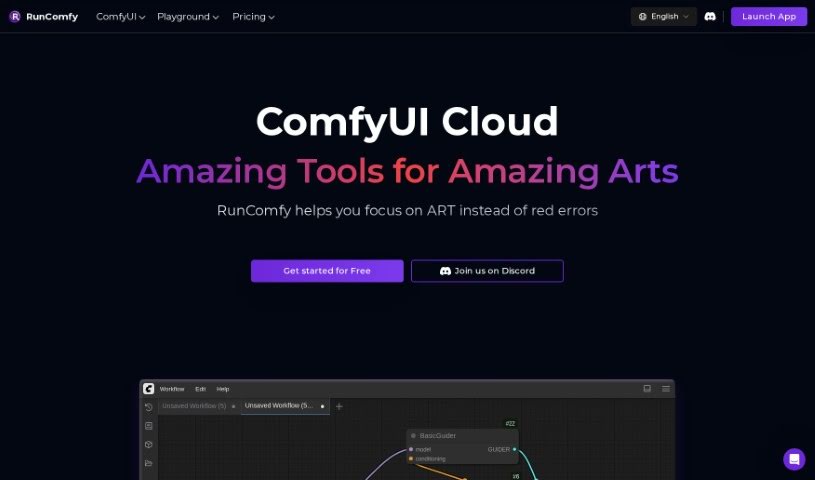
RunComfy is a top-tier cloud platform designed to make creating AI art fast, simple, and completely hassle-free. Forget about complicated technical setups; RunComfy handles all of that for you. It uses powerful, cloud-based, high-speed GPUs to really boost your workflow and automatically configure ComfyUI setups. This means you can jump right into your creative projects without any setup headaches.
What can you do with it? Well, you get quick and easy ways to start your projects, automated cloud setup, and the power of high-speed GPUs. It supports all sorts of workflows, and its user-friendly interface lets you control everything with a node-based graphical system – no coding required! Whether you’re generating images, transforming videos, creating animations, restyling existing art, restoring old photos, or removing unwanted objects, RunComfy’s robust system has you covered. Plus, they offer different pricing plans with various machine specs and subscription options, so you can find what fits your needs and budget best.
Who created RunComfy?
RunComfy was developed by a company focused on providing a leading cloud-based ComfyUI platform. Their goal is to offer a fast and straightforward way for anyone to create AI art. The platform is built around high-speed GPUs and automated cloud setup, ensuring a user-friendly experience for generating AI art across images, videos, and animations, all without needing any technical configuration knowledge. If you ever run into questions or need a hand, their Discord channel is there to offer technical support.
What is RunComfy used for?
RunComfy is incredibly versatile, making it a go-to tool for a wide range of creative tasks:
- User-Friendly Interface: Easily navigate and control your creative process.
- Image Generation: Create stunning still images with AI.
- Creative Projects: Tackle a variety of artistic endeavors.
- Restyling: Give existing images a completely new look.
- Restoration: Bring old or damaged photos back to life.
- Object Removal: Clean up images by removing unwanted elements.
- Video Diffusion: Generate or transform video content using AI.
- High-Quality AI Art Generation: Produce professional-grade artwork.
- Efficient Workflows: Speed up your creative process significantly.
- Node-Based Graphical System: Control complex processes visually, without coding.
- Automated Cloud Setup: Every workflow is automatically set up in the cloud, complete with all the necessary custom nodes and models.
- High-Speed GPU Execution: Leverage powerful GPUs to run your creative projects at top speed, boosting your productivity.
- Versatile Workflow Support: Access a wide array of ready-to-use workflows for all your AI art needs, from images to videos and animations.
- Fast and Easy AI Art Creation: Get started quickly and generate art without a steep learning curve.
- Powerful Node-Based System: Build intricate image and video creation workflows with ease.
- Support for Diverse Projects: Handle everything from image generation and video transformation to animation, restyling, restoration, and object removal.
- Technical Support: Get help when you need it via their active Discord channel.
- Revolutionize AI Art Creation: Change the way artists and creators interact with AI art.
- Streamlined Art Generation: Find a smoother path to creating high-quality AI art in images, videos, and animations.
- Effortless Animation: Create animations with greater ease.
- Complex Image Workflows: Manage and execute sophisticated image creation processes.
- No Technical Setup Required: Just dive in and create.
- AI Art for Images, Videos, and Animations: Create across multiple media types.
Who is RunComfy for?
RunComfy is ideal for:
- Artists looking to explore new creative avenues with AI.
- Creators who want to streamline their workflow and produce high-quality visuals.
How to use RunComfy?
Here’s a straightforward, step-by-step guide to get you started with RunComfy:
- Visit RunComfy: Head over to the official website, runcomfy.com, to access the platform.
- Get Started: If you’re new, sign up for an account. If you already have one, just log in.
- Pick Your Plan: Choose between the Hobby or Pro plans, depending on what you need and your budget.
- Select Machine Size: Based on your project’s demands, choose the right machine size – options include Medium, Large, Extra Large, 2X Large, or 2XL Plus.
- Begin a Project: You can use the pre-installed models and nodes, or upload your own if you want to customize things further.
- Set Up Your Workflow: Use the intuitive node-based graphical interface to configure your workflow. No coding skills are necessary!
- Run Your Project: Start your creative project. You’ll benefit from high-speed GPU support, which means faster processing.
- Watch It Happen: Keep an eye on your project’s progress as it generates beautiful AI art, whether it’s images, videos, or animations.
- Need Help? If you have any questions or need assistance, don’t hesitate to reach out to the RunComfy team on their Discord channel.
- Understand Storage: Familiarize yourself with the storage options, like your private drive capacity and how generated, uploaded, or downloaded data is kept.
- Explore What’s Possible: Try out different creative projects! RunComfy supports image generation, video transformation, restyling, and much more, all powered by ComfyUI.
- Find More Info: For extra details, frequently asked questions, or learning resources, check out the links on the official website or contact support.
By following these steps, you’ll be able to use RunComfy effectively, unleash your creativity, and generate amazing AI art with ease.