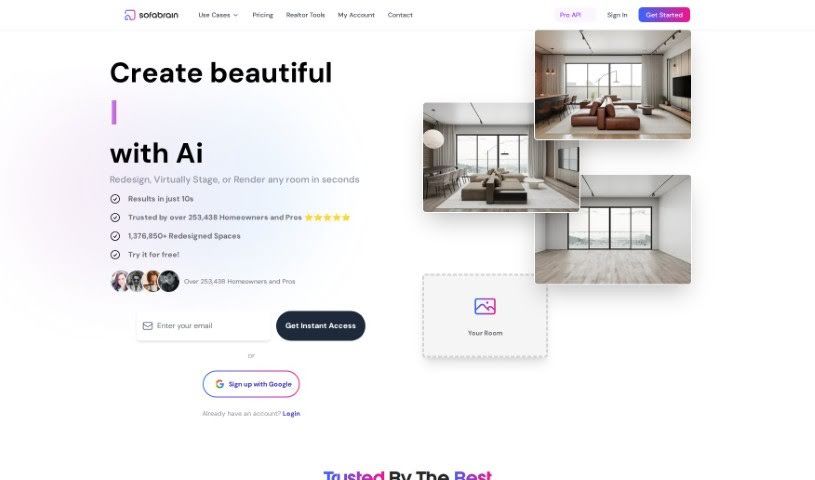
Screenshot of Roast My Room

Roast My Room

Discover what Roast My Room is and how to use it like a pro in 2025. We'll dive into its features and see how it stacks up against other interior design tools.

Screenshot

What is Roast My Room?

Roast My Room is a really neat service that offers a few different pricing plans, each packed with features to suit various needs. You can get things like a private workspace and the ability to save your designs, no annoying watermarks, and access to advanced AI models that produce fantastic design outcomes. Plus, there’s accelerated rendering, furniture staging for virtual rooms, single-user licenses, unlimited renders for every room you work on, VIP support, commercial licenses, multiple user accounts, and even dedicated account managers. Essentially, it’s built for professional designers, DIYers, and real estate agents who want to create absolutely stunning and realistic room designs using the power of AI.

Who created Roast My Room?

So, who’s behind this clever tool? Roast My Room was actually created by a company called SofaBrain. They launched the platform back on November 10, 2023. The founder, also SofaBrain, has built a service that’s already earned the trust of over 253,458 professionals, DIY enthusiasts, and real estate agents. They’ve managed to complete more than 1,376,850 renders so far, and they offer a whole range of subscription plans so you can easily access all their cool services.

How to use Roast My Room?

Want to get the most out of Roast My Room? It’s pretty straightforward! Here’s a simple breakdown:

  1. First off, you’ll want to sign up for an account on their website.
  2. Next, pick a pricing plan that really fits what you need – whether that’s the basic, standard, or pro option.
  3. Once you’re set up, you can start by uploading a photo or even a floor plan of the room you’re looking to redesign.
  4. Then, dive into the super user-friendly interface to customize everything just the way you like it.
  5. Don’t be afraid to play around with all the different interior design styles they offer, from sleek modern looks to classic traditional vibes.
  6. You can tweak even the tiniest details, like furniture placement, wall colors, and all the decor elements.
  7. As you go, you’ll get instant feedback and helpful suggestions on how to make your room look even better.
  8. Make sure to use the AI tool’s rendering capabilities to really see the potential of your space come to life visually.
  9. Save your favorite designs and easily compare different versions to nail down the perfect look.
  10. Finally, just enjoy how efficient and cost-effective it is to transform your space with Roast My Room’s AI Interior Design tool.

By just following these easy steps, you can really make the most of Roast My Room’s innovative platform. It’s a great way to design and visualize your dream living spaces without all the usual hassle.

Related AI Tools

Discover more tools in similar categories that might interest you

123RF AI Image Generator

Creative Image Generation
Learn More

Stay Updated with AI Tools

Get weekly updates on the latest AI tools, trends, and insights delivered to your inbox

Join 25,000+ AI enthusiasts. No spam, unsubscribe anytime.