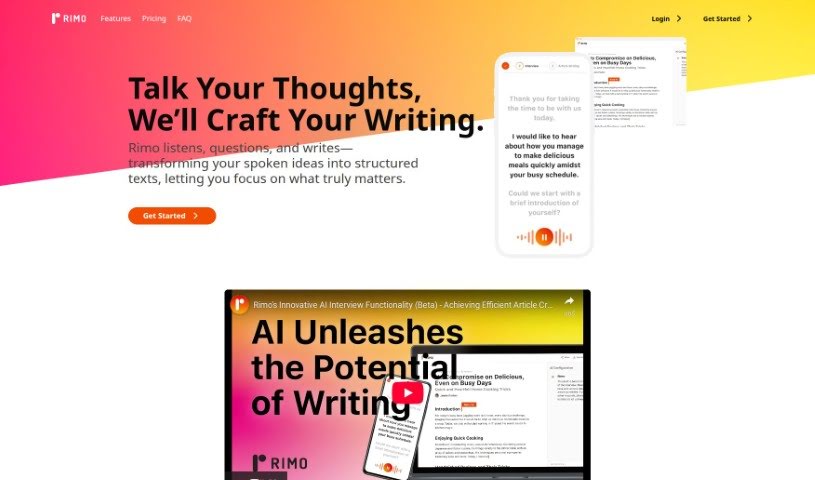
Screenshot of Rimo AI Editor

Rimo AI Editor

Discover what Rimo AI Editor is and learn how to use it effectively in 2025. We'll explore its features and see how it stacks up against other content writing tools.

Screenshot

What is Rimo AI Editor?

Rimo AI Editor is designed as a human-centered AI writer. It’s built to take your spoken ideas and turn them into well-structured texts, fine-tuning them for all sorts of formats and purposes. You can chat with Rimo AI Editor to make sure it captures all the key details you need for your content. It whips up instant drafts that you can then tweak for tone, style, and format, making it a really handy tool for both professionals and everyday writers. Plus, Rimo AI Editor lets you upload audio files to create content super fast, and it was free to use until February 20, 2024.

Who created Rimo AI Editor?

Rimo was developed by an AI company that really focuses on making content creation easier through spoken input. The platform offers a straightforward way to get your spoken words turned into structured articles. How does it work? Well, it starts by understanding what you want to achieve. Then, it has a detailed conversation with you to gather all the essential details before generating an instant draft that you can customize further. This tool is all about making the content creation process smoother and it supports a wide range of content types, which is great for both professionals and casual writers.

What is Rimo AI Editor used for?

  • Rimo takes your spoken words and turns them into structured articles, really simplifying how you create content.
  • It offers a simple, four-step process: planning, chatting with the AI, getting an instant draft, and then customizing your content.
  • You can easily upload audio files directly to create articles quickly.
  • After the draft is ready, you can personalize the content’s tone, style, and format.
  • It’s versatile enough to handle various content types, from professional reports and blog posts to marketing materials and educational pieces.

How to use Rimo AI Editor?

Using Rimo is pretty straightforward. Just follow these steps:

  1. Get Set, Plan: Before you even start writing, think about what you want your content to achieve. Rimo will help create a suitable framework based on your specific needs.
  2. Let’s Talk: Have a natural conversation with Rimo’s AI. It’ll listen carefully, ask clarifying questions, and make sure it captures all the vital details for your content.
  3. Instant Drafts: Once your chat is done, Rimo will generate an instant draft. This are your starting point, which you can then easily modify.
  4. Customize Your Content: This is where you add your personal touch. You can adjust the format, refine specific sections, or even change the tone to be more casual, add extra details, or translate it.
  5. Upload and Go: Got a recorded interview? Just upload the audio file, and Rimo will quickly transform it into a structured article, speeding up your content creation process significantly.

Basically, Rimo’s process is designed to be user-friendly. It involves understanding your goals, having a chat with the AI, getting instant drafts, customizing your content, and making it easy to create content from audio files. This tool really simplifies content creation and customization, optimizing it for different formats and purposes. Plus, it was free to use until February 20, 2024, with subscription plans available for continued access to all its features.

Related AI Tools

Discover more tools in similar categories that might interest you

Stay Updated with AI Tools

Get weekly updates on the latest AI tools, trends, and insights delivered to your inbox

Join 25,000+ AI enthusiasts. No spam, unsubscribe anytime.