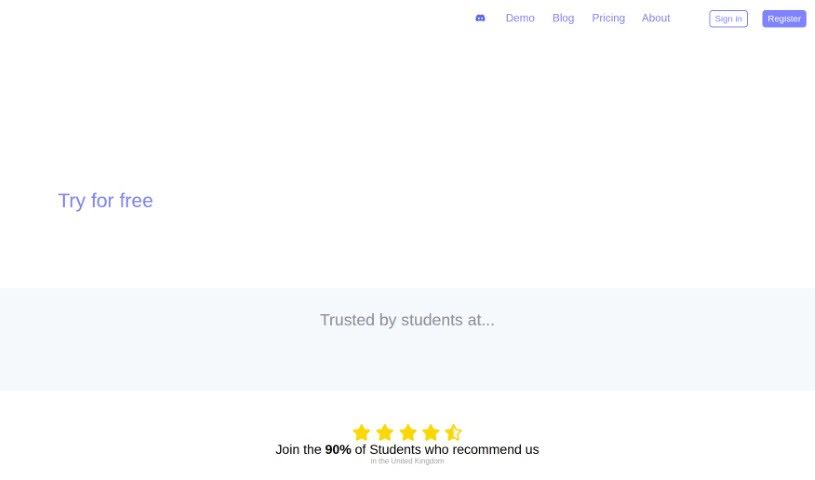
Screenshot of Revision

Revision

Discover Revision, a smart study tool for college students in 2025. Learn how it transforms notes, lectures, and PDFs into interactive flashcards, highlights knowledge gaps, and offers AI-powered study planning. See how it stacks up against other college student tools.

Screenshot

What is Revision?

Revision is a smart study tool designed specifically for college students. Essentially, it takes your study notes, lectures, PDFs, and even PowerPoint presentations and turns them into interactive, quiz-based flashcards. This makes preparing for exams much more engaging and effective. Revision offers several helpful features, including a Flashcard Generator, a ‘Learn Mode’ for daily study transitions, an AI-search for quick and accurate information retrieval, a way to highlight your knowledge gaps, and the ability to export flashcards to popular apps like Anki. Plus, it includes ‘Tailored Learning Maps’ to help you visualize your lectures and an ‘Automatic Study Planner’ that figures out what you need to study next to optimize your learning.

These quiz-based flashcards are interactive study aids, built from all sorts of study materials like your notes, lectures, PDFs, and PowerPoints. They’re designed to make studying more enjoyable and effective by grouping information into small, manageable exercises. As you progress, more of these exercises are unlocked. This method helps you cover your material thoroughly and keeps you on track with your studies.

So, to sum it up, Revision.ai provides a whole suite of features – like pinpointing where you’re weak in your knowledge, using AI to plan your studies, creating custom learning maps, and offering interactive flashcards – all aimed at making the study experience better, more user-friendly, and way more engaging for college students.

Who created Revision?

Revision.ai was developed by Reviso A.I. LTD. The platform first launched on December 25, 2023. Its main goal is to support college students by converting their study materials – think notes, lectures, PDFs, and PowerPoint presentations – into interactive, quiz-based flashcards. The tool also comes with handy features like an AI-search function, a way to identify knowledge gaps, flashcard export to apps like Anki, Tailored Learning Maps for visualizing information, and an Automatic Study Planner that adjusts your study schedule based on your progress and what you’ll need to learn in the future.

What is Revision used for?

  • It automatically generates flashcards.
  • It turns PDFs into quizzes.
  • It converts PowerPoint presentations into quizzes.
  • It helps you identify knowledge gaps.
  • You can export flashcards to Anki.
  • It creates Tailored Learning Maps for visualization.
  • It offers an interactive learning system.
  • It provides automated studying enhancements.
  • It features a user-friendly Learn Mode.
  • It offers visual representations of lectures.
  • It automatically generates flashcards.
  • It transforms PDFs into quizzes.
  • It converts PowerPoints into quizzes.
  • It highlights knowledge gaps.
  • You can export flashcards to Anki.
  • It includes an Automatic Study Planner.
  • It’s optimized specifically for college students.
  • It transforms PowerPoint presentations into quizzes.
  • It helps you create Tailored Learning Maps for visualization.
  • You can use the Automatic Study Planner feature.
  • It facilitates interactive learning.
  • It enhances studying through automated features.
  • It provides a user-friendly Learn Mode.
  • It turns study notes, lectures, PDFs, and PowerPoints into Quiz-based Flashcards.
  • Your study materials can include PDFs, PowerPoints, study notes, and lectures.
  • You can export flashcards to applications like Anki.
  • It helps you create Tailored Learning Maps for visual representations of lectures.
  • You can use the Learn Mode for daily study transitions.
  • It highlights knowledge gaps to help you improve.
  • The Automatic Study Planner feature predicts future learning requirements.
  • The Knowledge Gap feature helps identify areas that need more attention and study.
  • It optimizes study routines for college students.
  • It turns study materials into interactive study aids.
  • It predicts future learning requirements.

Who is Revision for?

  • College students

How to use Revision?

To get the most out of Revision.ai, just follow these simple steps:

  1. Upload Your Study Materials: Start by importing all your study materials into Revision.ai. This can include things like PDFs, PowerPoints, your own notes, or lecture recordings.
  2. Generate Quiz-based Flashcards: Use the built-in Flashcard Generator. It’ll take your uploaded materials and turn them into interactive flashcards, ready for quizzing.
  3. Jump into Learn Mode: Begin your daily study sessions with the easy-to-use Learn Mode. It’s designed to make learning feel structured and engaging.
  4. Try the AI-search: Need to find something specific in your uploaded content? The AI-search feature lets you do that quickly and accurately.
  5. Spot Your Knowledge Gaps: Make sure to use the Knowledge Gap feature. It’s great for showing you exactly which areas need a bit more of your focus.
  6. Export Your Flashcards: If you prefer studying with other tools, you can export your generated flashcards to external applications like Anki.
  7. Use Tailored Learning Maps: These visual maps help you see how different concepts connect and can efficiently highlight where your knowledge gaps are.
  8. Optimize Your Study Plan: Don’t forget the Automatic Study Planner! It uses AI to predict what you’ll need to study in the future, helping you create the best possible study routine.

By following these steps, you’ll be able to make the most of Revision.ai, leading to more effective and engaging study sessions.

Related AI Tools

Discover more tools in similar categories that might interest you

Academic Help Free Essay Generator

Education Academic Writing
Learn More

Stay Updated with AI Tools

Get weekly updates on the latest AI tools, trends, and insights delivered to your inbox

Join 25,000+ AI enthusiasts. No spam, unsubscribe anytime.