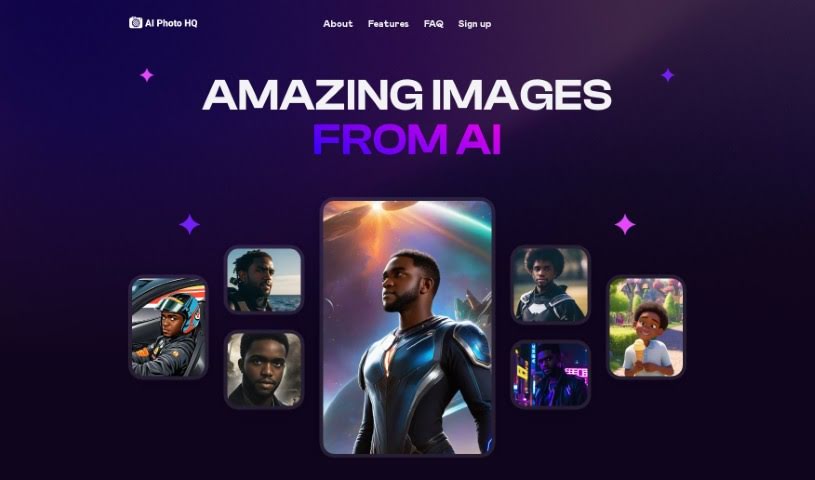
Screenshot of Retouch Pro

Retouch Pro

Discover what Retouch Pro is and how to use it effectively in 2025. We'll explore its features and see how it stacks up against other AI image generators.

Screenshot

What is Retouch Pro?

Retouch Pro is a neat AI-powered tool that takes your uploaded pictures and turns them into AI-generated photos. It’s pretty versatile, offering a bunch of cool visual styles. You can go for a ‘Realistic AI Photo,’ a ‘Comic Book’ look, ‘Cosplay,’ ‘AI Avatar,’ ‘Modern Cartoon,’ ‘Anime,’ ‘Line Art,’ ‘Low-Poly Style,’ ‘Fantasy Art,’ or even ‘Neon Punk Style.’ Basically, you upload your photos, and Retouch Pro creates unique AI characters that capture the essence of your original images. People seem to like it because it’s fast, lets you create unlimited custom characters, has tons of templates, helps optimize your images for social media, hosts your photos forever, offers loads of visual styles, has affordable plans that grow with you, creates personalized avatars, and even does comprehensive image retouching and restoration. You can also tag your favorite creations to keep them handy, host them indefinitely, and use features like motion effects for videos and various art conversions.

Who created Retouch Pro?

Chris founded the company behind Retouch Pro. They launched the platform on February 25, 2024. It’s packed with features like quick image generation, a huge collection of templates, social media optimization, personalized avatars, and detailed image retouching. You can also choose from various visual styles, including Comic Book, Cosplay, and Fantasy Art. The company offers customer support plans and accepts payments through popular digital wallets like MetaMask, BitGo, Trust Wallet, and Coinbase.

What is Retouch Pro used for?

Retouch Pro is great for a few key things:

  • Quick Image Generation: Get your AI photos made in a flash.
  • Personalized Avatars: Create unique avatars that look like you.
  • Social Media Ready: It generates images perfectly sized for platforms like Instagram and TikTok.
  • Indefinite Photo Hosting: Tag your favorite images and they’ll be stored on the platform forever.
  • Diverse Visual Styles: Explore options like ‘Comic Book,’ ‘Fantasy Art,’ and ‘Neon Punk Style’ to give your images a unique look.
  • Scalable Plans: The pricing adjusts to fit your needs and budget.
  • AI Photo Editing: It offers AI-powered retouching and editing features.
  • Custom Character Creation: Make unlimited unique AI characters based on your photos.
  • Template Variety: Access an extensive collection of templates to kickstart your creativity.
  • Photo Conversion: Easily turn your photos into cartoons or other artistic styles.
  • Easy Account Setup: Just fill out the details on their website to get started.
  • Customer Support: Premium and guru plans include helpful customer support.

Essentially, it’s for generating AI photos, creating personalized avatars, optimizing images for social media, storing your favorite creations indefinitely, and converting photos into various artistic styles like ‘Comic Book,’ ‘Cosplay,’ and ‘Anime.’ It’s fast, offers AI retouching, and has plans that scale with you. Plus, you can create a collection of your favorite tagged photos, host them forever, and even get customer support. It’s designed to make your images look great for Instagram and TikTok, and it handles everything from realistic AI photos to fantasy art and neon punk styles.

Who is Retouch Pro for?

Retouch Pro is a fantastic tool for:

  • Photographers
  • Graphic designers
  • Content creators
  • Social media influencers
  • Artists
  • Social media managers
  • Digital artists

How to use Retouch Pro?

Using Retouch Pro is pretty straightforward. Here’s a simple guide:

  1. Create Your Account: First, head over to the Retouch Pro website and click on “Create Account.” You’ll just need to fill in a few details to get set up.
  2. Upload Your Photos: Next, upload the pictures you want to transform. Retouch Pro’s smart AI will then analyze them.
  3. Pick a Visual Style: Choose from a variety of styles like ‘Realistic AI Photo,’ ‘Comic Book,’ ‘Cosplay,’ ‘AI Avatar,’ ‘Modern Cartoon,’ ‘Anime,’ ‘Line Art,’ ‘Low-Poly Style,’ ‘Fantasy Art,’ or ‘Neon Punk Style.’
  4. Generate Your AI Photos: Let Retouch Pro do its thing! It processes your images in seconds to create the style you picked.
  5. Make Personalized Avatars: If you’re looking to create unique avatars, upload your photos. Retouch Pro will generate AI avatars that really capture your look.
  6. Browse Templates and Styles: There’s a huge range of pre-made templates and styles available. Pick the ones that best match what you’re going for.
  7. Optimize for Social Media: Retouch Pro can automatically adjust your images so they look perfect when you share them on platforms like Instagram and TikTok.
  8. Tag and Save Your Favorites: You can tag photos you love to find them easily later. Plus, they’re hosted indefinitely, so you can build a great collection of your AI creations.
  9. Choose a Plan: Retouch Pro offers flexible plans that you can scale up or down based on your needs and budget. You can start affordably and upgrade when you’re ready.
  10. Get Customer Support: If you’re on a premium or guru plan, you’ll have customer support available to help with any questions or issues.

Following these steps should help you use Retouch Pro to easily and efficiently enhance and stylize your images.

Related AI Tools

Discover more tools in similar categories that might interest you

123RF AI Image Generator

Creative Image Generation
Learn More

Stay Updated with AI Tools

Get weekly updates on the latest AI tools, trends, and insights delivered to your inbox

Join 25,000+ AI enthusiasts. No spam, unsubscribe anytime.