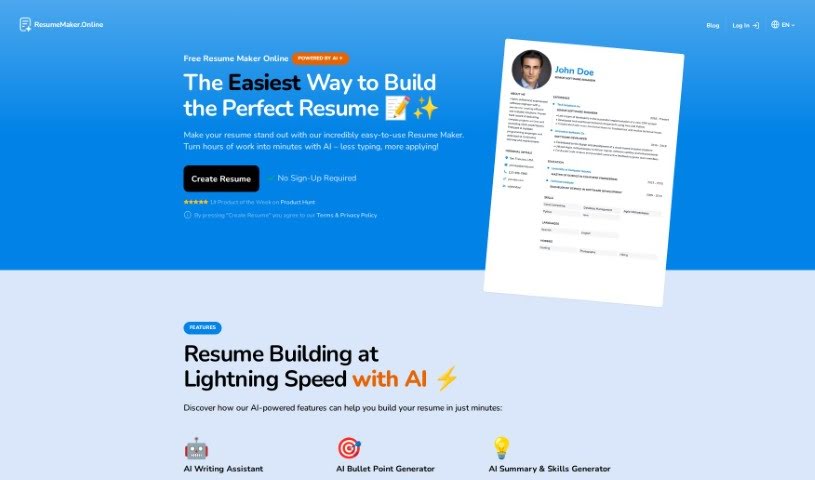
What is Resumemaker.online?
Resumemaker.online is a platform packed with AI tools designed to help you create professional resumes super fast. It is your personal resume assistant! You get an AI Writing Assistant that offers great suggestions for what to write, an AI Bullet Point Generator to really make your job experiences shine, and even an AI Resume Import tool to help you polish up an old resume. What’s really neat is that they care about your privacy – all your data stays right there on your device, not on their servers. Plus, Resumemaker.online is built to work well with Applicant Tracking Systems (ATS), which means your resume is more likely to get noticed by employers. It’s super easy to use, supports multiple languages, and you don’t even need to sign up to get started. It really makes building a resume straightforward and quick.
Who created Resumemaker.online?
Fernando is the person behind Resumemaker.online. His company is all about giving users a really well-designed and customizable resume template. People who’ve used it often mention how helpful and available Fernando is, which really speaks to how much they focus on making the product user-friendly and valuable.
What is Resumemaker.online used for?
Here’s a rundown of what you can do with Resumemaker.online:
- Multi-language support: Great for global users.
- Resume Building with AI Writing Assistant: Get help crafting your content.
- Clear and Effective Bullet Point Generation: Make your job duties pop.
- Resume Import and Refinement: Update and improve your existing resumes.
- Privacy-Friendly Data Handling: Your data stays local on your device.
- Free PDF Download of Resumes: Get a professional-looking resume easily.
- Optimized for Applicant Tracking Systems (ATS): Helps your resume get past the initial screening.
- User-Friendly and Easy Resume Creation: It’s designed to be simple for everyone.
- No Sign-Up Required for Resume Building: Start creating right away.
- Fully Customizable Resume Templates: Tailor the look to your style.
- Supporting multiple languages for global users: Reach a wider audience.
- Resume Building at Lightning Speed with AI: Get it done quickly.
- AI Writing Assistant for AI-driven resume creation: Smart suggestions for your content.
- AI Bullet Point Generator for clear and effective job descriptions: Craft impactful bullet points.
- AI Resume Import for updating and refining existing resumes: Easily bring your old resume up to date.
- Privacy-Friendly tool that saves data locally on the device: Your information is safe.
- Free PDF Download of the resume: Get a professional copy without extra cost.
- Optimized for ATS for better compatibility with Applicant Tracking Systems: Increase your chances of getting seen.
- Unrivaled Ease of Use for quick and professional resume creation: It’s incredibly simple to use.
- Multi-Language Support for global accessibility: Use it no matter your language.
- Fully Customizable Template for tailored resume design: Make it uniquely yours.
- Creating professional resumes and CVs effortlessly: It’s easy to make great-looking documents.
- Generating personalized resumes tailored to individual skills, experience, and industry: Get a resume that fits you perfectly.
- Utilizing artificial intelligence for resume writing assistance: Let AI help you write.
- Improving resumes with an AI Bullet Point Generator: Make your experience descriptions stronger.
- Importing and refining old resumes: Give your existing resume a refresh.
- Ensuring data privacy by not storing resume information on the platform: Your data is kept private.
- Downloading resumes in multiple formats (PDF, Word): Get your resume how you need it.
- Providing modern and professional resume templates: Choose from stylish designs.
- Offering ease of use with no sign-up required: Jump right in and start.
- Using the AI Resume Writing Assistant to create a resume: Let AI help you write your resume.
- Improving a resume with the AI Bullet Point Generator: Make your experience descriptions more impactful.
- Importing a resume into the resume maker: Easily bring your old resume into the tool.
- Ensuring data safety with the resume maker: Your resume data is kept secure.
- Downloading a resume as a PDF from iOS: Save your resume easily on your iPhone or iPad.
- Understanding resume design guidelines: Learn best practices for how your resume looks.
- Determining the optimal length of a resume: Figure out how long your resume should be.
- Deciding whether to include references on a resume: Know when and how to add references.
- Understanding how far back work experience should go on a resume: Keep your work history relevant.
Who is Resumemaker.online for?
This tool is perfect for a wide range of professionals, including:
- Software developers
- Data Analysts
- Marketing Specialists
- Graphic Designers
- Project Managers
- Sales Associates
- Customer Service Representatives
- Human Resources Managers
- Financial Analysts
- Administrative Assistants
- Web Developers
- Nurses
- Teachers
- Accountants
- Research Scientists
How to use Resumemaker.online?
Using Resumemaker.online is a breeze! Just follow these simple steps:
- First, head over to the website and access the resume maker tool.
- When you’re in the sections for your profile, work experience, or skills, look for the AI Writing Assistant button and click it.
- Tell it your role, and it’ll give you tailored suggestions to help you craft a professional resume without any hassle.
- To really make your experience section stand out, use the AI Bullet Point Generator. It helps you create clear and impactful bullet points based on your specific role.
- Got an old resume? No problem! You can import it using the AI Resume Import feature. This tool will help enhance its format and presentation with just a few clicks.
- Your data is kept safe and private because this tool is designed to save everything locally on your device. Nothing is stored on the platform itself.
- You don’t need to sign up to start using the resume maker, so you can begin creating your resume right away.
- If you’re on iOS and want to download your resume as a PDF, just tap the action/share button, scroll down, select “Save to files,” pick where you want to save it, and then tap “Save.”
- While you can build your resume for free, there’s a small fee to download and share the final professional PDF version.
Quick tips for your resume: Always aim for simplicity and readability in your design. Try to keep it to a single page if possible. Keep your references separate until an employer specifically asks for them. And when it comes to work experience, focus on the last 10-15 years to keep it most relevant.