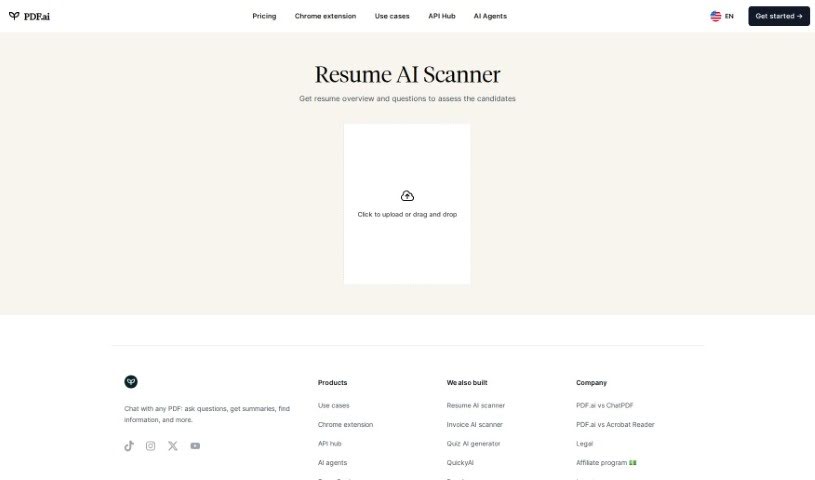
Screenshot of Resume Scanner

Resume Scanner

Discover what Resume Scanner is and how to use it effectively in 2025. We'll explore its features, compare it to other recruitment tools, and guide you through its simple usage.

Screenshot

What is Resume Scanner?

The Resume AI Scanner is a handy tool that gives you a quick overview of a candidate’s resume. It also generates a set of thoughtful questions to help you really get to know them and see if they’re a good fit for the job. This smart technology makes evaluating candidates much smoother. It pulls out the important details from resumes and then creates insightful questions that let you dig deeper into their skills and whether they’d be a good match for the role. By using this scanner, recruiters and hiring managers can save valuable time and make sure they’re evaluating applicants thoroughly and efficiently, all based on the resumes they’ve submitted. Essentially, the Resume AI Scanner is designed to make the whole hiring process better by using AI to help you review candidates in a more organized and informative way.

Who created Resume Scanner?

Resume Scanner was developed by a company called PDF.ai. While the specific founder isn’t mentioned in the details we have, the company launched Resume Scanner on August 16, 2023.

What is Resume Scanner used for?

Here’s a look at what Resume Scanner helps you do:

  • Make the candidate assessment process much smoother.
  • Get valuable overviews based on the information in resumes.
  • Generate relevant questions that help you make better decisions.
  • Create assessment questions to screen candidates efficiently.
  • Streamline the entire process of assessing candidates.
  • Provide a clear overview of a candidate’s qualifications.
  • Chat directly with your PDF documents.
  • Pull out the key information from resumes.
  • Validate that a candidate’s qualifications are a good match.
  • It works well with other products.
  • It’s super convenient to upload resumes.
  • It supports multiple platforms.
  • It offers great information summary features.

Who is Resume Scanner for?

  • Recruiters
  • Hiring managers
  • Anyone involved in screening candidates

How to use Resume Scanner?

Using the Resume AI Scanner tool is pretty straightforward. Just follow these simple steps:

  1. First, head over to the Resume AI Scanner tool on the website.
  2. Click on the tool to open it up and see all its features.
  3. You’ll see an option to upload files. Click on the designated spot to pick out and upload the resume you have, which should be in PDF format.
  4. Or, if you prefer, you can just drag and drop your PDF resume file right into the upload area.
  5. Once your file is uploaded, the tool will get to work analyzing the resume. It’ll then give you an overview and suggest questions to help you assess the candidate based on what’s in their resume.
  6. Take a look at the information the tool provides. It’ll give you good insights into the candidate’s qualifications and how well they might fit the position.

By following these steps, you can easily use the Resume AI Scanner to review candidate resumes and make smarter decisions as you hire.

Related AI Tools

Discover more tools in similar categories that might interest you

Adaface AI Resume Parser

Human Resource Recruitment
Learn More

Stay Updated with AI Tools

Get weekly updates on the latest AI tools, trends, and insights delivered to your inbox

Join 25,000+ AI enthusiasts. No spam, unsubscribe anytime.