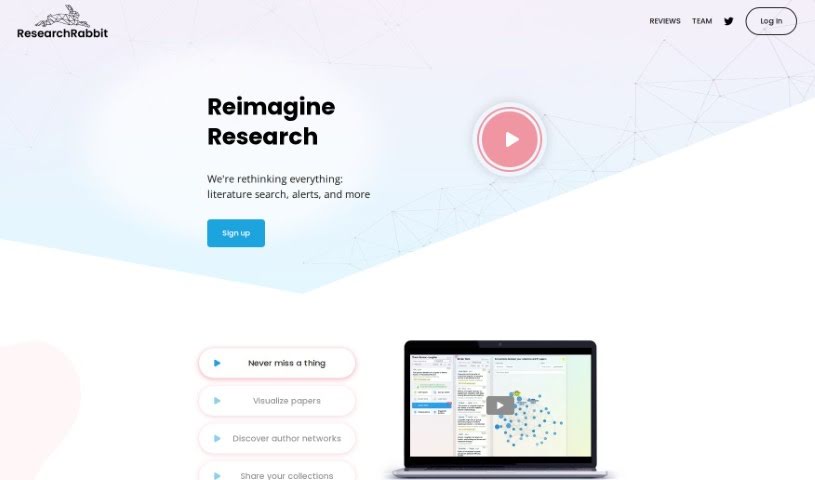
Screenshot of ResearchRabbit

ResearchRabbit

Curious about ResearchRabbit? We'll walk you through what this AI-powered app is, how to use its features effectively in 2025, and how it stacks up against other academic research tools.

Screenshot

What is ResearchRabbit?

ResearchRabbit is your smart AI assistant for academic research. It’s designed to make finding and organizing scholarly papers much simpler. With ResearchRabbit, you can easily dive into interactive visualizations of research, build your own collections of important papers, discover new researchers in your field, and even get updates on the latest studies that matter to you. Essentially, it’s all about making academic research smoother and scholarly content more accessible for everyone.

Who created ResearchRabbit?

ResearchRabbit was actually started by Mike Ma. Before this, he worked as an investigative researcher in finance, focusing on tackling unethical practices. The company’s core mission is to empower researchers like you with an AI tool that really simplifies how you find and keep track of academic papers.

What is ResearchRabbit used for?

Here’s a quick rundown of what you can do with ResearchRabbit:

  • Find and organize academic papers with ease.
  • Explore research through interactive, visual maps.
  • Create custom collections of papers that are relevant to your work.
  • Discover new authors and researchers in your field.
  • Get regular updates and digests on new research that fits your interests.

Who is ResearchRabbit for?

ResearchRabbit is a great tool for a variety of professionals and academics, including:

  • Software Engineers
  • Immunobiologists
  • Investigative researchers in finance
  • (And yes, we’re listing software engineers, immunobiologists, and finance researchers again because it’s a diverse group!)

How to use ResearchRabbit?

Getting started with ResearchRabbit is pretty straightforward. Just follow these steps:

  1. Sign Up: Head over to the ResearchRabbit website and create an account using your email. It’s a quick process.
  2. Set Preferences: Once you’re in, take a moment to customize your profile. Tell it about your research interests, the topics you care about, and your academic fields. This helps the AI tailor results for you.
  3. Explore Papers: Use the AI-powered search to find academic papers that match your interests. It’s designed to be intuitive.
  4. Save Papers: Found something useful? Save it to your personal collection so you can easily refer back to it later.
  5. Organize: To keep things tidy, create folders or categories for your saved papers. This makes finding specific articles a breeze.
  6. Interact with Visualizations: Don’t miss the interactive visualizations! They’re a fantastic way to get a visual grasp of key insights from research papers.
  7. Discover New Authors: Want to know who else is doing great work in your area? Check out the recommended authors section to find new researchers.
  8. Stay Informed: Sign up for digests of new research that align with your interests. It’s a simple way to stay current.
  9. Collaborate: ResearchRabbit also makes it easy to work with others. You can share papers and collections directly on the platform.
  10. Stay Engaged: Keep an eye out for updates on new research and trending topics in your field. It’s a good habit for staying ahead.

By following these steps, you can really make ResearchRabbit work for you, simplifying your academic research and keeping you in the loop with the latest developments.

Related AI Tools

Discover more tools in similar categories that might interest you

Academic Help Free Essay Generator

Education Academic Writing
Learn More

Stay Updated with AI Tools

Get weekly updates on the latest AI tools, trends, and insights delivered to your inbox

Join 25,000+ AI enthusiasts. No spam, unsubscribe anytime.