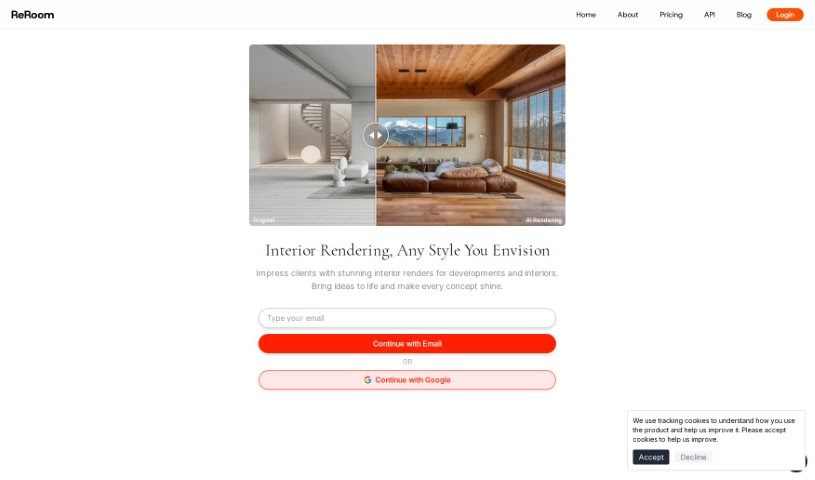
Screenshot of ReRoom AI

ReRoom AI

Discover ReRoom AI in 2025! Learn what it is, how to use its features effectively, and how it stacks up against other interior design tools.

Screenshot

What is ReRoom AI?

ReRoom AI is a really neat online tool that can instantly give your rooms impressive interior design makeovers. All you have to do is upload a photo of your room, and you can then check out more than 20 different design styles. You’ll get photorealistic images of your space in just seconds! It’s perfect for anyone who owns a home, works as an interior designer, or just loves decor and wants to play around with different looks without any hassle. ReRoom AI makes it super easy to virtually stage rooms, plan out renovations, and explore all sorts of creative design ideas, really bringing your imagination to life visually.

Who created ReRoom AI?

ReRoom AI was developed by a company called “We build your AI App,” which is part of Southern East Inc. This company focuses on creating innovative AI-powered interior design features, and ReRoom AI is their main offering. It lets you upload pictures of your rooms and easily explore a wide variety of design styles. The platform delivers incredibly realistic room visualizations in mere seconds, making it a fantastic option for homeowners, interior designers, and anyone interested in decor who wants to try out different aesthetics without any physical work.

What is ReRoom AI used for?

  • Photorealistic Renders: Get high-quality, realistic images of your rooms almost instantly.
  • Diverse Design Styles: You can explore over 20 unique design styles to discover the perfect look for your interior.
  • Seamless Upload Process: Uploading photos of your room is straightforward thanks to its user-friendly interface.
  • Rapid Transformation: See your entire room remade in just seconds, which saves you a lot of time and effort.
  • Community Inspiration: Find inspiration in a vibrant gallery filled with designs from other users, covering all sorts of rooms and styles.

Who is ReRoom AI for?

  • Interior designers
  • Homeowners
  • Decor enthusiasts
  • Real estate agents
  • Property managers
  • Architects
  • Staging professionals
  • Home renovation contractors
  • Visual merchandisers
  • Design consultants

How to use ReRoom AI?

Ready to give your interior design ideas a visual spin with ReRoom AI? It’s pretty simple:

  1. First, head over to the ReRoom AI website at reroom.ai.
  2. Next, upload a picture of the room you’re thinking of redesigning.
  3. Then, browse through the more than 20 unique design styles offered on the platform.
  4. You’ll get photorealistic visualizations of your room back in just seconds.
  5. Feel free to experiment with different looks and styles without any trouble.
  6. To get started, confirm your email and then sign in using your Google account.
  7. You’ll find the whole design experience is smooth and easy to navigate.
  8. Whether you’re looking to virtually stage a room, map out a complete renovation, or just explore some creative design concepts, ReRoom AI makes sure the journey from your imagination to a visual reality is a smooth one.

With ReRoom AI, homeowners, interior designers, and anyone who loves decor can easily turn their design visions into beautiful visualizations without breaking a sweat. This tool offers a user-friendly platform that makes the design process accessible to everyone, whether you’re just starting out or you’re a seasoned pro. Why not start designing your dream space today with ReRoom AI!

Related AI Tools

Discover more tools in similar categories that might interest you

123RF AI Image Generator

Creative Image Generation
Learn More

Stay Updated with AI Tools

Get weekly updates on the latest AI tools, trends, and insights delivered to your inbox

Join 25,000+ AI enthusiasts. No spam, unsubscribe anytime.