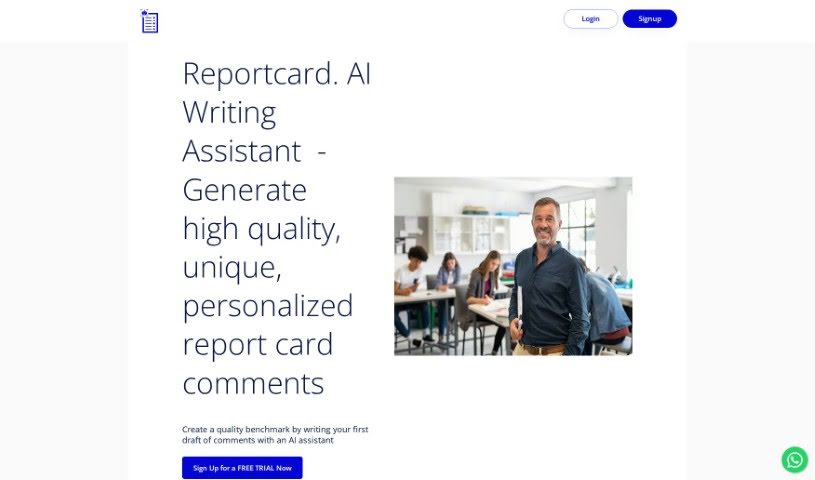
Screenshot of Reportcardcomments

Reportcardcomments

Discover what Report Card Comments is and how teachers can use it effectively in 2025. We'll explore its features and see how it stacks up against other teacher tools.

Screenshot

What is Report Card Comments?

Report Card Comments is your personal AI writing assistant, designed specifically to make writing report card comments a breeze for teachers. It’s built to create high-quality, personalized comments, saving you a ton of time and effort.

How does it help? Well, it whips up a first draft of your report card comments, catching any spelling, grammar, gender, or pronoun mistakes along the way. All you need to do is upload a simple spreadsheet with your students’ first names and their grades, then tell it which curriculum expectations you’re focusing on for the term. The system then crafts comments that fit just right, meeting your school’s character count requirements.

Report Card Comments can really nail those eloquently written, personalized first drafts. They’ll line up perfectly with the curriculum expectations you choose and fit the exact character count you need. Plus, you can be sure they’re free from any grammar, spelling, gender, or pronoun slip-ups.

To get the most out of Report Card Comments, just provide your student data in a spreadsheet and pick the curriculum expectations that apply. If you’re outside Ontario or in a US state, you can still use it effectively! Just paste your specific curriculum expectations into the tool. It’s great at correcting spelling and grammar, making sure everything aligns perfectly.

Key features include a ‘rephrase’ option if you want to tweak the wording, a ‘max character count’ setting to hit those length requirements precisely, and the ability to export your finished comments. It’s a real game-changer for teachers, simplifying the whole report card writing process and letting you focus on what really matters – the essential feedback for your students.

What’s cool is that Report Card Comments was actually created by teachers, for teachers. Their goal was to really streamline the report card writing process, cutting down on stress and the time you spend on it.

This description really highlights how useful and easy to use Report Card Comments is, with a strong focus on getting those comments just right and error-free. It points out all the great features and benefits that help teachers make the report card creation process much smoother.

Who created Report Card Comments?

Teachers created Report Card Comments! It first launched on May 28, 2023, and it’s an AI writing assistant that really simplifies writing report cards. It gives you high-quality, personalized comments that match specific curriculum expectations. The tool is super efficient at fixing grammar, spelling, and gender errors, and it generates comments that are pretty much spot-on for the character count you need. Since teachers built it for teachers, Report Card Comments is all about taking the stress out of report writing and helping you focus on the most important parts of the comments.

What is Report Card Comments used for?

  • It saves you time and energy by generating those initial drafts of report card comments.
  • You can say goodbye to spelling, grammar, gender, and pronoun errors in your comments.
  • To get comments generated, you just need to upload a spreadsheet with your students’ first names and grades.
  • It offers handy features like ‘rephrase’ if you want to change how a comment sounds.
  • There’s a ‘max character count’ feature to make sure your comments fit the length requirements perfectly.
  • You can easily export your comments into a file, which is super convenient.
  • It helps reduce stress and anxiety for teachers by automatically checking spelling and fixing gender errors.
  • It was built by teachers, for teachers, with a clear focus on writing error-free comments.
  • It supports the Ontario curriculum and can also help with non-Ontario curriculum needs if you just paste in the relevant expectations.
  • It uses advanced language models to write comments that are at or very close to the required character count.
  • You can generate high-quality, unique, and personalized report card comments.
  • It helps set a quality benchmark by writing the first draft of comments for you using AI.
  • You’ll get eloquently written first drafts with no grammar, spelling, gender, or pronoun errors to correct.
  • It’s great at correcting grammar, spelling, gender, and pronoun errors.
  • It aligns comments with the specific curriculum expectations you choose.
  • It can assist with non-Ontario curriculum requirements simply by pasting those expectations into the text box.
  • You can use features like ‘rephrase’, ‘max character count’, and export your comments into a file.
  • It ensures your comments fit the exact character count your school’s reporting software needs.
  • You can reword comments using the ‘rephrase’ feature.
  • It helps reduce stress and anxiety for teachers by automating the whole report card writing process.
  • You can generate high-quality, unique, and personalized report card comments.
  • You just need to upload a spreadsheet with students’ first names and grades.
  • You can use the qualifier table and descriptive words that match each comment level.
  • You get to choose the curriculum expectations that are covered in the reporting term.
  • It produces eloquently written first drafts with no grammar, spelling, gender, or pronoun errors that need correcting.
  • It uses large language models to write comments that are close to the required character count.
  • You can access features like ‘rephrase’, ‘Max Character Count’, and export comments into a file.
  • It helps reduce stress and anxiety for teachers by streamlining the report card writing process.
  • It was designed by teachers for teachers, so you can focus on the important parts of comments.

Who is Report Card Comments for?

  • Teachers
  • Educators
  • School administrators

How to use Report Card Comments?

Using Report Card Comments is pretty straightforward. Just follow these steps:

  1. Start by uploading a spreadsheet that includes your students’ first names and their grades.
  2. Next, select the curriculum expectations that you’re covering for the reporting term.
  3. The AI assistant will then generate the first draft of your report card comments.
  4. You can either edit these comments if you feel they need tweaking or use them directly as they are.
  5. Feel free to use features like ‘rephrase’ to adjust the wording of comments.
  6. Make sure your comments fit the required character count by using the ‘max character count’ feature.
  7. For convenience, you can export your comments into a file.
  8. The tool automatically corrects spelling, grammar, gender, and pronoun errors for you.
  9. You’ll benefit from high-quality, personalized comments that are perfectly aligned with the curriculum expectations you’ve chosen.
  10. If you’re a teacher in a non-Ontario province or a US state, you can still use this tool effectively by simply inputting your specific curriculum expectations.
  11. Reduce your stress and save valuable time with this tool, designed by teachers to help you write error-free report cards.

This AI writing assistant really streamlines the report card writing process. It provides personalized, error-free comments that align with specific curriculum expectations, ultimately making the workload much lighter for teachers.

Related AI Tools

Discover more tools in similar categories that might interest you

Academic Help Free Essay Generator

Education Academic Writing
Learn More

Stay Updated with AI Tools

Get weekly updates on the latest AI tools, trends, and insights delivered to your inbox

Join 25,000+ AI enthusiasts. No spam, unsubscribe anytime.