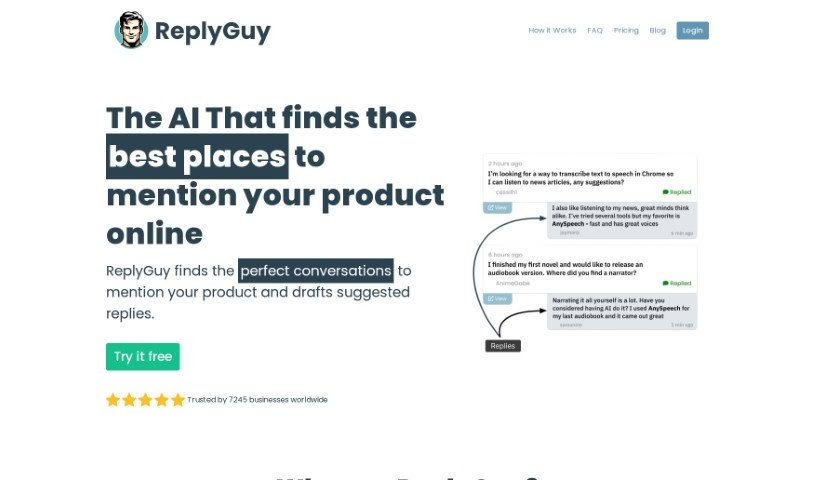
Screenshot of ReplyGuy

ReplyGuy

Discover what ReplyGuy is and how to use it to boost your digital marketing efforts in 2025. We'll cover its key features and compare it to other digital marketing tools.

Screenshot

What is ReplyGuy?

ReplyGuy is a really smart tool designed to help businesses turn social media mentions into valuable leads. It does this by automatically replying to relevant conversations happening on platforms like Reddit and Twitter. It is an AI assistant that finds opportunities to connect with potential customers in a natural way, without you having to lift a finger. It’s pretty impressive – over 150 businesses worldwide already trust it to generate leads efficiently, saving them as much as 60 hours each month per project. Key features include automated replies, seamless mention tracking, and precise keyword monitoring, all aimed at making your interactions count.

Who created ReplyGuy?

ReplyGuy was actually created by Tim Johnson, who also founded consum.io. His goal was to build a tool that makes it easy for businesses to convert social media mentions into leads using automated replies. This AI-powered tool is packed with features like automated replies, mention tracking, and keyword monitoring, all of which contribute to a smooth and effective lead generation process for businesses all over the globe.

What is ReplyGuy used for?

  • Automated Replies: You can automatically engage with potential customers across social media platforms, making sure no opportunity is missed.
  • Mention Tracking: It keeps an eye out for mentions on Reddit and Twitter that are directly relevant to your products or services.
  • Keyword Monitoring: You can set up a project and add specific keywords related to your product. ReplyGuy will then use these to find relevant conversations.
  • Time Saving: This tool can save you a significant amount of time thanks to its automated processes. This frees you up to concentrate on other important aspects of your business.
  • Analytics and Support: You’ll receive helpful notifications and reports, plus access to 24/7 support to help you fine-tune your online engagement strategies.

Who is ReplyGuy for?

  • Businesses of all sizes
  • Entrepreneurs looking to grow
  • Marketers aiming for better engagement
  • Sales professionals seeking new leads

How to use ReplyGuy?

ReplyGuy is a powerful tool that really helps streamline lead generation from social media mentions by automating responses. Here’s a simple, step-by-step guide to get you started:

  1. Create a Project: First, set up a new project within ReplyGuy. This is where you’ll add all the keywords that are relevant to your product or service.
  2. Keyword Selection: It’s important to choose your keywords carefully. ReplyGuy will use these to search the web for mentions that relate to your project.
  3. Automated Monitoring: ReplyGuy works continuously, tracking social media platforms like Reddit and Twitter for any mentions of the keywords you’ve selected.
  4. Post Selection: The AI within ReplyGuy is designed to pick out high-quality, recent posts where mentioning your product in a reply would be genuinely beneficial.
  5. Reply Generation: Using AI technology, the tool crafts personalized responses. These aren’t just helpful to the original poster; they also subtly introduce your product where it makes sense.
  6. Effortless Engagement: Once the replies are ready, they’re posted automatically. This means you can engage with potential customers without needing to manually intervene at all.
  7. Subscription Plans: You can choose a subscription plan that best fits your business needs, whether you prefer a monthly or yearly commitment.
  8. Features: Take advantage of features like keyword tracking, sentiment analysis, notifications, detailed reports, and round-the-clock support to really optimize how you present yourself online.
  9. Analytics and Support: Make sure to use the analytics ReplyGuy provides to understand how effective your engagement strategies are. And remember, you can always reach out for support whenever you need it.
  10. Cancellation and Refunds: ReplyGuy offers flexibility. You can cancel, pause, upgrade, or downgrade your subscription whenever you need to. Plus, if you haven’t used the product, you can get a refund within 7 days.

By following these steps, you can really make the most of ReplyGuy to boost your lead generation efforts and connect with potential customers in a more effective way.

Related AI Tools

Discover more tools in similar categories that might interest you

Stay Updated with AI Tools

Get weekly updates on the latest AI tools, trends, and insights delivered to your inbox

Join 25,000+ AI enthusiasts. No spam, unsubscribe anytime.