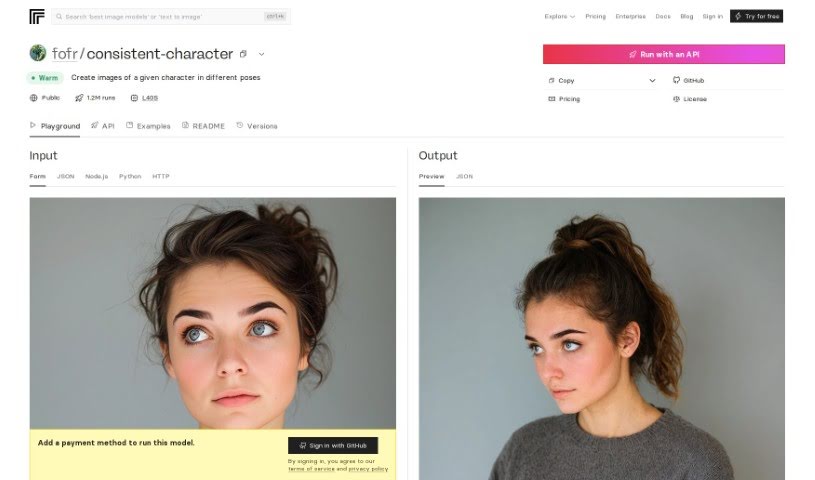
Screenshot of Replicate AI Consistent Character

Replicate AI Consistent Character

Discover what Replicate AI's Consistent Character tool is all about in 2025. We'll walk you through its features, how to use it effectively, and how it stacks up against other character chat tools.

Screenshot

What is Replicate AI Consistent Character?

When we talk about a ‘consistent character’ in AI, we’re essentially referring to a model or program designed to produce outputs that stay true to a specific prompt or subject. You give it a description and a picture, and it can generate multiple variations that all look and feel like they belong to the same character. The “fofr/consistent-character” model on Replicate is a great example of this. It lets you tweak all sorts of settings – like the output style, how good the quality is, and how many variations you want. By using this model, you can count on getting results that are not only consistent but also make sense with what you initially provided.

Who created Replicate AI Consistent Character?

This handy tool was developed by a company called Fofr. While the specific details about the founder of Consistent Character aren’t readily available in the information I have, Fofr is indeed the company behind it. You can find the project publicly showcased on Replicate’s platform, which is pretty neat.

How to use Replicate AI Consistent Character?

Getting started with the Consistent Character tool is pretty straightforward. Here’s a breakdown of how you can use it:

  1. Through Replicate’s API (Python):
    • You can run the tool by importing the replicate library in Python. Then, you’ll use the replicate.run() function, providing all the necessary details like your prompt description, the subject image, the desired output format, quality settings, and how many outputs you’re looking for. It’s a good idea to peek at the model’s schema to get a clearer picture of all the input and output options available.
  2. Using Docker:
    • If you’re comfortable with Docker, you can pull and run the tool directly. You’ll need to use a specific command that includes the model’s SHA256 identifier to get it going.
  3. Using Cog:
    • Similar to Docker, you can also pull and run the tool using Cog. This involves providing your input parameters – like the prompt, subject, output format, quality, and number of outputs – through a command that’s quite similar to the Docker method.
  4. Setting up the Client (JavaScript):
    • For those working with JavaScript, you can import and set up the client using the Replicate package. This usually involves creating a new instance of Replicate and providing your API token for authentication.

By following these steps, you’ll be well on your way to using the Consistent Character tool effectively for whatever projects or tasks you have in mind.

Related AI Tools

Discover more tools in similar categories that might interest you

123RF AI Image Generator

Creative Image Generation
Learn More

Stay Updated with AI Tools

Get weekly updates on the latest AI tools, trends, and insights delivered to your inbox

Join 25,000+ AI enthusiasts. No spam, unsubscribe anytime.