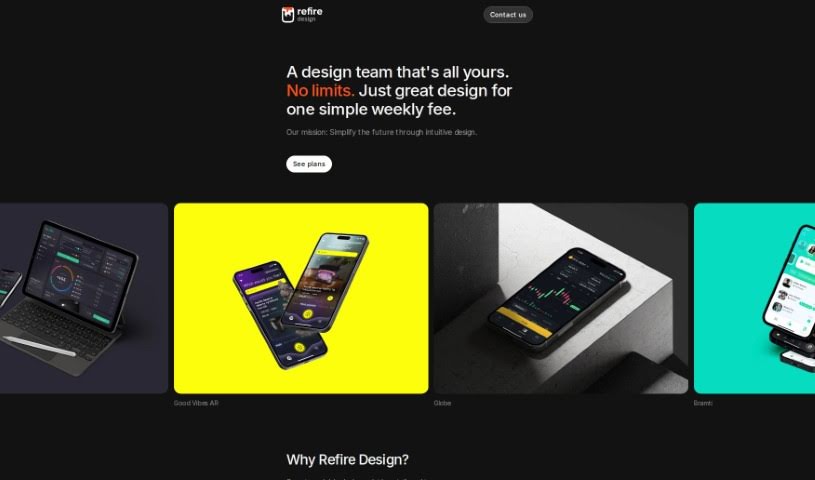
Screenshot of Refire Design

Refire Design

Discover what Refire Design is and how to use it effectively in 2025. We'll explore its features and see how it stacks up against other content writing tools.

Screenshot

What is Refire Design?

GPT Mate is a handy Figma plugin that really helps you generate text right within your designs. It lets you create, edit, and then easily pop that text into Figma and FigJam. It’s got these cool modes – ā€˜Create’, ā€˜Rewrite’, and ā€˜Custom’ – all designed to make your creative process smoother and faster. It uses a cached OpenAI API, which means it’s super efficient at generating text, and it also gives you access to over 500 special prompts made just for GPT Mate to get your creative juices flowing.

Who created Refire Design?

Arthur, the lead designer and co-founder of Refire Design, is the person behind ā€œGPT Mate.ā€ Refire Design itself is a web design studio that got started in 2022. They focus on crafting really innovative designs that are specifically built to help clients achieve their business goals. They work with all sorts of industries, including AI, ML, Web3, Crypto, CRM/ERP, and many more. Arthur brings over a decade of design experience to the table, and he’s all about making sure designs aren’t just pretty to look at, but also deliver real value and help businesses move forward.

What is Refire Design used for?

  • You can easily create fresh, engaging content.
  • It helps make your spelling better and phrases catchier, giving your design a stronger narrative.
  • You can save your own custom prompts, which really tailors the experience to your specific design needs.
  • It uses a cached OpenAI API, so text generation is both fast and cost-effective.
  • You get access to over 500 prompts created specifically for GPT Mate, perfect for sparking new ideas.

Who is Refire Design for?

  • AI
  • ML
  • Web3
  • Crypto
  • CRM/ERP
  • SaaS
  • E-Commerce
  • Retail
  • Fintech
  • Real estate
  • Digital Marketing
  • Security and Authentication
  • Social Platforms (including dating and social media)
  • Healthcare
  • Logistics
  • HoReCa

How to use Refire Design?

Ready to use GPT Mate, the Figma plugin for text generation? It’s pretty straightforward. Just follow these steps:

  1. Installation:
    • Head over to the Figma plugin directory.
    • Look for ā€œGPT Mateā€ and hit the ā€œInstallā€ button. That’s it, it’ll be added to your Figma workspace.
  2. Access:
    • Once it’s installed, you’ll find GPT Mate in the Figma plugins menu.
    • Just click on it to open up the plugin interface.
  3. Modes:
    • GPT Mate gives you three main ways to work: Create, Rewrite, and Custom.
    • Use ā€˜Create’ when you need to whip up new content fast.
    • The ā€˜Rewrite’ function is great for polishing your text, making it catchier and improving spelling.
    • And ā€˜Custom Prompts’ lets you save your own prompts, making the whole process feel really personalized.
  4. Customization:
    • You can tweak the settings and customize your prompts to perfectly match what your design needs.
    • Plus, there’s a library with over 500 GPT Mate-specific prompts ready to go, helping you get creative and speed up how you generate text.
  5. API Usage:
    • GPT Mate uses a cached OpenAI API, which means it’s really fast and cost-effective for generating text.
    • This ensures your text generation is efficient for all your design projects.
  6. Integration:
    • You can generate, edit, and integrate text directly within Figma and FigJam using GPT Mate, and it all happens seamlessly.
    • Forget about boring Lorem Ipsum; now you can use custom, compelling copy that really fits your designs.
  7. Additional Features:
    • You also get an extra 500 exclusive prompts made just for GPT Mate users.
    • Explore how versatile these ready-to-use prompts are, or create your own personalized ones to really boost your design workflow.

By following these simple steps, you can really harness the power of GPT Mate. It’s a great way to transform how you generate text in your Figma designs, boosting both creativity and productivity for all your projects.

Related AI Tools

Discover more tools in similar categories that might interest you

Stay Updated with AI Tools

Get weekly updates on the latest AI tools, trends, and insights delivered to your inbox

Join 25,000+ AI enthusiasts. No spam, unsubscribe anytime.