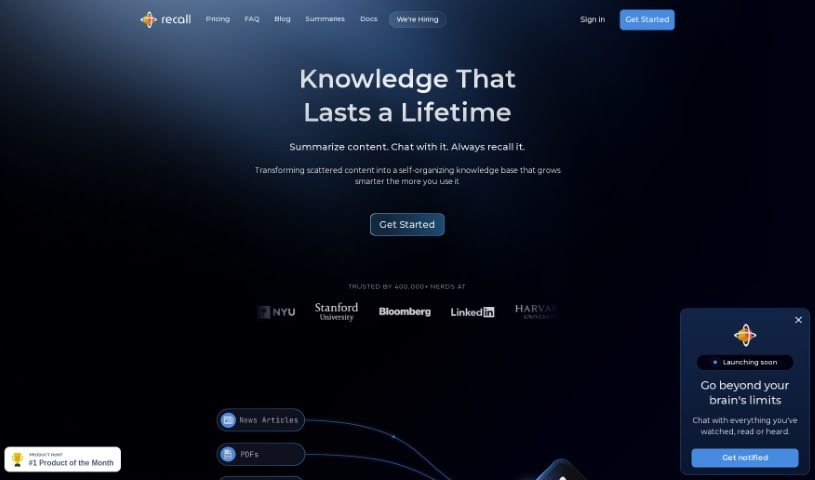
What is Recall?
Recall is a really comprehensive tool designed to help you easily summarize and save all sorts of online content. The goal is to help you build your very own personal knowledge base. It’s packed with features like automatic summarization, super efficient saving, great organizing tools, and powerful search. You can sort your content into categories and folders, and the whole interface is designed to be super intuitive, making your experience smooth and easy. Plus, Recall offers a fresh way to create a knowledge graph, which helps you spot connections between different pieces of information you’ve saved.
Who created Recall?
Recall was actually created by William Peltier, who’s a Senior Director over at Moody’s, and Jason Patel, the Co-founder at Open Forge AI. Together, they’ve built a powerful tool that lets you summarize and save online content to create your own personal knowledge base. Recall’s main features include AI-driven summarization capabilities, really solid saving and organizing systems, and a user-friendly interface that’s made to be easy for anyone to use, no matter their tech expertise.
What is Recall used for?
Recall is incredibly versatile! Here’s a breakdown of what you can do with it:
- Data Export: Easily get your data out in markdown format.
- Spaced Repetition: Helps you learn and retain information better.
- Summarize Any Online Content: Whether it’s podcasts, YouTube videos, news articles, or PDFs, Recall can summarize it for you.
- Automatic Connections: It automatically links new content with what you’ve already saved, making it easy to find related information later.
- Automatic Categorization: AI sorts your saved content for you, so you don’t have to.
- Offline-First Storage: Access all your data even without an internet connection.
- Security and Data Protection: Your data is kept safe and secure.
- Data Ownership: You fully own and control your data.
- Data Portability: You can export all your data easily.
- Servers in the EU: Your data is stored securely, with backups on servers in the EU.
Essentially, it helps you organize, learn from, and access your digital information efficiently and securely.
Who is Recall for?
Recall is a great tool for a variety of people, especially those who manage a lot of information:
- Power Users: Like William Peltier, who need robust tools for managing extensive data.
- Information Managers: Professionals like Jason Patel who deal with large volumes of information daily.
- Second Brain Builders: Individuals like Dave Katague who are creating personal knowledge management systems.
- Founders and Leaders: Those in senior roles, such as Senior Directors or Co-Founders at companies like Moody’s or Open Forge AI, who need to stay on top of industry trends and insights.
- Anyone building a personal knowledge base: If you want to organize your digital life and learn more effectively, Recall is for you.
How to use Recall?
Using Recall effectively is pretty straightforward. Here’s how you can get the most out of it:
- Summarize Online Content: Start by using Recall to summarize different types of content, like podcasts, YouTube videos, news articles, and PDFs. It’s designed to help you quickly pull out the key information.
- Make Automatic Connections: When you save new content, Recall automatically links it with information you’ve already stored. This makes it super easy to find related topics whenever you need them.
- Let AI Categorize for You: Forget manual sorting! Recall uses AI to automatically categorize your saved content, keeping everything organized without you lifting a finger.
- Boost Your Learning with Spaced Repetition: Want to remember things better? Recall’s Spaced Repetition feature is here to help you retain information more easily.
- Export Your Notes: You can easily export your notes to markdown format. This makes them compatible with lots of other applications, so your data is always accessible.
- Use it Offline: All your data is stored locally on your device, meaning you can access it anytime, anywhere, even without an internet connection.
- Trust the Security: Recall is really committed to security and protecting your data. You can feel confident that your information is safe.
- Own and Move Your Data: You have full ownership of your data. Plus, you can export it anytime in Markdown format, giving you complete portability and accessibility.
- EU Servers for Backups: While your data is primarily stored on your device, it’s also backed up on servers hosted using Google Cloud in the EU.
- Hear from Users: Professionals like William Peltier and Jason Patel have praised Recall for how it boosts productivity and knowledge management with its summarization and storage capabilities.
By following these steps, you’ll be able to use Recall efficiently to summarize, save, and organize your online content, really improving how you learn and manage your knowledge.