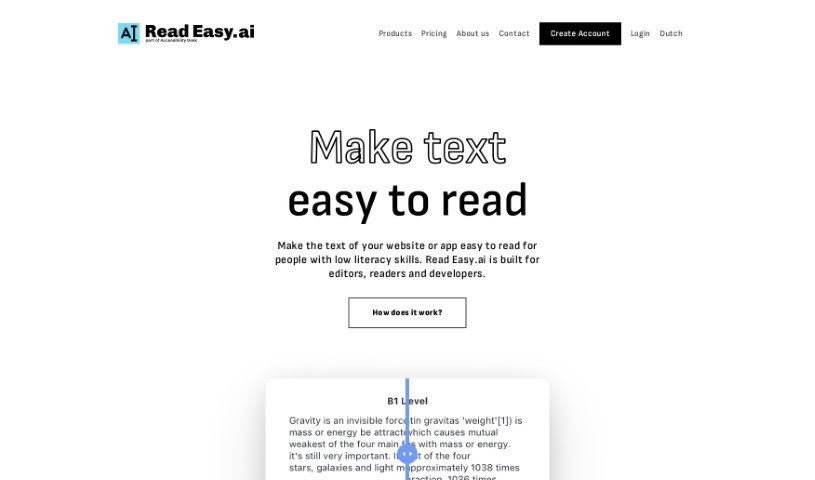
What is Read Easy.ai?
Read Easy.ai is a platform designed to make digital content much easier for people with lower literacy skills to understand. It is a tool that helps simplify text. It offers a few key things: a Chrome plugin that boosts text comprehension, a handy Word extension for editors, and it supports several languages, including English, Spanish, German, Dutch, and Portuguese. Plus, they have a Developer API that can analyze readability and help optimize content specifically for people with dyslexia. The team behind Read Easy.ai is part of Accessibility Desk, and their main goal is to create a more inclusive digital world by making text simpler and information easier to grasp. They focus on improving how clear text is without changing its original meaning or context. This service works across different platforms and technologies, so more people can benefit from it. You can also find tools like Microsoft Office Add-ins, that Chrome Extension we mentioned, and that Developer API, all aimed at making text simpler and improving readability for anyone who struggles with it.
Who created Read Easy.ai?
Read Easy.ai was actually created by a team at Accessibility Desk, also known as Digitaal Toegankelijk. Their whole mission is to simplify text and make the digital world more accessible for everyone. The idea for Read Easy.ai really came about because of the team’s work doing accessibility audits for government organizations. They noticed how challenging it was to write texts at a B1 level for these groups. Wanting to find an affordable solution to this problem, they developed Read Easy.ai. The platform uses some pretty advanced technology to simplify text, make it easier to read, and help users understand information across different languages and technologies.
What is Read Easy.ai used for?
Read Easy.ai is a versatile tool with a lot of uses:
- Making Text Easier to Understand: It helps people with lower literacy skills get more out of digital content.
- Editor’s Assistant: It provides a Word extension that helps editors write more efficiently and clearly.
- Multilingual Support: It works with several languages, including English, Spanish, German, Dutch, and Portuguese.
- API for Developers: The API offers readability analysis, supports multiple languages, and helps optimize content for dyslexia.
- Website Simplification: Through its Chrome extension, it simplifies website text for users who have low literacy levels.
- Real-time Editing Help: Editors get instant suggestions and edits to make text accessible for readers with disabilities.
- Microsoft Office Integration: It enhances writing in Microsoft Word and Outlook by optimizing readability.
- Instant Website Text Simplification: It can simplify website text on the fly.
- Custom App Integration: The Developer API lets you build readability features into your own applications.
- Supporting Accessibility: It helps create a more inclusive and accessible digital world.
- Bridging Communication Gaps: It makes the digital world more accessible for everyone by improving communication.
- Streamlining Editing: It makes editing processes smoother, especially for those with low literacy skills.
- Improving Comprehension: It helps optimize how easy written content is to read and understand.
- Addressing Literacy Challenges: It’s designed to help with literacy issues faced by adults, particularly in places like the United States and Europe.
- Promoting Inclusivity: It supports inclusivity and makes written communication easier to access.
Who is Read Easy.ai for?
Read Easy.ai is designed for a few key groups:
- Editors: To help them create clearer, more accessible content.
- Readers: Especially those with lower literacy skills or reading disabilities, to help them understand digital information better.
- Developers: To integrate readability analysis and simplification features into their own applications and platforms.
How to use Read Easy.ai?
Using Read Easy.ai is pretty straightforward. Here’s a quick guide:
- For Editors:
- You can use Read Easy to check how simple your text is for readers who might have a reading disability.
- It gives you real-time feedback if you use complex words or sentences that could be changed.
- For Developers:
- You can use the Read Easy API to add readability analysis directly into your own applications.
- This API offers great features like readability analysis, support for many languages, and optimization specifically for dyslexia.
- For Everyone:
- Grab the handy Chrome plugin to make reading online content much easier, especially if you have low literacy skills.
- There’s also a Word extension made for editors, which makes writing a smoother experience.
- Language Support:
- Read Easy.ai supports a good range of languages, including English, Spanish, German, Dutch, and Portuguese, so it can help a lot of different people.
- The Accessibility Mission:
- Read Easy.ai is all about making the digital world more inclusive and accessible by simplifying text and helping people understand each other better.
- It’s part of Accessibility Desk, which is dedicated to creating a more inclusive digital space, often through accessibility audits.
- Compatibility:
- It works well with popular platforms like React, React Native, Swift, Vue.js, WordPress, and can be used for custom development solutions too, offering great versatility.
- Top Features:
- Microsoft Office Add-ins: These help optimize how readable your text is.
- Chrome Extension: Lets you instantly simplify text on websites.
- Developer API: Lets you add readability features into custom apps.
- Multilingual Support: Helps reach a global audience.
- Real-time Suggestions: Editors get instant feedback.
- Pricing:
- You can get started with a subscription for about $19.99 per month. This usually includes features like the Microsoft Office Add-ins, the Chrome Extension, and priority support.
By following these steps, you can really make the most of Read Easy.ai. It’s a great way to simplify text and make it more accessible for all sorts of people, especially those with low literacy skills, while also making things easier for editors and developers.