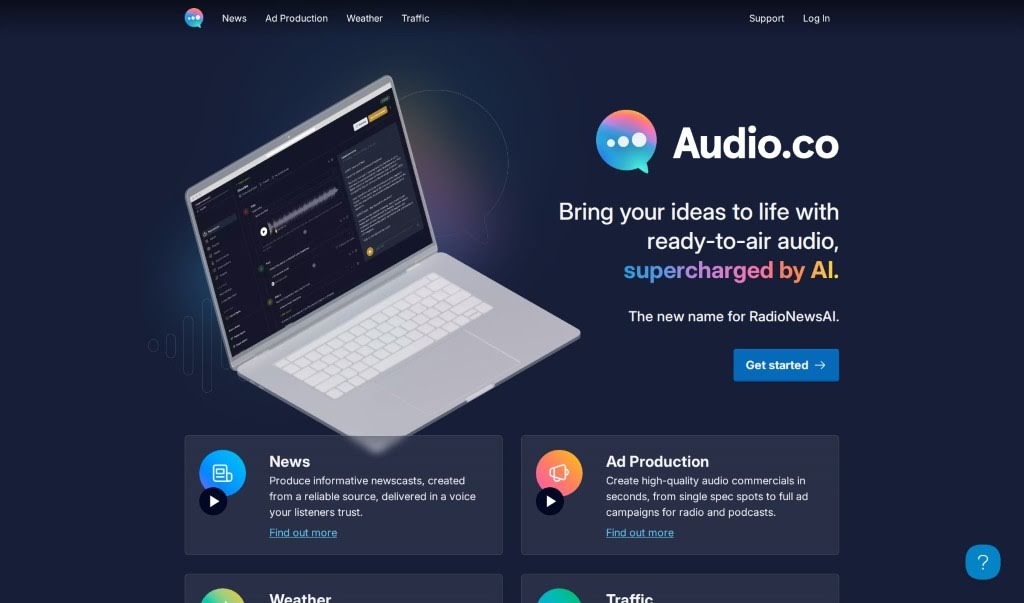
Screenshot of RadioNewsAI

RadioNewsAI

Discover what RadioNewsAI is and how to use it effectively in 2025. We'll explore its features and see how it stacks up against other Voice Generators.

Screenshot

What is RadioNewsAI?

RadioNewsAI is a platform powered by artificial intelligence, built specifically to give local radio stations incredibly realistic AI news anchors. It works by creating automated news broadcasts. How? It takes online content from places like local websites and RSS feeds and turns them into news stories. These stories are then narrated using lifelike AI-generated voices. You can bring in your own content, tweak the AI voice to your liking, set up update schedules, and even review and approve newscasts before they go live. The platform also boasts some pretty neat advanced features, like newscast formats you can customize, the ability to clone your own voice, and even train personal AI models for truly unique news broadcasts. Plus, RadioNewsAI lets you add your own sources and offers a free trial if you’re curious to check it out.

Who created RadioNewsAI?

RadioNewsAI was developed by a company that shares the same name, RadioNewsAI, and it first launched on June 17, 2024. This platform is quite innovative, providing local radio stations with realistic AI news anchors. It generates autonomous news broadcasts by taking online content from various sources. You’re free to import content from local websites or RSS feeds, craft your own news stories, and customize the AI voice to fit your station’s style. The company also offers advanced scheduling options, newscast formats that you can tailor, and a free trial for anyone interested. On top of that, you can train your own AI model, integrate RadioNewsAI with your existing radio automation software, and even personalize news stories by cloning your own voice.

What is RadioNewsAI used for?

RadioNewsAI is a versatile tool for radio stations, helping them:

  • Create AI News Anchors: Generate lifelike AI news anchors specifically for radio stations.
  • Automate News Delivery: Rewrite stories and automate updates for your news broadcasts.
  • Build Trust: Deliver news using a trusted station voice that your listeners are familiar with.
  • Import Content: Easily bring in content from local websites and RSS feeds.
  • Customize Formats: Tailor the newscast format to suit your station’s needs.
  • Schedule Updates: Set up regular newscast updates automatically.
  • Personalize Content: Customize announcements and closing remarks.
  • Approve Before Airing: Review and approve news content before it goes to air.
  • Integrate with Software: Automate the transfer of news to your existing radio automation software.
  • Add Broadcast Elements: Include jingles and fillers to make broadcasts more engaging.
  • Localize News: Generate AI news anchors based on local news sources.
  • Streamline Workflow: Rewrite stories and automate updates for efficient news production.
  • Enhance Delivery: Deliver news in lifelike AI-generated voices.
  • Voice Customization: Customize AI voices for your specific content delivery needs.
  • Format and Schedule: Schedule regular updates and design custom newscast formats.
  • Flexible Billing: Bill users based on the duration of AI-generated audio.
  • Multi-Station Use: Use the platform across multiple radio stations, with review and approval features.
  • Advanced Training: Train personalized AI models and integrate with existing radio software.
  • Flexible Content Sourcing: Import content from local websites, RSS feeds, and create your own personal news stories.
  • Unique Broadcasts: Allow the insertion of personal jingles and fillers for a unique touch.
  • Trusted Voice: Automate updates and deliver news with a trusted station voice.
  • Content Transformation: Transform online content into engaging news stories.
  • Personalized Touches: Personalize announcements and closings.
  • Broadcast Polish: Include jingles and fillers for a professional sound.
  • Tailored Creation: Support tailored content creation for specific needs.
  • Autonomous Broadcasting: Generates autonomous news broadcasts.
  • Website Content Import: Imports content from local websites.
  • RSS Feed Import: Imports from RSS feeds.
  • Universal Content: Content creation from any source is possible.
  • Easy Editing: Features a user-friendly drag-and-drop editor.
  • Format Customization: Customizable newscast format.
  • Scheduled Updates: Regular newscast updates scheduling.
  • Personalized Elements: Personalized announcements and closing.
  • Multi-Station Uploads: Uploads to multiple radio stations.
  • Pre-Broadcast Review: Review broadcasts before publishing.
  • Automated Generation: Generating autonomous news broadcasts.
  • Diverse Content Import: Importing content from local websites and RSS feeds.
  • Custom Voice Training: Custom voice training for AI news anchors.
  • Pre-Air Approval: Reviewing and approving news before airing.
  • Automated Retrieval: Automated newscast retrieval.
  • Broadcast Elements: Including jingles and fillers in broadcasts.
  • Software Integration: Automated news to radio software integration.
  • Topic Tailoring: Tailored content creation for different news topics.
  • Station Support: Upload to multiple radio stations.

Who is RadioNewsAI for?

RadioNewsAI is designed for a variety of professionals and organizations in the broadcasting and content creation space, including:

  • Radio stations
  • News Teams
  • News broadcasters
  • Radio station operators
  • Journalists
  • Radio station managers
  • Content creators
  • Broadcasters

How to use RadioNewsAI?

Here’s a straightforward, step-by-step guide to using RadioNewsAI effectively:

  1. Understanding Billing and Plans:
    • You’ll be billed based on how long the AI-generated audio is. There are different plans to choose from.
    • If you’re on a plan other than the free trial, you have the option for additional usage-based billing.
  2. Importing Content and Generating News:
    • RadioNewsAI makes it easy to import content. You can pull it from local websites, RSS feeds, or use your own original stories to generate AI news.
    • The AI model then takes this content and crafts comprehensive news stories from it.
  3. Personalizing and Customizing Your Broadcasts:
    • You can customize your newscast format using a simple drag-and-drop editor.
    • The AI voices are incredibly realistic, and you can even clone your own voice for a truly personal touch.
    • You also have the ability to train your own AI model to get the exact personalized news output and tone you want.
  4. Exploring Features and Integrations:
    • RadioNewsAI offers advanced scheduling options, so you can set up regular updates easily. It also integrates seamlessly with your existing radio automation software.
    • You can refresh news items whenever you need to, and you have the option to include your own personal jingles and fillers.
  5. Considering Cost and the Free Trial:
    • Billing is based on the AI-generated audio content, typically charged per second.
    • A free trial is available, letting you explore the platform’s capabilities before you decide on a paid plan.

By following these steps, you can effectively use RadioNewsAI to create AI news anchors for your radio station, streamline your news broadcasts, and produce engaging, personalized content for your audience.

Related AI Tools

Discover more tools in similar categories that might interest you

Stay Updated with AI Tools

Get weekly updates on the latest AI tools, trends, and insights delivered to your inbox

Join 25,000+ AI enthusiasts. No spam, unsubscribe anytime.