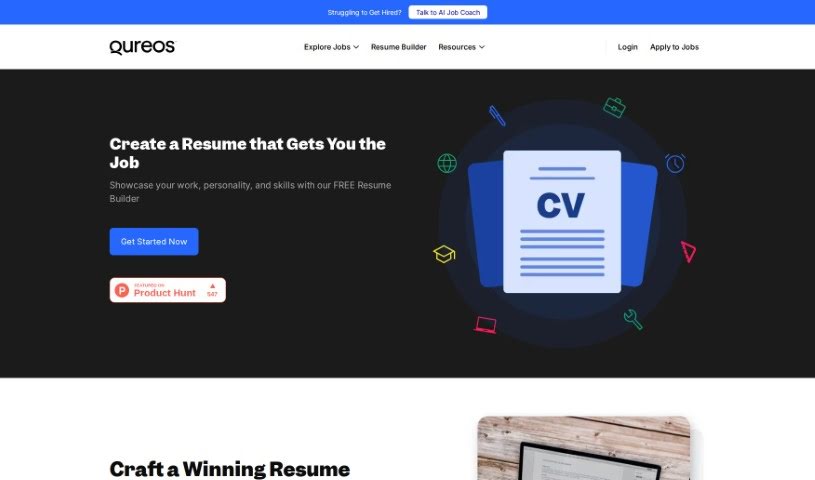
Screenshot of Qureos Resume Builder

Qureos Resume Builder

Discover what the Qureos Resume Builder is all about and learn how to use it effectively in 2025. We'll walk you through its features and see how it stacks up against other resume builders.

Screenshot

What is Qureos Resume Builder?

Qureos Resume Builder is a handy tool built to help you create really strong resumes, and do it fast. It’s not just guesswork, either; it’s shaped by input from over 1,000 users, plus advice from recruiters and what hiring managers look for. The main goal here is simple: help you make a great impression on potential employers and land those all-important job interviews. The best part? You can use Qureos Resume Builder completely free – no hidden costs or subscriptions to worry about. It’s got a super easy-to-use interface, making it a breeze to customize your resume. This means you can really highlight your best strengths, skills, and experiences exactly how you want to.

Who created Qureos Resume Builder?

This helpful resume builder comes from elpatio.studio. Their aim is to give users the tools they need to put together resumes that actually help them get job interviews. They’ve built it based on what more than 1,000 users have said, combined with expert advice from recruiters and a solid understanding of hiring best practices. Qureos Resume Builder is totally free to use, and its straightforward interface makes it simple to customize your resume, ensuring your strengths, skills, and experiences really shine.

How to use Qureos Resume Builder?

Ready to build your resume with Qureos? Here’s a simple step-by-step guide:

  1. First off, head over to the Qureos Resume Builder website. You can find the link easily.
  2. Once you’re there, just click on the “Create My Resume” button to get started.
  3. Now, begin by filling in your basic personal details – think contact info and a quick professional summary.
  4. Next, you can add all the important sections like your education, work history, skills, and any key achievements.
  5. Take a moment to really tailor each part, adding all the relevant details that showcase your background.
  6. Don’t forget to play around with the design and layout using the super intuitive interface. Make it look just right!
  7. Make sure your resume really emphasizes your strengths, skills, and experiences in the best light possible.
  8. When you feel great about how your resume looks and reads, it’s time to save and download it.
  9. And that’s it! You’re now ready to use your polished, professional resume to apply for those exciting job opportunities.

Qureos Resume Builder is really designed to help you put together a resume that gets noticed, effectively showing off your qualifications and experiences. This, in turn, should boost your chances of landing interviews. And remember, it’s completely free to use, with absolutely no hidden fees or subscriptions to worry about.

Related AI Tools

Discover more tools in similar categories that might interest you

Adaface AI Resume Parser

Human Resource Recruitment
Learn More

Stay Updated with AI Tools

Get weekly updates on the latest AI tools, trends, and insights delivered to your inbox

Join 25,000+ AI enthusiasts. No spam, unsubscribe anytime.