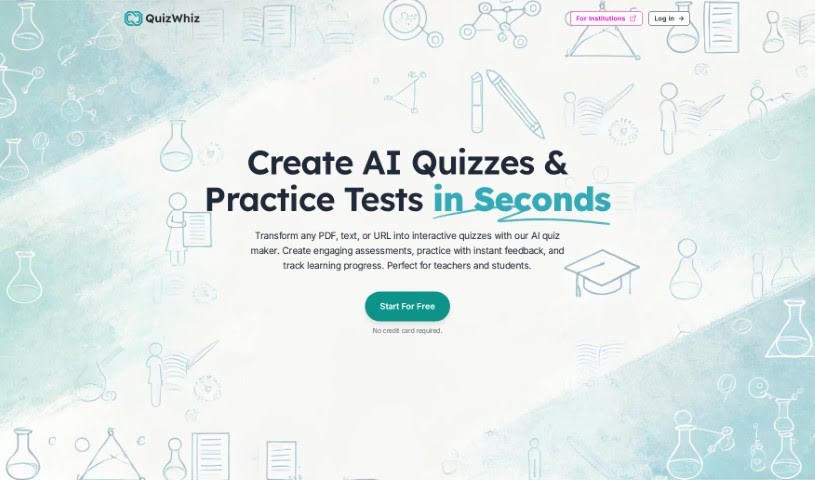
Screenshot of QuizWhiz

QuizWhiz

Discover QuizWhiz in 2025! Learn what this AI tool does, how to use its features for creating quizzes and study notes, and how it stacks up against other teacher tools.

Screenshot

What is QuizWhiz?

QuizWhiz is a really neat AI tool that helps you create multiple-choice questions (MCQs) super easily, just by giving it some text or a PDF file. It is a smart assistant for educators and students who need to whip up quizzes quickly. It’s designed to be user-friendly, and they offer different subscription plans to fit what you need, whether you’re an individual or part of a larger institution. Some of its best features include that AI-powered question generation, flexible plans, and the ability to upload text or PDFs.

What’s cool is that QuizWhiz doesn’t just do MCQs. You can also get it to create short answer questions, true or false, fill-in-the-blanks, scenario-based questions, and even ones that involve labeling diagrams. You get to decide how many questions you want, and you can download them in all sorts of formats like PDF, Word documents, plain text, and even e-books. Plus, it can generate study notes for you, offer self-assessment tools so students can check their own progress, and has an AI chat feature for interactive study sessions.

Basically, QuizWhiz gives you everything you need to create quizzes, make study notes, test yourself, and interact with your study material using AI. It really makes exam prep simpler for teachers and self-study more effective for students, all thanks to its straightforward interface and smart AI.

Who created QuizWhiz?

QuizWhiz Overview:

QuizWhiz was created by a founder who wanted to make it much simpler for teachers and students to create multiple-choice questions. This AI application is pretty efficient at generating MCQs from text or PDFs you upload. It’s packed with user-friendly features, offers various subscription plans, and generally makes the whole process of creating quizzes smoother, which really helps out with teaching and learning. You can even get started without needing a credit card, so QuizWhiz is a great option for both individuals and schools, making quiz preparation convenient and accessible for everyone.

What is QuizWhiz used for?

  • It automatically generates all sorts of multiple-choice questions from any text or PDF you upload.
  • It’s perfect for teachers and schools that need to create quizzes and exams quickly.
  • It really helps improve the way people teach and learn.
  • It’s designed to work for both individual users and larger institutions.
  • It creates MCQs with answer options that are directly related to the text you provide.
  • It makes the whole process of creating quizzes much more streamlined.
  • You don’t need a credit card to start using it.
  • There are different subscription plans available to suit your needs.
  • Its simple pricing models can handle whatever volume of usage you have.
  • You can generate MCQs really efficiently.

How to use QuizWhiz?

Using QuizWhiz is pretty straightforward. Here’s a quick rundown:

  1. First, you’ll want to sign up for an account on the QuizWhiz website. You can start for free, or if you need more, pick one of the subscription plans that best fits what you’re looking for.
  2. Once you’re in, you can start creating quizzes. Just input your data, tweak the settings, generate the quiz, and then use it however you need.
  3. You can create quizzes from all sorts of sources – think PDFs, plain text, scanned documents, website links, or even your own study notes. Plus, you can choose from different question types like MCQs, short answers, true or false, and more.
  4. You can also get AI-powered study notes or make your own, and then use the self-assessment tool to keep track of how you’re doing.
  5. If you want to really dive deep, you can chat with your saved texts and notes for a more interactive study experience.
  6. When you’re ready, you can download your quizzes in various formats, like PDF, DOCX, TXT, and others.
  7. You can even adjust how difficult the questions are, and take advantage of AI features that can generate higher-level questions.

If you ever need more help or have questions, feel free to email QuizWhiz at [email protected]. The whole idea behind this tool is to make quiz creation easier and make the educational experience better for both teachers and students.

Related AI Tools

Discover more tools in similar categories that might interest you

Academic Help Free Essay Generator

Education Academic Writing
Learn More

Stay Updated with AI Tools

Get weekly updates on the latest AI tools, trends, and insights delivered to your inbox

Join 25,000+ AI enthusiasts. No spam, unsubscribe anytime.